
Panic Figura
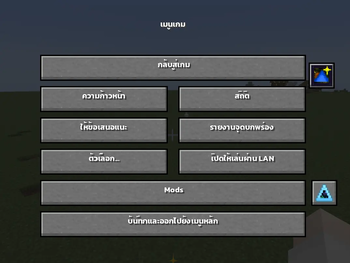
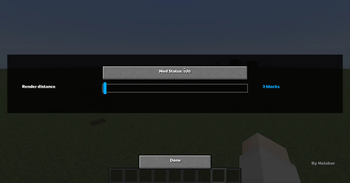
Panic Figura , This mod allows you to freely adjust the mesh render distance in Figura , giving you better control over how models are displayed in-game
By reducing the render distance of distant meshes, the mod helps eliminate unnecessary processing—especially when using high-detail or multiple models. This results in noticeable FPS improvements and smoother overall performance
Perfect for ⁉️
- Players using multiple Figura models
- Users experiencing FPS drops from complex avatars
- Anyone looking to optimize performance
Features ✨
- Adjustable mesh render distance
- Reduces GPU/CPU load from distant models
- Improves overall FPS and performance
- Simple and easy to use
TH
Panic Figura เอาไว้ใช้สําหรับการปรับระยะการมองเห็นของ Figura ถ้าเกิดว่าอยู่นอกระยะจะไม่ Render Figura คนนอกระยะ
เหมาะสำหรับ ⁉️
- เชิฟใหญ่ที่มีผู้เล่นที่ใส่ Figura เยอะ
- คนที่อยากปรับ Performance ให้เหมาะกับเครื่องตัวเอง
ฟีเจอร์ ✨
ปรับระยะการแสดงผล Mesh ได้แบบละเอียด
ลดภาระ GPU/CPU จากโมเดลที่อยู่ไกล
เพิ่มประสิทธิภาพ (FPS) โดยรวมของเกม
ใช้งานง่าย ไม่ซับซ้อน
Original Mods / Request Mod ⭐
- Edition: Minecraft Java
- File type: .jar
- Minecraft version listed: 1.20.1
- How to install: Install the matching mod loader (Forge, Fabric or NeoForge) for your Minecraft version. → Download the .jar. → Put it in the .minecraft/mods folder and launch that loader profile.
- Where to get it: Opens on Modrinth — not every file is mirrored on our own servers.
Install steps are the general flow for this file type — How to install Minecraft Java mods & modpacks walks through it step by step.
- Ships as panicfigura-1.0.0.jar — drop this file into the mods folder
- Download size: 148 KB
- Download link checked 31 Aug 2026 — working
These come from our own check of the pack file, not from the source page.