
CatzMod
Java mod listed for Minecraft 1.7. Downloads from the MC Java Mods app on Android.
⬇ Download on Modrinth

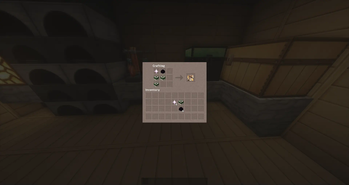

This mod adds an item to your Minecraft world called CatCoin. This coin can be used to craft various items, adding a new layer of depth to your gameplay experience. With CatCoin, you can craft items such as weapons, armor, tools, food, and more. It adds an extra layer of challenge and complexity to your modpack, and gives you the opportunity to make use of your creativity. With CatCoin, you can craft items faster, more efficiently, and more effectively, making it easier to build whatever you need. Furthermore, it adds a sense of accomplishment when you complete a crafting task, as you can show off the results of your efforts with your friends. CatCoin adds a unique element to your modpack, providing a way to make crafting more rewarding and enjoyable. With its simple and intuitive user interface, CatCoin makes crafting easier and more enjoyable for everyone.
- A Question and Answer .
Q: Can I use this mod in my modpack? A: Yes, you can.
Q: What features does this mod offer? A: This mod offers the ability to craft items using a new currency called CatCoin. This adds an additional level of complexity to the crafting system, allowing users to create more interesting and unique items. Additionally, this mod provides a way to store and manage CatCoin, allowing players to build up their wealth and make larger purchases.
- How those features affect a user's experience.
This mod provides an additional item for the user to craft and utilize in their modpack. The CatCoin item can be used to create unique items, giving the user a greater range of potential options when it comes to creating and customizing their modpack experience. By adding this item, players are given the ability to craft items that they may not have been able to make before, creating a more dynamic and enjoyable experience.
- Links to descriptions of my projects.
Modrinth: https://modrinth.com/mod/catzmod/version/0.1
Github: https://github.com/quentin452/Catzmod1.7.10
Curseforge: https://www.curseforge.com/minecraft/mc-mods/catzmod
- Edition: Minecraft Java
- File type: .jar
- Minecraft version listed: 1.7.10
- How to install: Install the matching mod loader (Forge, Fabric or NeoForge) for your Minecraft version. → Download the .jar. → Put it in the .minecraft/mods folder and launch that loader profile.
- Where to get it: Opens on Modrinth — not every file is mirrored on our own servers.
Install steps are the general flow for this file type — How to install Minecraft Java mods & modpacks walks through it step by step.
- Ships as Catmod-1.7.10-0.2.jar — drop this file into the mods folder
- Download size: 586 KB
- Download link checked 12 Oct 2026 — working
These come from our own check of the pack file, not from the source page.