
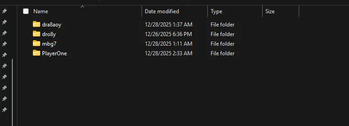
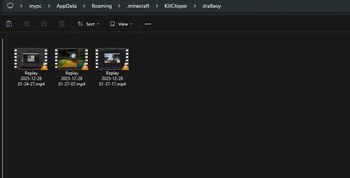
This mod connects Minecraft directly to OBS Studio using the OBS WebSocket plugin, allowing the mod to automatically capture almost every kill using the Replay Buffer. The mod organizes all clips in player-specific folders and sorts them.


Kill detection works in two modes:
Packet Mode listens directly to Minecraft network packets to detect when a player dies, but it depends on the server sending complete data. If the damage source or attacker entity is missing, the mod will not function
Chat Mode watches the Minecraft chat for specific kill messages sent by the server.
Dependencies
- Cloth Config API
- Fabric api
- Mod Menu
Setup
OBS Studio
Open OBS Studio.
Go to Tools → WebSocket Server Settings.
Make sure the following are set:
Enable WebSocket Server is checked.
Enable Authentication is checked.
Copy the Server Port and Server Password. Press Show Connect Info to view them.
4. Go to Settings → Output → Replay Buffer:
Make sure Enable Replay Buffer is checked.
Set the Maximum Replay Time to your desired length.
Copy the Recording Path
Click Start Replay Buffer to make it active.
Minecraft
Make sure Cloth Config and Mod Menu are installed
Open the config screen through mod menu and enter your OBS WebSocket server information (port/password) and Recording Path.
Video Tutorial
Check this video out for a step-by-step tutorial
- Edition: Minecraft Java
- File type: .jar
- Minecraft versions listed: 1.19, 1.19.1, 1.19.2
- How to install: Install the matching mod loader (Forge, Fabric or NeoForge) for your Minecraft version. → Download the .jar. → Put it in the .minecraft/mods folder and launch that loader profile.
- Where to get it: Opens on Modrinth — not every file is mirrored on our own servers.
Install steps are the general flow for this file type — How to install Minecraft Java mods & modpacks walks through it step by step.
- Ships as KillClipper-1.1.jar — drop this file into the mods folder
- Download size: 29 KB
- Download link checked 1 Sept 2026 — working
These come from our own check of the pack file, not from the source page.