
AntiWeakChat
Tired of vip players having weird chat colors, or a spammer that you can't ignore? Or you just want some private chat with friend and highlight their…
⬇ Download on Modrinth


AntiWeakChat
Personal Recommended Version:
- forge 1.8.9
Overview
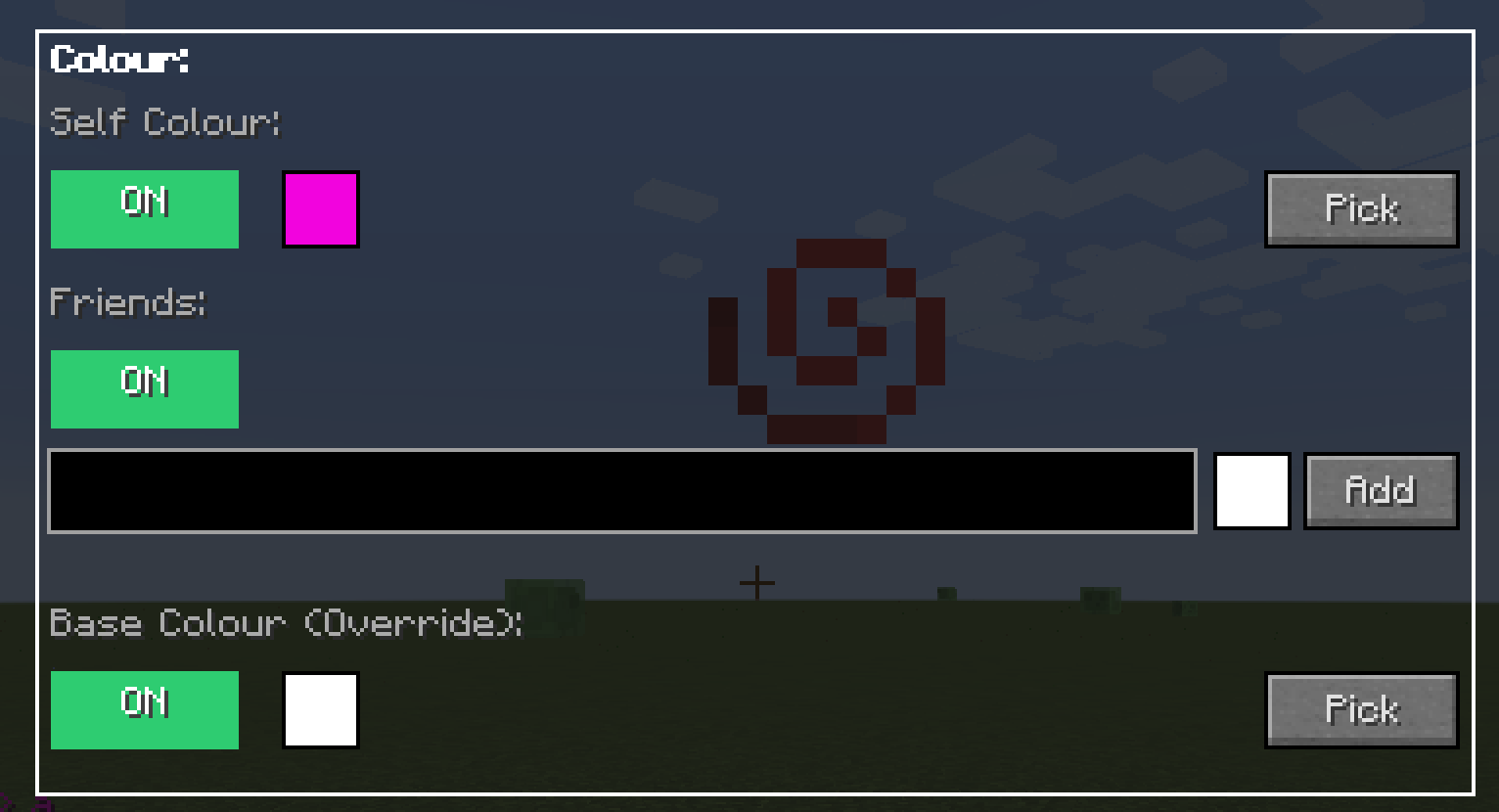
- Adds custom colouring, colour urself and ur friends, discolour the entire chat, so all the vips are gray, only u and ur friend have colours.
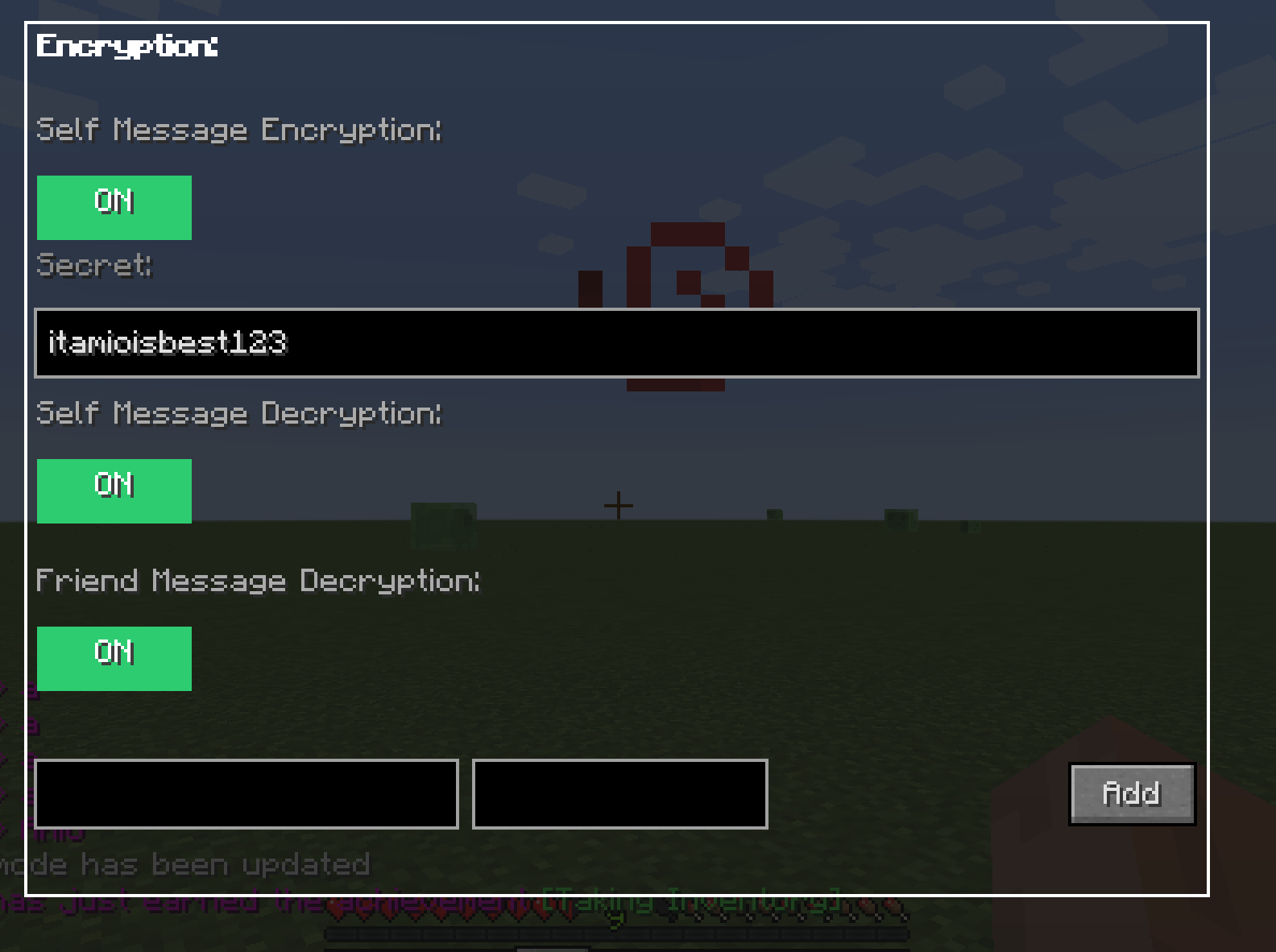
- Adds encryption + decryption, talk in a way only ur friend can understand (if he has secret)
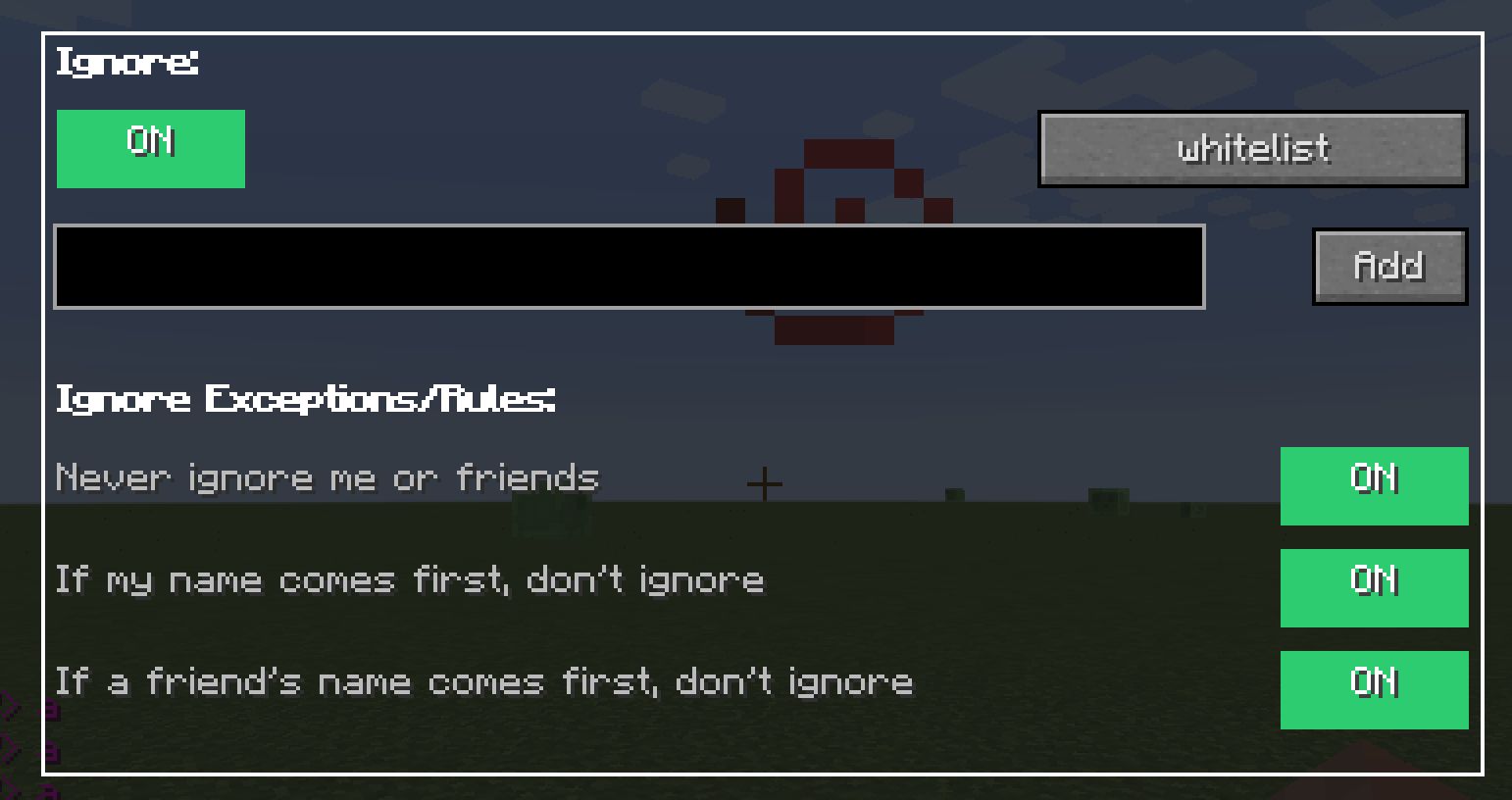
- Adds Ignore + anti Spam, ignore annoying players + prevent server bug messages from spamming chat
- Adds Custom player tags, customize your tag as if your a vip player, you can also distag vip players so they dont take so much space in chat.
Sample Config:
Im too lazy to make a video on how to use this mod, but here is a config i use regularly, just change the name noobyboom to your name and then u'll see effects...
Spoiler# AntiWeakChat Configuration File
# ==============================
# Chat History Settings
# ---------------------
# Maximum number of chat lines to keep in history
maximum_chat_line_history=1000
# Global Chat Color Settings
# --------------------------
# Chat color to apply to all messages (use § followed by 0-9 or a-f)
# Examples: §0 (black), §1 (dark_blue), §2 (dark_green), §3 (dark_aqua), §4 (dark_red), §5 (dark_purple), §6 (gold), §7 (gray), §8 (dark_gray), §9 (blue), §a (green), §b (aqua), §c (red), §d (light_purple), §e (yellow), §f (white)
# Useful for disabling colour from server globally for example by using the gray colour
cover_full_chat_colour=§7
# Render full chat with custom colour (true/false)
# When true: applies cover_full_chat_colour to all messages
# When false: keeps original server colors and formatting
render_full_chat_with_custom_colour=true
# Player Message Customization
# ----------------------------
# Player identification pattern (use PLAYER as placeholder for player name)
# Examples: "PLAYER: " for "bob: Hello", "<PLAYER>" for "<bob> Hello"
player_identification=PLAYER
# Enable player-specific message coloring (true/false)
colour_specific_player_messages=true
# Player color list in format [playername,colour,playername2,colour2]
# Example: [bob,yellow,alice,green]
player_colour_list=[noobyboom,yellow]
# Player Tag Changer Settings
# ---------------------------
# Enable custom player tags (true/false)
enablecustomplayertags=true
# Player tag list in format {
# playername -> "taginfront"
# bob -> "§khhh §r §0 COOL: "
# }
tagplayerlist={
noobyboom -> "§0§l§khhhhhhhh §r §d Cool Guy: "
}
# Apply tag to all other players not in list (true/false)
otherplayersalltag=true
# Tag to apply to other players (use PLAYER as placeholder)
otherplayers=
# Message Encryption Settings
# --------------------------
# Enable self message encryption (true/false)
enable_self_message_encryption=false
# Self encryption secret
self_encryption_secret=itamioisbestmodmaker
# Enable self message decryption (true/false)
enable_self_message_decryption=false
# Enable friend message decryption (true/false)
enable_friend_message_decryption=false
# Friend secret list in format [playername,secret]
# Example: [bob,secret]
friend_secret_list=[]
# Player Ignore Settings
# ---------------------
# Enable ignoring players (true/false)
enable_ignoring_players=false
# Players to be ignored in format [playername1,playername2]
# Example: [bob,alice]
players_to_be_ignored=[]
# Anti-Spam Settings
# -----------------
# Enable anti-spam protection (true/false)
# When enabled, messages that appear more than the threshold times within the detection window will be filtered
enable_antispam=true
# Number of times a message can appear before being considered spam
# Example: 2 means a message appearing 3+ times will be filtered
spam_threshold=2
# Check for spam every X new messages
# Example: 3 means check for spam every 3 new messages
spam_check_interval=3
Features
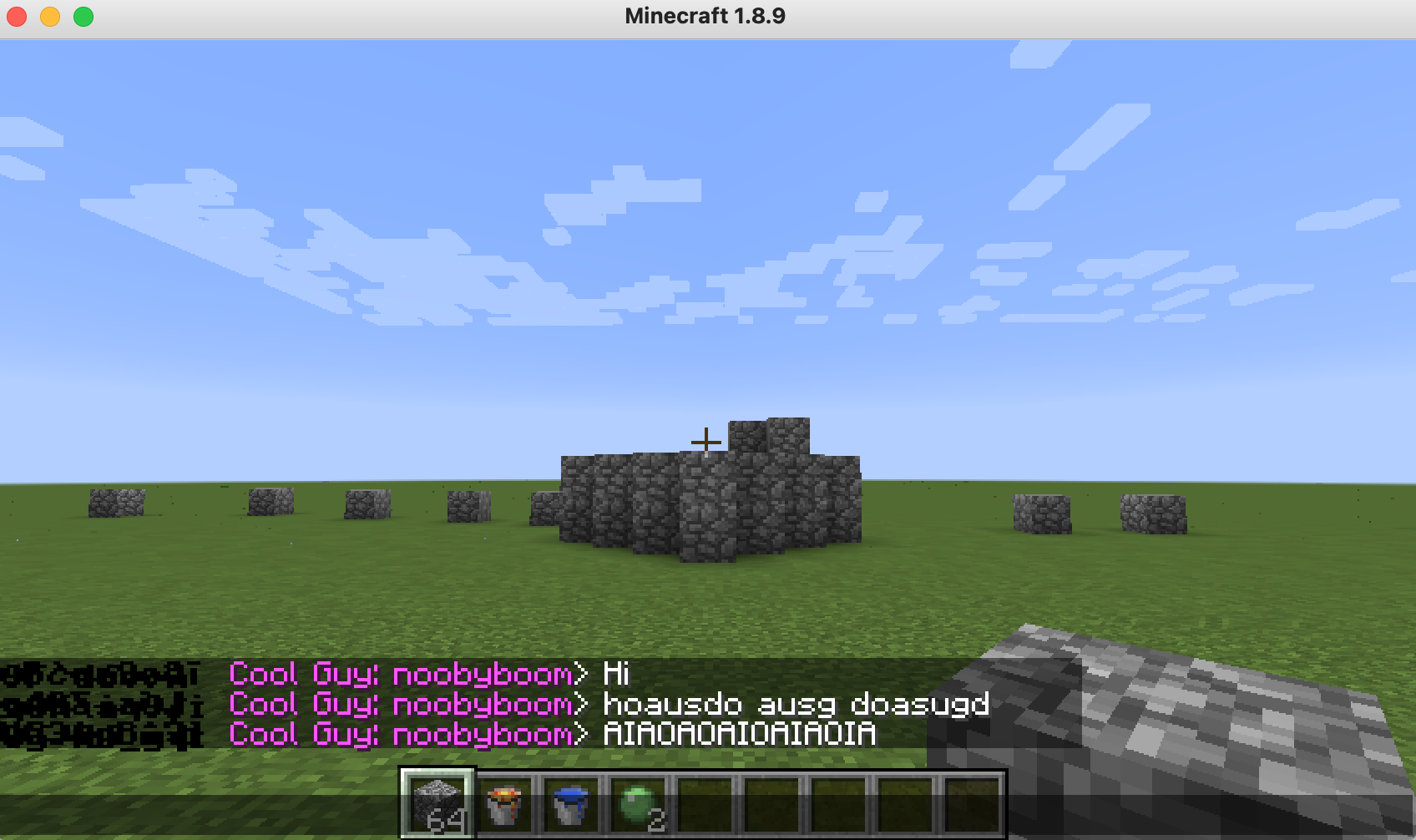
Custom Player Tags
- Makes it so that you can make yourself a custom tag, replacing the old tag for example if in a server you look like this:
DEFAULT CoolGuy123 > yey!
you can make urself look like this instead:
SUPER-EPIC-FANTASTIC CoolGuy123 > yey!
- I also made it so that you can remove vip tags so then they look tagless, which is awesome.
Private Message Encryption
(great for anarchy servers <- i will update mod to newer versions very soon)
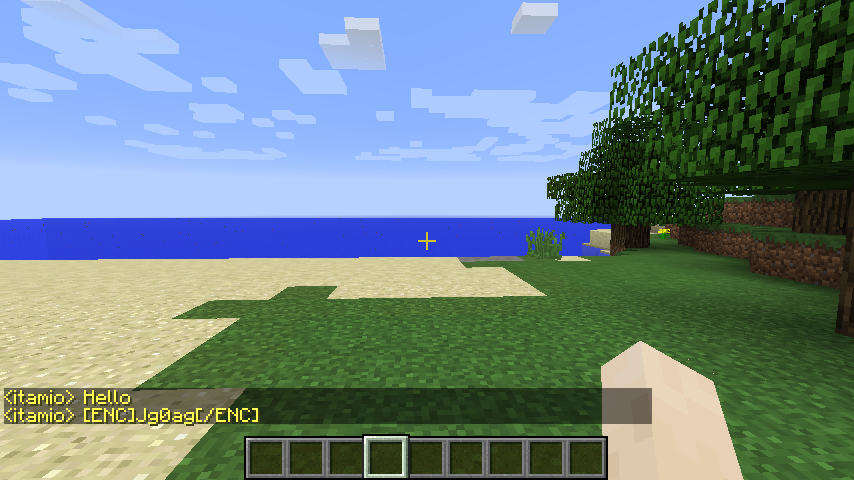
- Self Message Encryption: Encrypt your own messages with a secret
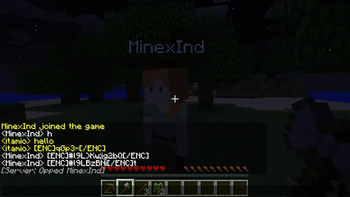
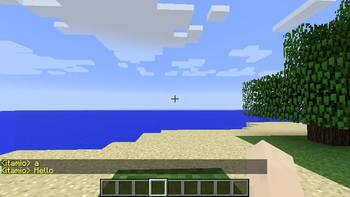
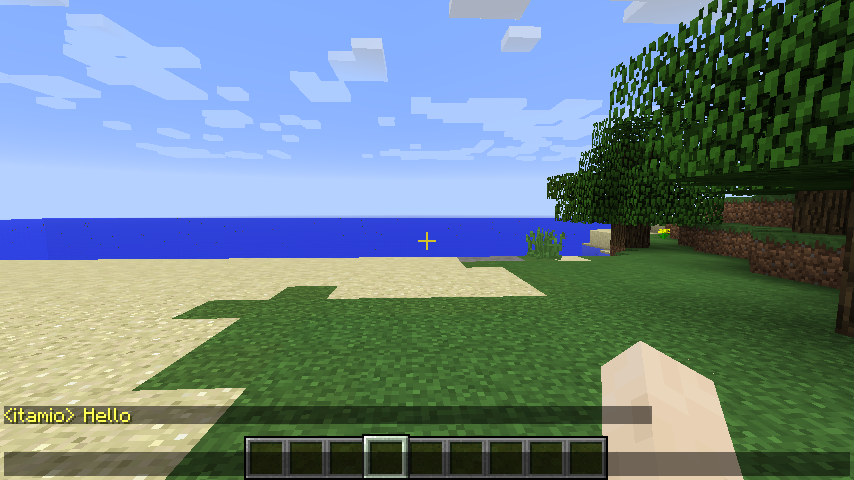
For example i sent Hello first without encryption, then second time i enabled, and this is what is sent to server
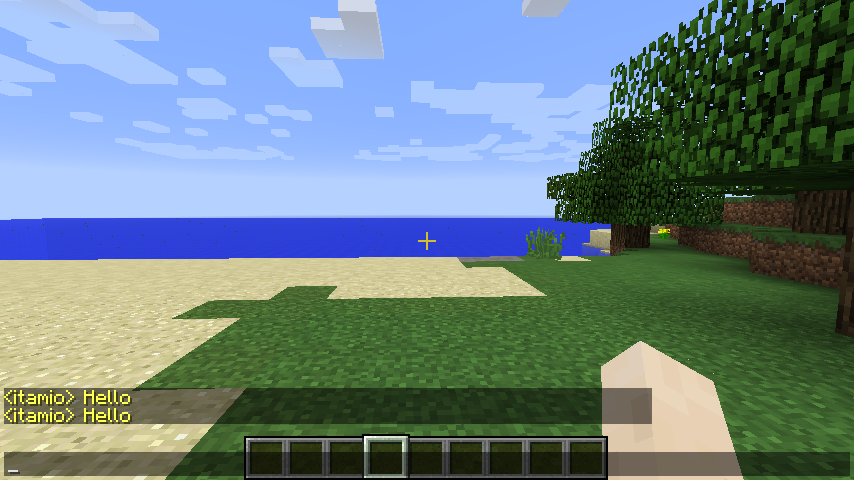
- Self Message Decryption: Decrypt your own messages, so when you send messages, u see the original, but others see encrypted
when decrypt self is on you can see your orignal messages
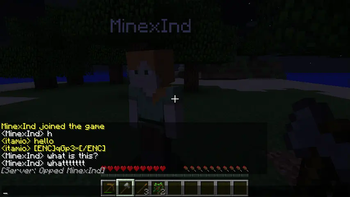
- Friend Message Encryption/Decryption: Share secrets with friends to create private communication channels
Encrypted friend messages
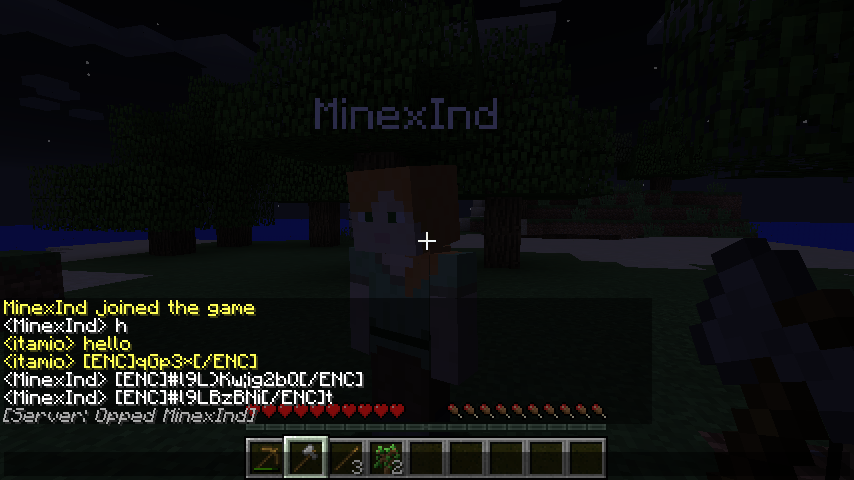
After typing in the friend secrets:
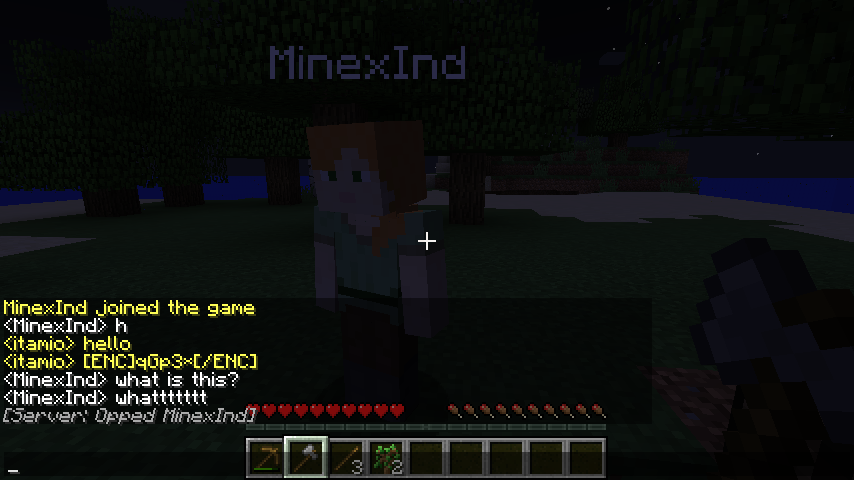
- Custom Caesar Cipher: Advanced character-based encryption that works with any message length (however the server might not allow you to send to much, i've tried using other ways of encrypting, but they all make the message longer, this is the only one that works best)
- Server-Safe: Uses simple character substitution that probably won't get blocked by servers
Custom Chat Colors
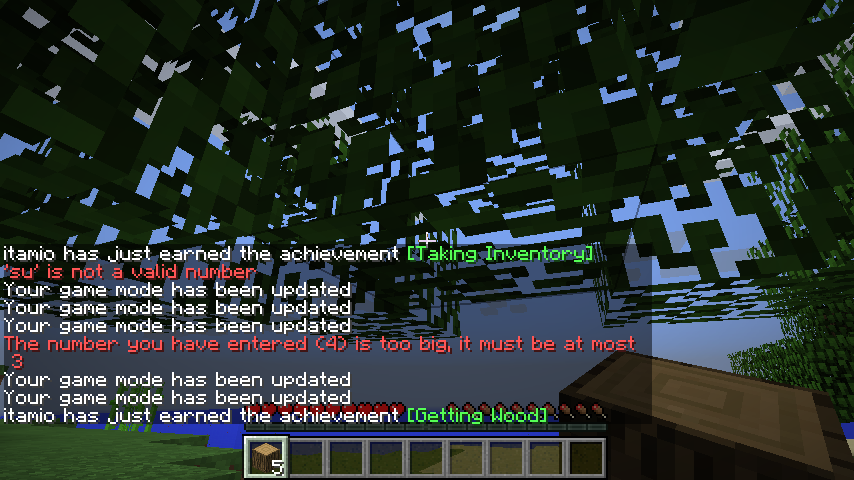
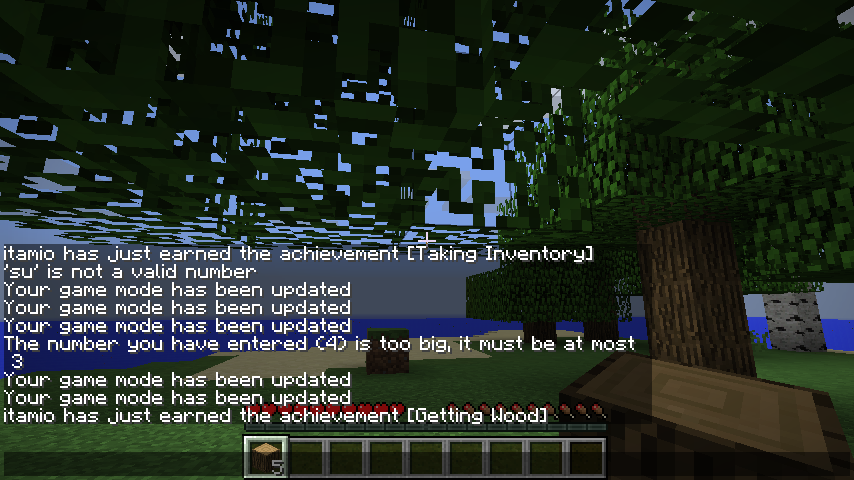
- Overlay all chat messages: Set a background colour to the entire chat, for example all chat colours gray, then add a player specific color, for example yourself, then ur message will appear colored (use a color code for this one)
Before enabling
After enabling
- Player-Specific Colors: Give each player their own unique color in chat (use a color name for this one)
- Friend-Only Coloring: Only you and your friends get colored names - others stay default (use a color name for this one)
Player Ignoring
- Selective Ignoring: Choose specific players to ignore completely
- Clean Chat: Ignored players' messages are filtered out entirely
Minecraft Color Codes
| Color Name | Minecraft Color Code |
|---|---|
| black | §0 |
| dark_blue | §1 |
| dark_green | §2 |
| dark_aqua | §3 |
| dark_red | §4 |
| dark_purple | §5 |
| gold | §6 |
| gray | §7 |
| dark_gray | §8 |
| blue | §9 |
| green | §a |
| aqua | §b |
| red | §c |
| light_purple | §d |
| yellow | §e |
| white | §f |
Configuration Guide
| Setting | Description | Example | Default |
|---|---|---|---|
| enable_self_message_encryption | Enable encryption for your own messages | true | false |
| self_encryption_secret | Your personal encryption secret | "mysecret123" | "" |
| enable_self_message_decryption | Enable decryption of your own messages | true | false |
| enable_friend_message_encryption | Enable encryption for friend messages | true | false |
| enable_friend_message_decryption | Enable decryption of friend messages | true | false |
| friend_secret_list | List of friends and their secrets | ["friend1,secret1", "friend2,secret2"] | [] |
| player_colour_list | List of players and their colors | ["player1,§c", "player2,§9"] | [] |
| enable_ignoring_players | Enable player ignoring feature | true | false |
| players_to_be_ignored | List of players to ignore | ["player1", "player2"] | [] |
| player_identification_pattern | Pattern to identify player names | "" | "" |
How to Use
Setting Up Encryption with Friends
- Enable Encryption: Set enable_self_message_encryption to true
- Choose Your Secret: Set self_encryption_secret to any text you want
- Share with Friends: Tell your friends your secret
- Add Friends: Add your friends to friend_secret_list with their secrets
- Enable Decryption: Set both decryption options to true
Example Config: self_encryption_secret = "mysecret123" friend_secret_list = ["alex,alexsecret456", "sarah,sarahsecret789"]
Setting Up Custom Colors
- Add Players: Add player names and color codes to player_colour_list
- Use Minecraft Color Codes: Use codes like §c, §9, §a, §e, etc.
Example Config: player_colour_list = ["alex,§c", "sarah,§9", "mike,§a"]
Ignoring Players
- Enable Ignoring: Set enable_ignoring_players to true
- Add Players: Add player names to players_to_be_ignored
Example Config: players_to_be_ignored = ["spammer1", "annoying_player"]
Perfect for Friend Groups
- Private Conversations: Use encryption to have private chats that only your group can read
- Easy Identification: Color-code your friends so you can spot their messages instantly
- Clean Experience: Ignore unwanted players to keep your chat focused on your friends
- Server Compatible: Works on most servers without causing issues
Installation
- Download the mod for Minecraft 1.8.9
- Place in your mods folder
- Configure the settings in the config file(location: minecraft/config/antiweakchat/config/config.txt)
- Join your favorite server and enjoy enhanced chat!
- Edition: Minecraft Java
- File type: .jar
- Minecraft version listed: 1.8.9
- How to install: Install the matching mod loader (Forge, Fabric or NeoForge) for your Minecraft version. → Download the .jar. → Put it in the .minecraft/mods folder and launch that loader profile.
- Where to get it: Opens on Modrinth — not every file is mirrored on our own servers.
Install steps are the general flow for this file type — How to install Minecraft Java mods & modpacks walks through it step by step.
- Ships as antiweakchat-5.0.0.jar — drop this file into the mods folder
- Download size: 72 KB
- Download link checked 1 Sept 2026 — working
These come from our own check of the pack file, not from the source page.