
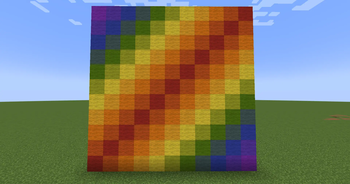
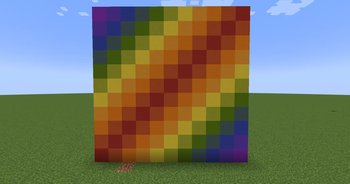
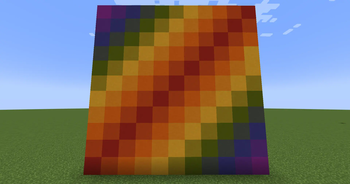
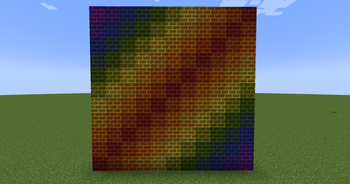
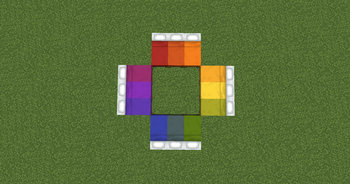
Stardom's Colors is a mod that allows the player to dye various blocks by right clicking them with a dye. These blocks offer more customization than the regular vanilla counterparts as it allows you to mix various dye colors to get the specific block color you're looking for.
The current list of dyeable blocks are the following:
- Wool
- Beds
- Terracotta
- Concrete Powder (Converts into the corresponding color of concrete when hardened)
- Bricks
- Stained Glass
- Stained Glass Panes
- Candles
- Bundles (combine bundle with a dye in a crafting table)
This mod also adds the following blocks which can be created by taking their corresponding base block and putting it in a Stonecutter:
- Terracotta Slabs, Stairs, and Walls
- Concrete Slabs, Stairs, and Walls
- Brick Slabs, Stairs, and Walls
Quick facts
- Edition: Minecraft Java
- File type: .jar
- Minecraft version listed: 1.21.11
- How to install: Install the matching mod loader (Forge, Fabric or NeoForge) for your Minecraft version. → Download the .jar. → Put it in the .minecraft/mods folder and launch that loader profile.
- Where to get it: Opens on Modrinth — not every file is mirrored on our own servers.
Install steps are the general flow for this file type — How to install Minecraft Java mods & modpacks walks through it step by step.
Verified by MCModsHub
- Ships as stardoms-colors-1.1.2-1.21.11.jar — drop this file into the mods folder
- Download size: 272 KB
- Download link checked 22 Sept 2026 — working
These come from our own check of the pack file, not from the source page.