
EasyLAN Mod (1.21.11, 1.20.1) – Easier LAN Server Configuration Menu
Java mod listed for Minecraft 1.20–1.21. Downloads from the MC Java Mods app on Android.
⬇ Download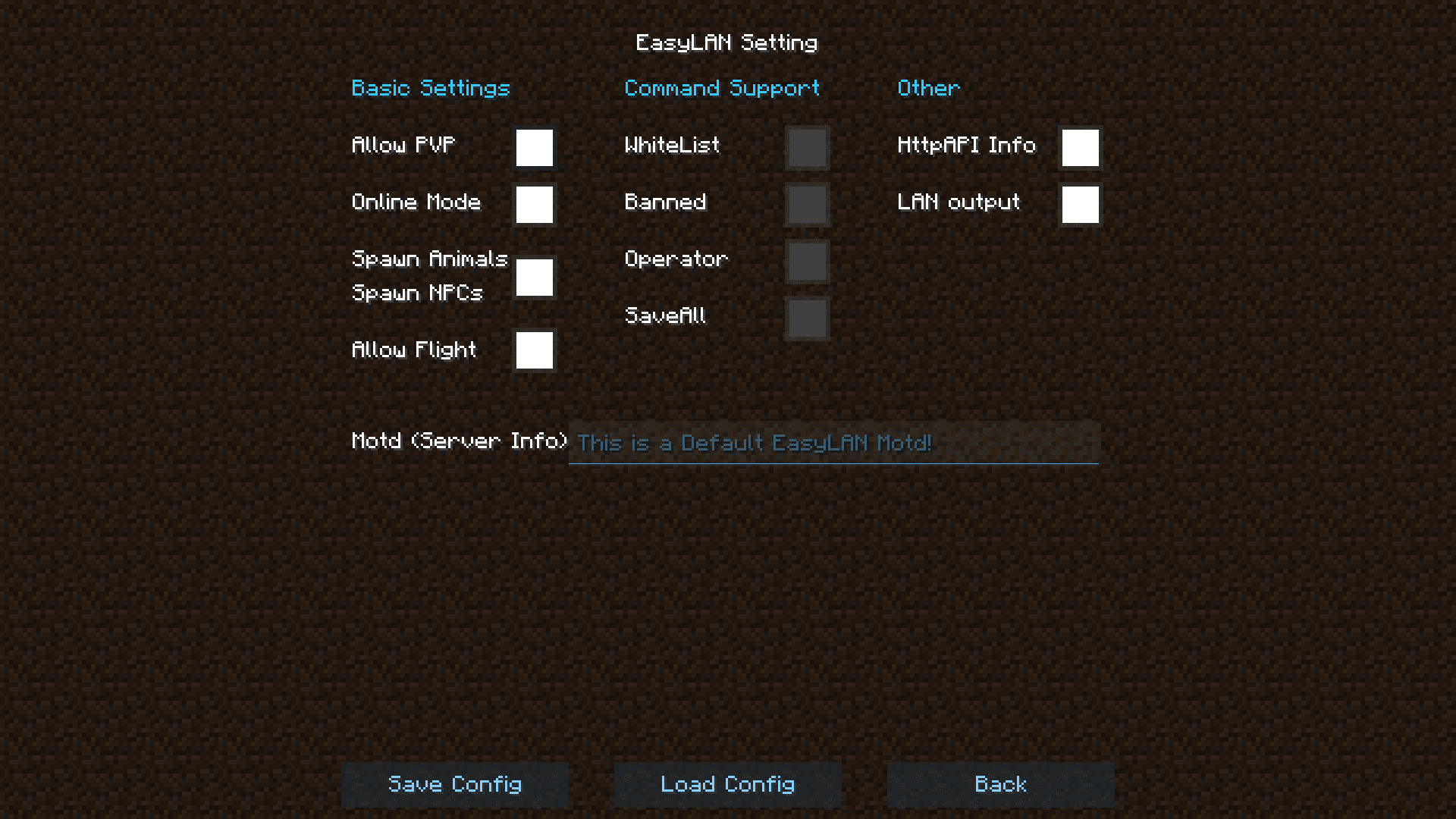




EasyLAN Mod introduces a new configuration screen that will allow you to easily configure the server settings of a LAN server that you are running on your PC. A LAN server (short for Local Area Network server) is a server that allows for players connected to a common router/switch to play together. This allows friends who are close together in real life to play Minecraft together without having to rent a server. While doing this, the server is run on one of the computer systems and this mod allows easier configuration options for that server.
Features:
Configurations Available
Custom
- Custom Port(100-65535)
- Custom Max Player(2-500000)
- Custom Motd(100 Word Count)
Server Basic Setting
- Allow PVP(True/False)
- Online Mode(True/False)
- Spawn Animals(True/False)
- Spawn NPCs(True/False)
- Allow Flight(True/False)
Server Command Support
- WhiteList(/whitelist [on/off/add/remove/…])
- Banned(/ban|/ban-ip | /pardon|/pardon-ip)
- Operator(/op | /deop)
- SaveAll(/save-all | /save-off | /save-on)
Screenshots:
EasyLAN Mod Download Links
- Edition: Minecraft Java
- File type: .jar
- Minecraft versions listed: 1.21.11, 1.20.1
- How to install: Install the matching mod loader (Forge, Fabric or NeoForge) for your Minecraft version. → Download the .jar. → Put it in the .minecraft/mods folder and launch that loader profile.
- Where to get it: In MC Java Mods, or directly above on this page.
Install steps are the general flow for this file type — How to install Minecraft Java mods & modpacks walks through it step by step.
- Downloads as 2796.mcaddon
- Download size: 118 KB
- Download link checked 23 Sept 2026 — working
- Mirrored on our own servers — the download does not depend on the original host
These come from our own check of the pack file, not from the source page.