
ModsJava
Hive365
The official Hive365 Radio Mod Website: Features Tune in and listen to the Hive365 radio stream Like/dislike songs through Choons/poons, request a song or…
⬇ Download on Modrinth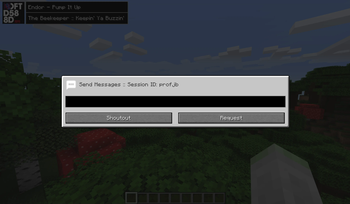


The official Hive365 Radio Mod
Website: https://hive365.radio/ Features
- Tune in and listen to the Hive365 radio stream
- Like/dislike songs through Choons/poons, request a song or shoutout to a live presenter
- Provides song info, including album art and a song url link
- Integrates seamlessly into vanilla minecraft and provides compatibility for popular modpacks like AOF3
Interactions
- All available within the UI or as commands. A full list of commands are listed by typing /hive365
- Choon/Poon - Equates to liking or disliking a song
- DJFtw - You like the presenter
- Request - Request a song
- Shoutout - Send a shoutout to the presenter
- Song URL - Get a universal song URL for the current track if one is available
Terms and conditions We take the privacy and safety of our listeners very seriously. For this reason by default retrieving album art for songs and all interactions are disabled unless the user reads, agrees to and accepts the conditions using /hive365 accept. For a print of our T&Cs visit: https://hive365.radio/terms
Quick facts
- Edition: Minecraft Java
- File type: .jar
- Minecraft version listed: 1.20.6
- How to install: Install the matching mod loader (Forge, Fabric or NeoForge) for your Minecraft version. → Download the .jar. → Put it in the .minecraft/mods folder and launch that loader profile.
- Where to get it: Opens on Modrinth — not every file is mirrored on our own servers.
Install steps are the general flow for this file type — How to install Minecraft Java mods & modpacks walks through it step by step.
Verified by MCModsHub
- Ships as Hive365-Fabric-1.20.6-0.0.1-dev.jar — drop this file into the mods folder
- Download size: 8 KB
- Download link checked 1 Sept 2026 — working
These come from our own check of the pack file, not from the source page.