
NeoVillagers-Designer
Java mod listed for Minecraft 26.x. Downloads from the MC Java Mods app on Android.
Mod adds a new villager job "Designer", adding a new table and additional blocks to decor the world and avoid using them as job's table when create…
I don't know my version or loader
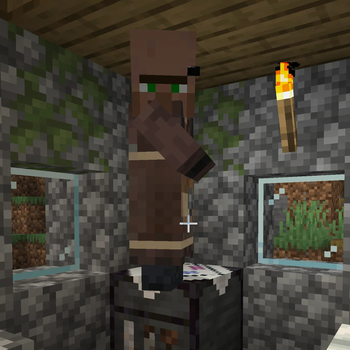
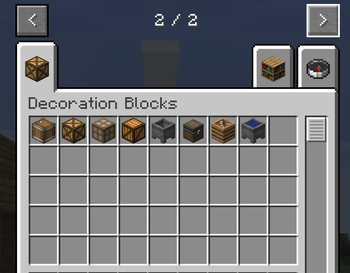
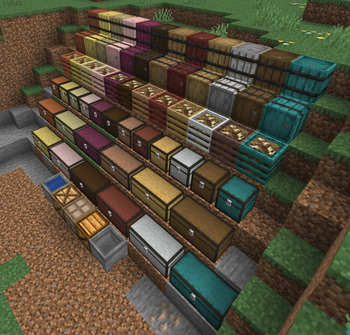
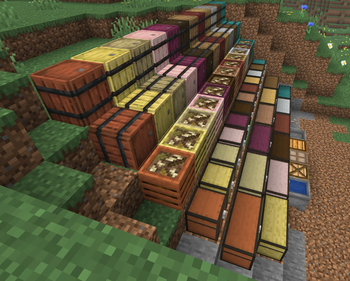
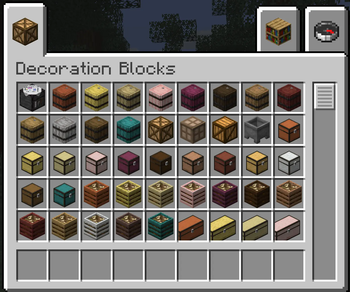
Neo-Villagers - The Designer
This mod adds a new villager — the Designer — along with a set of decoration blocks that let you place barrels, chests, composters, cauldrons, and more in your villages, castles, and builds without worrying about villagers accidentally claiming them as job site blocks.
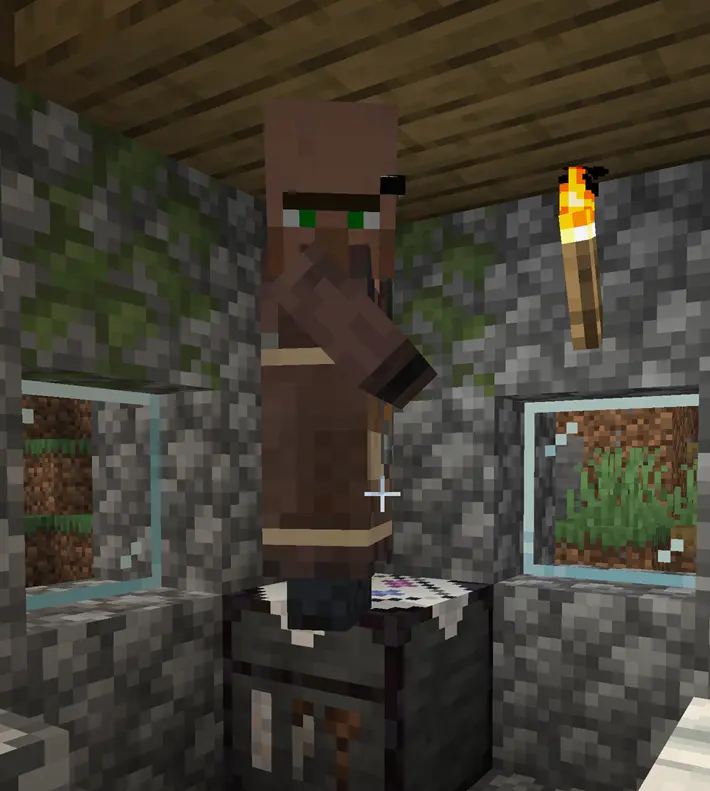
The Designer Villager & Designer Table
The Designer is a new villager type whose job site block is the Designer Table — a craftable workstation that also doubles as a more efficient crafting station for all the decoration blocks in this mod. A single log is all it takes to craft a Decoration Barrel, Chest, Composter, or Box, skipping the multiple crafting steps normally required.
The Designer Table is crafted with two blocks of stone (any type), one flower (any type), three wooden planks and one iron ingot.
The Designer trades decoration items across 5 trade levels, offering items such as:
- Decoration Chests, Barrels, Composters, Cauldrons and Boxes (biome-dependent wood types)
- Flower Pots, Item Frames, Banners, Paintings, Armor Stands
- Bookshelves, Chiseled Bookshelves, Decorated Pots, Chains and more
The wood type used depends on the biome: Plains → Oak, Taiga/Snow → Spruce, Desert → Pale Oak, Jungle → Jungle, Savanna → Acacia, Swamp → Mangrove.
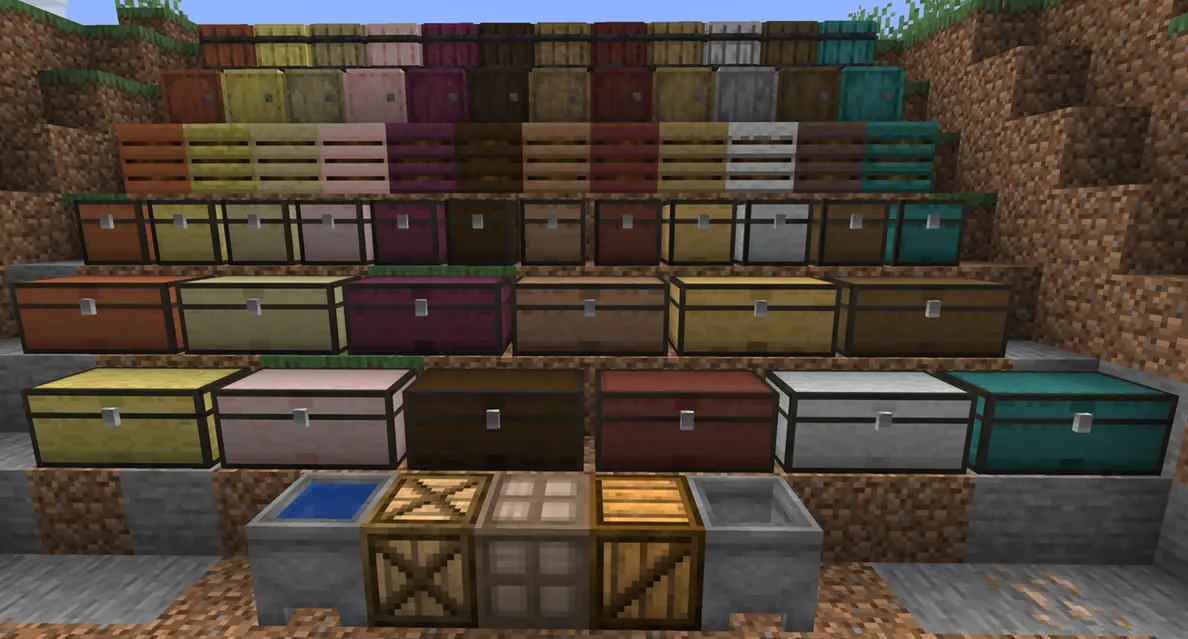
Decoration Blocks
All decoration blocks are purely decorative — they look like their functional counterparts but do not act as villager job site blocks, so your villagers won't steal them.
New in version 2: Decoration Barrels, Chests, Double Chests, and Composters are now available in multiple wood variants!
| Block | Available Wood Variants |
|---|---|
| Decoration Barrel (v2+) | Oak, Birch, Spruce, Dark Oak, Acacia, Jungle, Cherry, Mangrove, Pale Oak, Bamboo, Crimson, Warped |
| Decoration Chest (v2+) | Oak, Birch, Spruce, Dark Oak, Acacia, Jungle, Cherry, Mangrove, Pale Oak, Bamboo, Crimson, Warped |
| Decoration Double Chest (v2+) | Same variants as Decoration Chest |
| Decoration Composter (v2+) | Oak, Birch, Spruce, Dark Oak, Acacia, Jungle, Cherry, Mangrove, Pale Oak, Bamboo, Crimson, Warped |
| Decoration Cauldron | — (can be filled with water to become a Decoration Water Cauldron) |
| Decoration Box | — (plain box design) |
| Decoration Box Cross | — (cross-pattern design) |
| Decoration Box Fix | — (alternate design) |
Upgrading from version 1? All existing blocks have been automatically assigned to the Oak type so you won't lose any placed blocks when updating.
All blocks can be crafted using standard crafting recipes or more efficiently via the Designer Table using just one ingredient (a log or stem for wood variants, an iron block for cauldrons).
- Edition: Minecraft Java
- File type: .jar
- Minecraft versions listed: 26.1, 26.1.1, 26.1.2
- How to install: Install the matching mod loader (Forge, Fabric or NeoForge) for your Minecraft version. → Download the .jar. → Put it in the .minecraft/mods folder and launch that loader profile.
- Where to get it: Opens on Modrinth — not every file is mirrored on our own servers.
Install steps are the general flow for this file type — How to install Minecraft Java mods & modpacks walks through it step by step.
- Ships as neovillagersdesigner-2.10.18-26.1.jar — drop this file into the mods folder
- Download size: 615 KB
- Download link checked 12 Oct 2026 — working
These come from our own check of the pack file, not from the source page.