
Dual Wielder
I don't know my version or loader
Tired of accidentally placing torches in your offhand? Want to block with your shield without unequipping your bow?
Dual Wielder allows you to seperately configure your main-hand and off-hand keybinds to fix these common problems, and many more!
By default, the mod doesn't change anything, but if you open your keybind settings you can enable the mod's features.
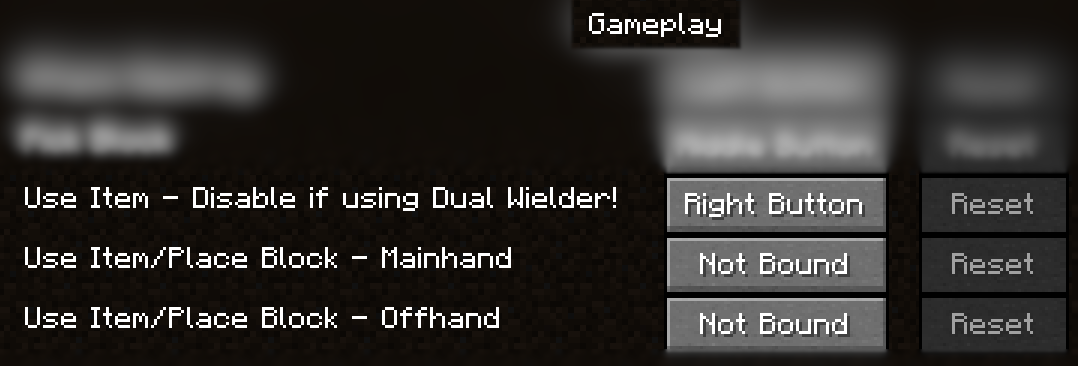 By unbinding the default use key (Select it and press Escape) and binding the 2 new keybinds you can finally have full control over your off-hand and main-hand!
The mod is still a work in progress, so expect some issues. If you are encountering problems you can always switch between vanilla keybinds and modded keybinds
- Edition: Minecraft Java
- File type: .jar
- Minecraft versions listed: 1.21.3, 1.21.4
- How to install: Install the matching mod loader (Forge, Fabric or NeoForge) for your Minecraft version. → Download the .jar. → Put it in the .minecraft/mods folder and launch that loader profile.
- Where to get it: Opens on Modrinth — not every file is mirrored on our own servers.
Install steps are the general flow for this file type — How to install Minecraft Java mods & modpacks walks through it step by step.
- Ships as dual-wielder-1.0.2-1.21.4.jar — drop this file into the mods folder
- Download size: 168 KB
- Download link checked 1 Sept 2026 — working
These come from our own check of the pack file, not from the source page.