
Static Cursor
Java mod listed for Minecraft 1.21. Downloads from the MC Java Mods app on Android.
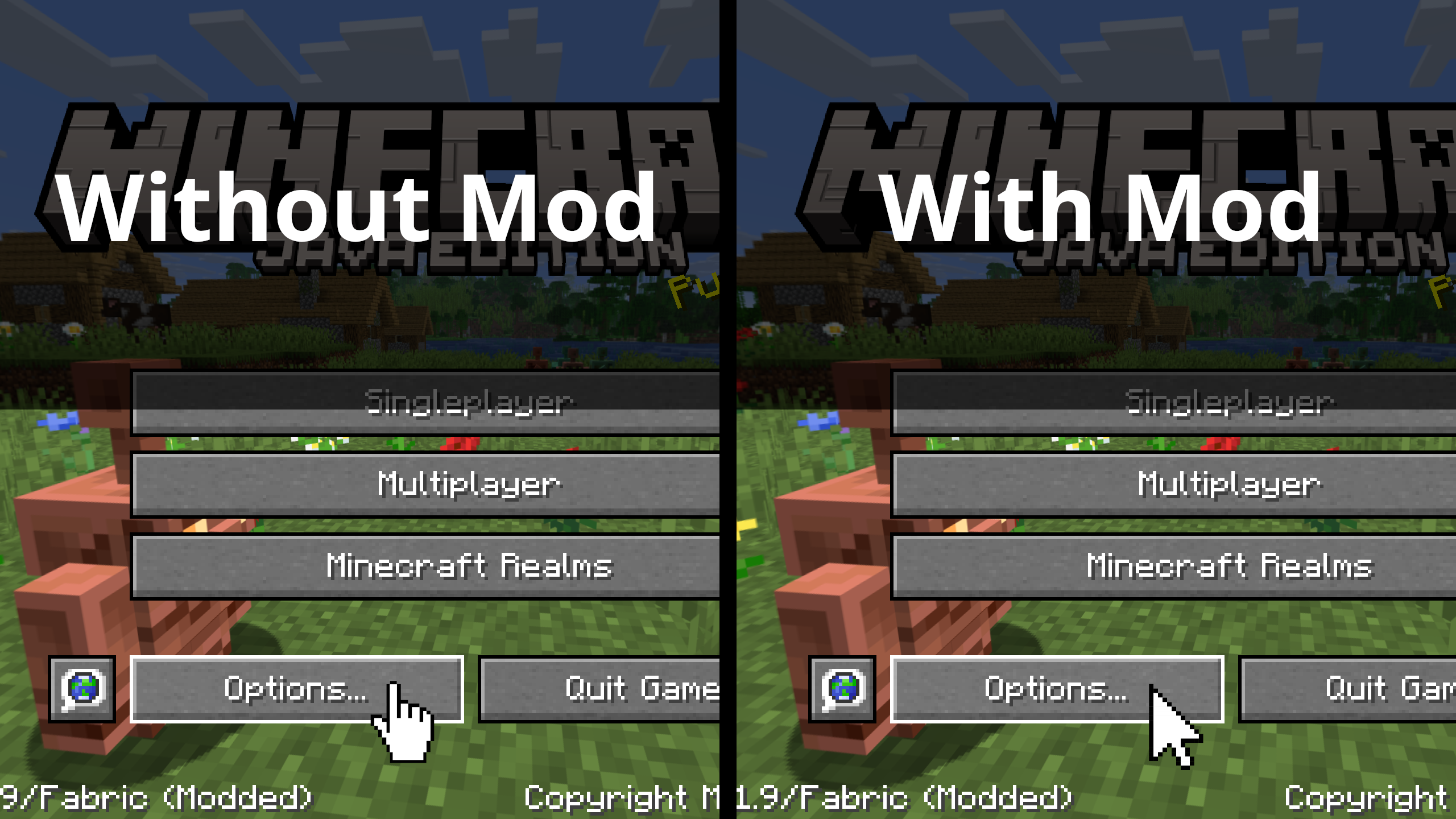
Forces Minecraft to use the default cursor no matter what you're doing! Reverts cursor changes made in 25w35a.
⬇ Download on ModrinthArchived
I did not realise there was already an option in-game to do this.
Access the vanilla option in Options ➜ Controls ➜ Mouse Settings ➜ Allow Cursor Changes
Static Cursor



Forces Minecraft to use the default cursor no matter what you're doing! Reverts cursor changes made in 25w35a. This can make Minecraft menus feel a lot better to use and make it easier to navigate menus faster.
Example
- Edition: Minecraft Java
- File type: .jar
- Minecraft version listed: 1.21.11
- How to install: Install the matching mod loader (Forge, Fabric or NeoForge) for your Minecraft version. → Download the .jar. → Put it in the .minecraft/mods folder and launch that loader profile.
- Where to get it: Opens on Modrinth — not every file is mirrored on our own servers.
Install steps are the general flow for this file type — How to install Minecraft Java mods & modpacks walks through it step by step.
- Ships as staticcursor-1.0+1.21.11.jar — drop this file into the mods folder
- Download size: 26 KB
- Download link checked 12 Oct 2026 — working
These come from our own check of the pack file, not from the source page.