
ModsJava
Diorite
Diorite is an inventory utility for mass-dropping items deemed worthless. Trash loadouts are customizable, and the mod is fully-clientside.
⬇ Download on Modrinth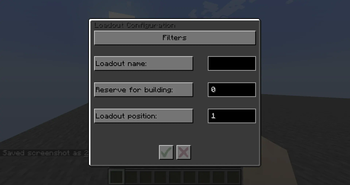
Diorite
About
Diorite is an inventory utility for mass-dropping items deemed worthless. Trash loadouts are customizable, and the mod is fully-clientside.
'Trash' can be defined in three ways:
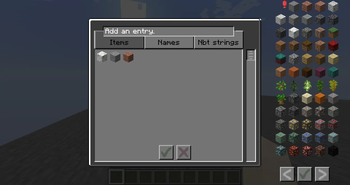
- By item: filter by registry name. Recommended for most vanilla and modded items.
- By name: filter specific items by their displayed name, ignoring capitals; this uses a 'contains' method, allowing you to also sort by prefixes, suffixes, etc. Useful for servers with custom or RPG items.
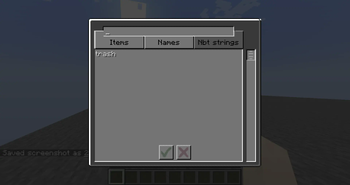
- By nbt string: remove items should their nbt (key or value) contain this string, at any point, ignoring capitals. Functions by determining if the whole nbt string contains the value; thus, it would provide more specific results if given both key and value.
Usage
The mod unfortunately is unable to properly filter from the hotbar without introducing bugs. If anyone knows a means, inform the author or make a pull request.
- Create or select a trash loadout via the button in your inventory, or the bound key (found in normal game settings). Loadouts persist until you leave the world, or select a new one.
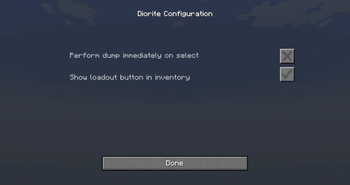
- Press the relevant bound key to discard all items matching with the loadout. If dumping on switch is enabled, this will occur immediately.
- Id determines position in the loadout menu.
- The value for "reserved building blocks" defines how many filtered blocks you wish to retain, if no other items in your main inventory block movement.
Quick facts
- Edition: Minecraft Java
- File type: .jar
- Minecraft version listed: 1.19
- How to install: Install the matching mod loader (Forge, Fabric or NeoForge) for your Minecraft version. → Download the .jar. → Put it in the .minecraft/mods folder and launch that loader profile.
- Where to get it: Opens on Modrinth — not every file is mirrored on our own servers.
Install steps are the general flow for this file type — How to install Minecraft Java mods & modpacks walks through it step by step.
Verified by MCModsHub
- Ships as diorite-1.0.2+1.19.jar — drop this file into the mods folder
- Download size: 115 KB
- Download link checked 1 Sept 2026 — working
These come from our own check of the pack file, not from the source page.