
Selective Disenchanter
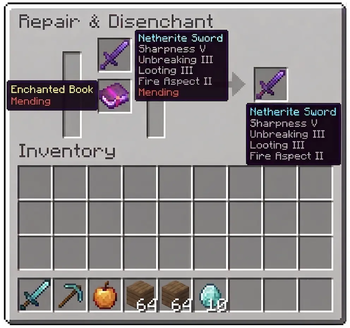
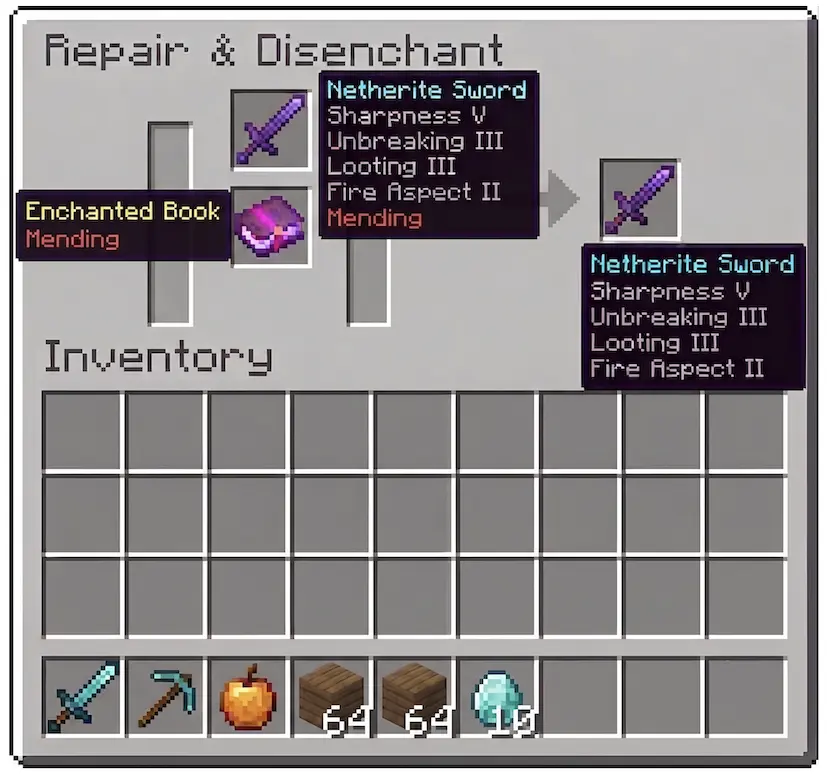
Selectively remove a single enchantment from any item using the grindstone by placing an enchanted book with the matching enchantment below it.
I don't know my version or loader
A mod that lets you remove one specific enchantment at a time using the grindstone.





📖 Description
Tired of losing all your enchantments when using the grindstone? Selective Disenchanter gives you full control: remove exactly the enchantment you don't want and keep the rest intact!
By default, Minecraft wipes every enchantment off an item when you use a grindstone. This mod tweaks the grindstone behavior so you can target a single enchantment using an enchanted book.
✨ Features
- Place your enchanted item in the top slot of the grindstone.
- Put a matching enchanted book in the bottom slot.
- Retrieve your item with only that enchantment removed — the rest are preserved.
- Works with books, tools, armor, and weapons.
📦 Installation
- Download the version matching your Minecraft version.
- Place the
.jarfile into yourmodsfolder:.minecraft/mods/ - Launch the game!
🔧 Requirements
| Loader | Dependencies |
|---|---|
| Fabric | Fabric API + Fabric Loader |
| NeoForge | NeoForge (no additional libraries needed) |
🧪 Compatibility
| Feature | Status |
|---|---|
| Minecraft 1.21.11+ | ✅ |
| Singleplayer | ✅ |
| Multiplayer | ✅ |
| Server-side only | ✅ (no client mod required for basic functionality) |
This mod is server-side only for basic functionality. Players do not need to install it on their client to join a server that has it.
🤝 Contributing
Suggestions and pull requests are welcome. Discord: itzchoko_
📜 License
Distributed under the MIT License.
- Edition: Minecraft Java
- File type: .jar
- Minecraft versions listed: 26.1, 26.1.1, 26.1.2
- How to install: Install the matching mod loader (Forge, Fabric or NeoForge) for your Minecraft version. → Download the .jar. → Put it in the .minecraft/mods folder and launch that loader profile.
- Where to get it: Opens on Modrinth — not every file is mirrored on our own servers.
Install steps are the general flow for this file type — How to install Minecraft Java mods & modpacks walks through it step by step.
- Ships as selective_disenchanter-neoforge-26.1-26.1.0.0.jar — drop this file into the mods folder
- Download size: 14 KB
- Download link checked 1 Sept 2026 — working
These come from our own check of the pack file, not from the source page.