
On My Mark
I don't know my version or loader
On My Mark
Do you lose track of your friends and family in the depths of jungles and caves while exploring? Do you never seem to be able to keep an eye out on pesky fellow adventurers? Do questions of "where are you" plague your Minecraft sessions?
Well then, look no further as On My Mark is here to solve all your troubles! On My Mark is a quality of life mod aimed to improve the adventuring and exploration experience for Minecraft players.
It provides a few features that might just make your Minecraft sessions much more enjoyable:
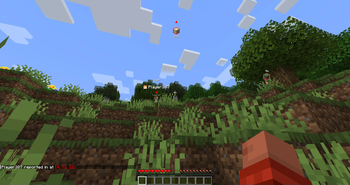
- Place markers where you're looking on blocks, mobs and any sort of entity!
- Keep track of your fellow adventurers with a way to report in!
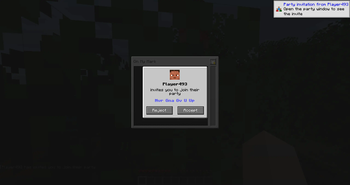
- Join a party to embark on treacherous expeditions, without disturbing your server mates!
How to Use
Controls
Once you've installed the mod, you can navigate to the key binds to remap any buttons that may be conflicting with Minecraft / other mods.
By default, you have access to these controls:
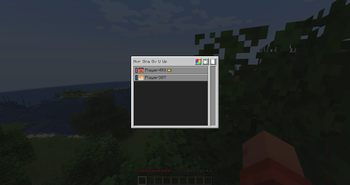
O- Opens the party menu, where you can perform party actions (create, leave, invite other player)R- Once you're in a party, you can place a marker at wherever your crosshair is!U- Press this to report your location to other players!
Creating and Managing a Party
Before you start marking anything, you'll need to create a party. Open the party menu to have access to some controls:
- Create a party - You can create your own party with a name of your choice
- Invite other players - Players in the same party will be able to view the markers that you've placed
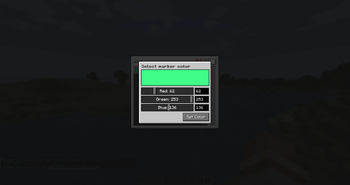
- Choose your marker color - You can configure the color of your marker from the color picker menu!
- Kick out members - Someone irritating you? You can boot them out by selecting them and kicking the boot
- Leave a party - Party too loud and you just wanna head home? Leave the party by pressing the exit button
Placing Markers
Once you're in a party, you can now tell everyone what you're looking at and where you are!
- Placing markers - Pressing the marker button will attempt to place a marker on whatever you're looking at!
- Reporting your location - Pressing the reporting in button will tell other players in the same party where you are!
Configuring On My Mark
You can use the Mod Menu to access On My Mark's configuration menu, or trigger it in-game by running /owo-lib onmymark.
For some configurations (e.g. marker expiries), if you are playing on a server, those values will be configured server-side to provide players with a unified experience.
Feature Requests and Issues
Found a bug, or have a feature suggestion? Visit the issues page and create an issue now!
- Edition: Minecraft Java
- File type: .jar
- Minecraft versions listed: 1.21.9, 1.21.10
- How to install: Install the matching mod loader (Forge, Fabric or NeoForge) for your Minecraft version. → Download the .jar. → Put it in the .minecraft/mods folder and launch that loader profile.
- Where to get it: Opens on Modrinth — not every file is mirrored on our own servers.
Install steps are the general flow for this file type — How to install Minecraft Java mods & modpacks walks through it step by step.
- Ships as onmymark-1.0.3-1.21.9.jar — drop this file into the mods folder
- Download size: 264 KB
- Download link checked 5 Sept 2026 — working
These come from our own check of the pack file, not from the source page.