
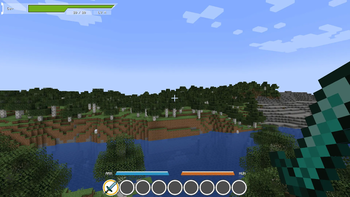
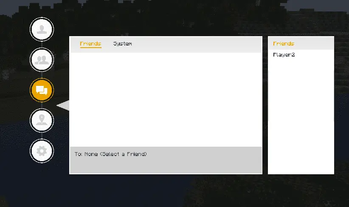
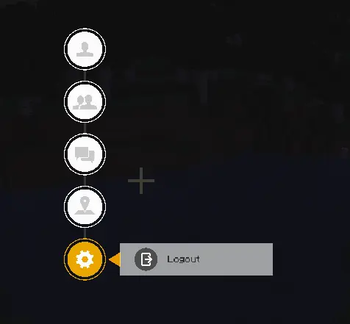



This mod transforms Minecraft into a true Sword Art Online experience. The default inventory system is completely disabled (except in Creative Mode).
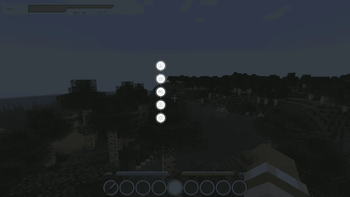
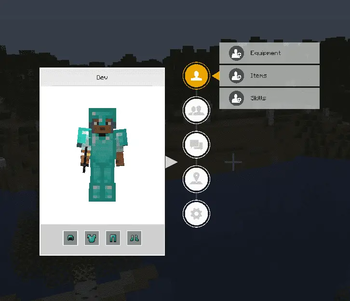
Instead, players interact with a custom SAO-inspired interface. Only the hotbar remains available, while inventory management, menus, and other systems are handled through the SAO UI, just like in the anime.
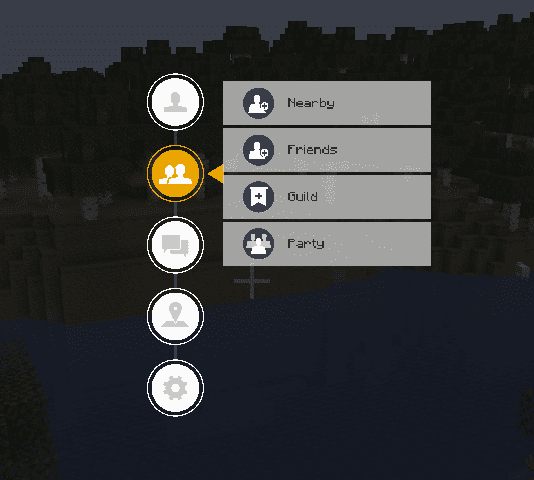
A full list of features can be found below. Be sure to check the images to see how the mod changes the look and feel of your game.

- Equipment, Items, Storage and (Skills - Coming Soon)
- Friends, Guilds and Partys
- Messages (Write to Friends, Guilds or Partys)

- Compatability with EpicFight (For Skills)
- Compatability with CustomNPCs (For Quests)
- Compatability with JourneyMap (For the Map)
GET 25% OFF YOUR FIRST PURCHASE USE CODE "AOG-STUDIO" at BISECTHOSTING
- Edition: Minecraft Java
- File type: .jar
- Minecraft version listed: 1.20.1
- How to install: Install the matching mod loader (Forge, Fabric or NeoForge) for your Minecraft version. → Download the .jar. → Put it in the .minecraft/mods folder and launch that loader profile.
- Where to get it: Opens on Modrinth — not every file is mirrored on our own servers.
Install steps are the general flow for this file type — How to install Minecraft Java mods & modpacks walks through it step by step.
- Ships as saomcui-1.2.jar — drop this file into the mods folder
- Download size: 4.7 MB
- Download link checked 5 Sept 2026 — working
These come from our own check of the pack file, not from the source page.