
List Craft
I don't know my version or loader

What is this?
Ever started building something massive in Minecraft, only to realize halfway through that you forgot half the materials? Or spent ages wandering around trying to remember what you still needed for that complex recipe? Yeah, me too. That's why I made ListCraft.
It's basically a to-do list for your inventory. You tell it what you need, it keeps track of what you have, and shows you the progress in real time. Simple as that.
Default Keybind: I
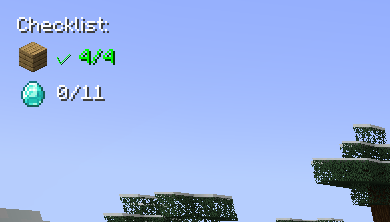
- Make lists of items you need (with amounts)
- See your progress live as you collect stuff
- Items show up like "32/64 Oak Planks" or get a green checkmark when done
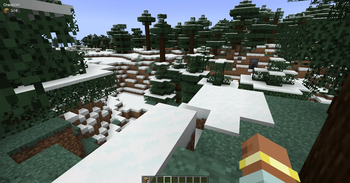
- Everything appears as a small overlay in the corner of your screen
- Auto-suggests items as you type (works with modded items too! so you can even use create mod items)
- Click on any item in your list to change how many you need
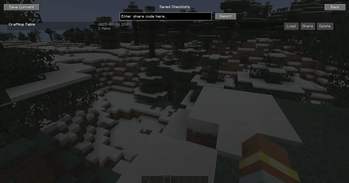
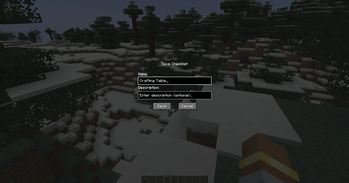
- Save your lists with names
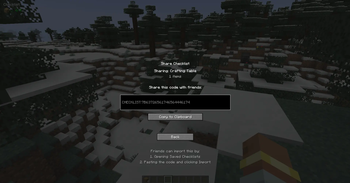
- Share lists with friends using simple codes
- Works on any server since it's client-side only
Common questions
"Does this work with [insert mod here]?" Probably yes. It automatically finds items from any mod.
"Can I use this on servers?" Yep, since it's client-side only.
"What if I want to change the hotkey?" Controls menu, look for "Inventory Checklist"
"Found a bug" Let me know! I actually read the comments and try to fix stuff.
Contact Me: X Link
- Edition: Minecraft Java
- File type: .jar
- Minecraft versions listed: 1.19.2, 1.19.3, 1.19.4
- How to install: Install the matching mod loader (Forge, Fabric or NeoForge) for your Minecraft version. → Download the .jar. → Put it in the .minecraft/mods folder and launch that loader profile.
- Where to get it: Opens on Modrinth — not every file is mirrored on our own servers.
Install steps are the general flow for this file type — How to install Minecraft Java mods & modpacks walks through it step by step.
- Ships as listcraft-1.0.0-forge-1.19.2.jar — drop this file into the mods folder
- Download size: 39 KB
- Download link checked 5 Sept 2026 — working
These come from our own check of the pack file, not from the source page.