
Ultra Hardcore Gamemode
Java mod listed for Minecraft 1.20. Downloads from the MC Java Mods app on Android.
I don't know my version or loader
Ultra Hardcore Gamemode (UHC)


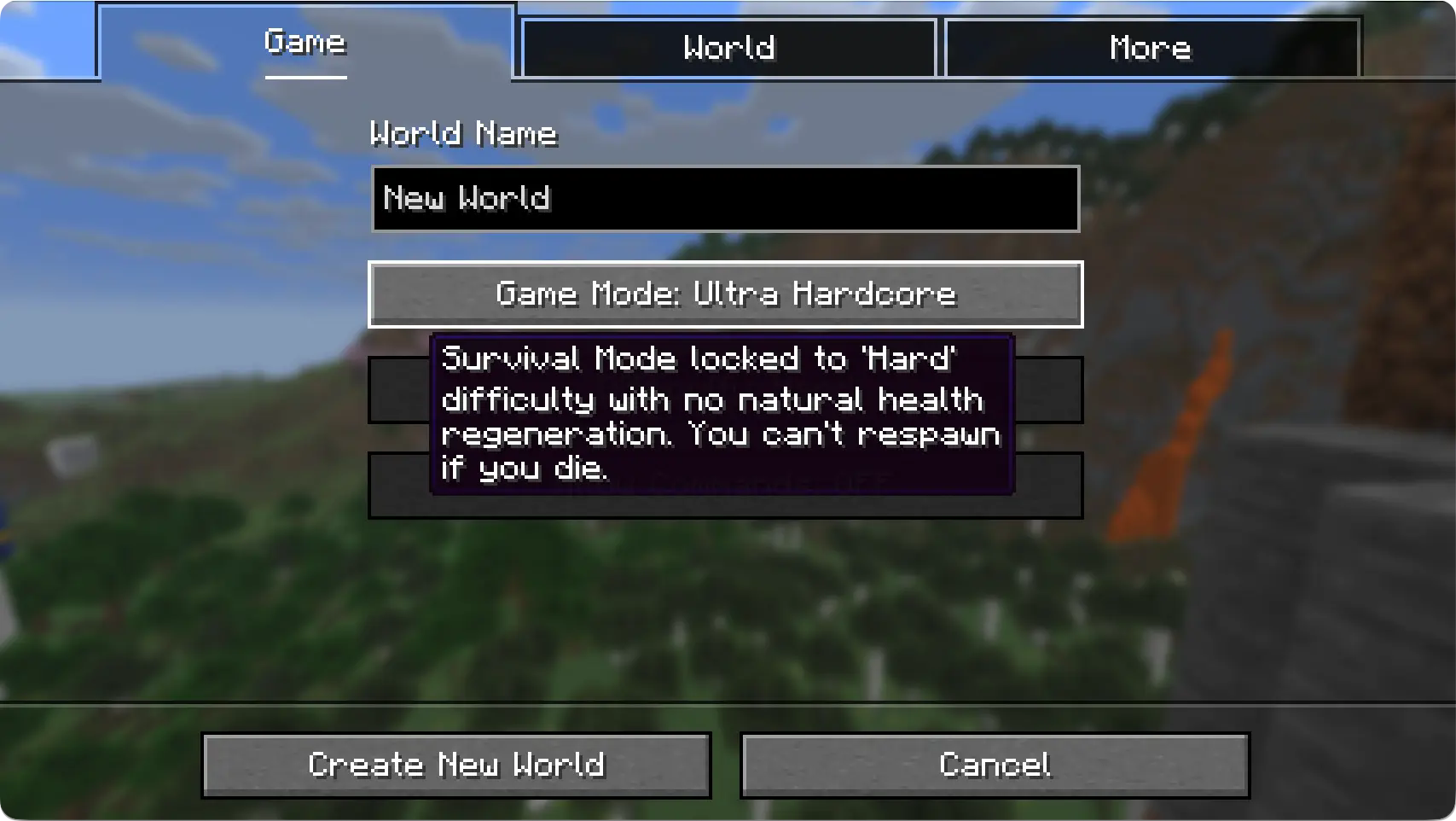
Ever wished the game had a 'Ultra Hardcore' gamemode button ?
Well now it does.
What the new UI looks like:
FAQ
Can I remove the mod after the world is generated?
Yes you can, adding/removing the mod has absolutely no effect on existing worlds.
The mod works by automatically setting the naturalRegeneration gamerule to false. No need to feedle with settings. It's just a QoL mod.
The button doesn't translate to my locale
Currently only a few languages are supported. If you want to add your language to the mix, you can either ping me to make it available to everyone, or just make a resource pack with a selectWorld.gameMode.ultra_hardcore language key.
- Edition: Minecraft Java
- File type: .jar
- Minecraft versions listed: 1.20, 1.20.1
- How to install: Install the matching mod loader (Forge, Fabric or NeoForge) for your Minecraft version. → Download the .jar. → Put it in the .minecraft/mods folder and launch that loader profile.
- Where to get it: Opens on Modrinth — not every file is mirrored on our own servers.
Install steps are the general flow for this file type — How to install Minecraft Java mods & modpacks walks through it step by step.
- Ships as ultra-hardcore-gamemode-1.0.0+1.20.1.jar — drop this file into the mods folder
- Download size: 17 KB
- Download link checked 15 Oct 2026 — working
These come from our own check of the pack file, not from the source page.