
Forbidden Blocks
Forbidden Blocks is a client-side mod for Minecraft that allows players to set specific blocks as forbidden, preventing their placement in the game. This…
⬇ Download on Modrinth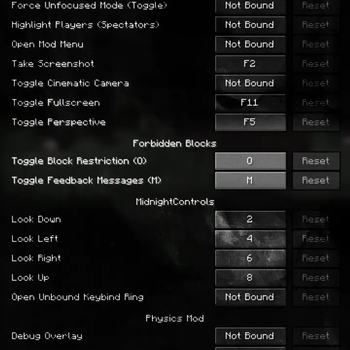
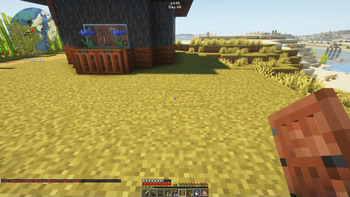
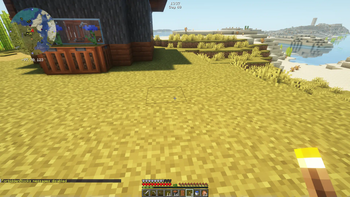
🛑 ForbiddenBlocks
🚀 Overview
ForbiddenBlocks is a client-side Minecraft mod that prevents players from placing specific blocks and named items, ensuring you never accidentally lose custom names or lore associations!
🔒 Protect your rare artifacts
special mementos and custom-named blocks protected from accidental placement! No more losing that legendary sword or story-rich items to a mis click! 🎭🏆
✨ Key Features
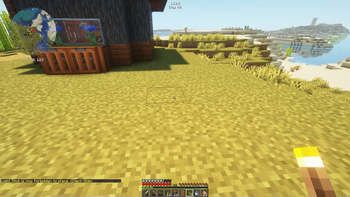
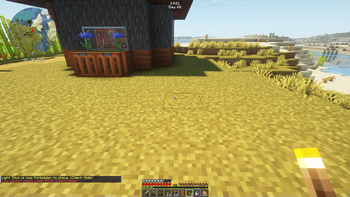
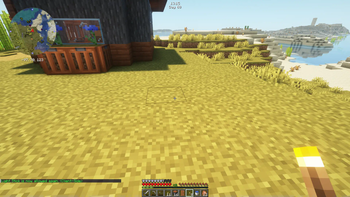
✅ Block & Named Item Placement Prevention – Define a list of blocks AND named items that CANNOT be placed! ❌🏗️🔖 💬 User Feedback – Get configurable messages when you try to place forbidden blocks or protected artifacts! 🔔 🛠️ Minecraft Controls Menu Integration – Adjust settings easily through the traditional Minecraft Menu! 🎛️ 🌎 World-Specific Configurations – Each Minecraft world or server can have its own settings! 🌐
📥 Installation
1️⃣ Download the mod from the official repository. ⬇️ 2️⃣ Move the .jar file into your Minecraft mods folder. 📂 3️⃣ Launch Minecraft using the Fabric Loader. 🚀
⚙️ Configuration
🌍 Global Settings----------
📜 Managed through ForbiddenBlocksConfig – toggle visibility of feedback messages in-game!
🗂️ World-Specific Settings----------
Each world or server gets its own JSON file for custom forbidden block & named item lists!
📌 Single Player: config/forbiddenblocks/worlds/singleplayer[worldname].json_ 📌 Multiplayer: config/forbiddenblocks/worlds/multiplayer[serveraddress].json_
🔧 Modify settings directly in these files or via the in-game config UI!
🎮 Usage
               🛑 Toggle Forbidden Blocks & Named Items_ – Press O (default) to enable/disable placement restrictions.
               💬 Toggle Feedback Messages_ – Press M (default) to show/hide feedback messages.
🏆 Prevent placing named artifacts like:
✨ Legendary Swords ⚔️ 📜 Custom-Lore Books 📖 🏺 Decorative, One-of-a-Kind Items 🎨 🔑 Keys & Quest Items 🗝️
📦 Dependencies
🔹 Fabric Loader – >= 0.16.10 🔹 Minecraft – ~1.21.4 🔹 Java – >= 21 ☕ 🔹 Fabric API – Required for core functionality. 🔹 1.3.3 and before - Cloth Config – Handles configuration management. 🔹 1.4.0 and after - OWO-Lib - Handles configuration management.~~~~
📜 License
📝 This project is licensed under the MIT License. See the LICENSE file for details.
👤 Author 👩💻 LuciEvol – Website
🎉 Enjoy the mod and keep your artifacts safe! 🏗️✨🏆
- Edition: Minecraft Java
- File type: .jar
- Minecraft version listed: 1.21.11
- How to install: Install the matching mod loader (Forge, Fabric or NeoForge) for your Minecraft version. → Download the .jar. → Put it in the .minecraft/mods folder and launch that loader profile.
- Where to get it: Opens on Modrinth — not every file is mirrored on our own servers.
Install steps are the general flow for this file type — How to install Minecraft Java mods & modpacks walks through it step by step.
- Ships as forbiddenblocks-1.5.0.jar — drop this file into the mods folder
- Download size: 68 KB
- Download link checked 5 Sept 2026 — working
These come from our own check of the pack file, not from the source page.