
Claudecraft
Java mod listed for Minecraft 1.21. Downloads from the MC Java Mods app on Android.
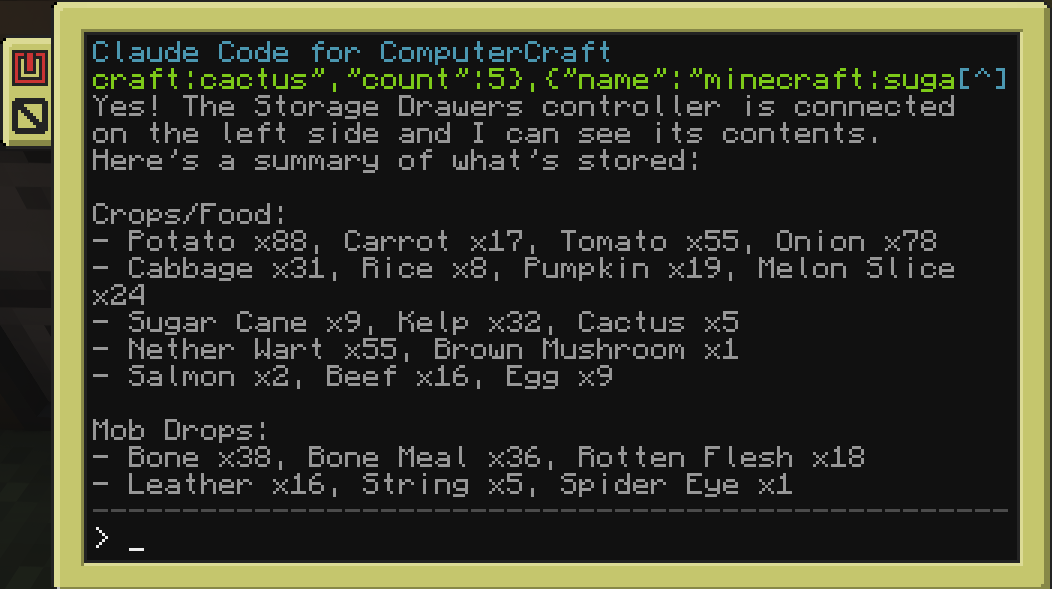
A Minecraft Forge mod that brings Claude AI into CC: Tweaked computers and turtles. Players interact with Claude through an in-game terminal - ask…
I don't know my version or loader
ClaudeCraft
A Forge & NeoForge mod that brings Claude AI into CC: Tweaked computers and turtles.
Players interact with Claude through an in-game terminal: ask questions, run tools, automate tasks, and control turtles using natural language.
Connection Modes
Both modes expose the same claude program in-game; pick whichever fits your setup:
- API Key mode - connect straight to the Anthropic API with your own key. Real-time streaming, key stored safely server-side.
- Channel mode (Claude Code) - connect through a local Claude Code session instead. No API key needed - it rides your existing Claude Code login and brings the full Claude Code agent into the computer, with one isolated session per computer or turtle.
Requirements
- Minecraft with Forge or NeoForge - see the Versions tab for the build matching your version
- CC: Tweaked 1.117.1+
- One of the following:
- An Anthropic API key for API Key mode, or
- Claude Code + Bun installed on the server host (for Channel mode)
Features
- Streaming responses: see Claude's output in real time on the terminal (API Key mode).
- Tool use: Claude can read/write files, run shell commands, control redstone, interact with peripherals, and pilot turtles. Works with any peripheral mod automatically.
- Per-computer isolation: in Channel mode, every computer and turtle gets its own Claude Code session.
- Conversation history: persistent chat history stored per computer.
- Configurable: choose model, max tokens, system prompt, and concurrency limits.
In-Game Commands
Set your Anthropic API key (API Key mode):
/claudecraft setkey <key>
Change the Claude model:
/claudecraft model <model>
Show current configuration:
/claudecraft status
- Edition: Minecraft Java
- File type: .jar
- Minecraft versions listed: 1.21.1, 1.21.2, 1.21.3
- How to install: Install the matching mod loader (Forge, Fabric or NeoForge) for your Minecraft version. → Download the .jar. → Put it in the .minecraft/mods folder and launch that loader profile.
- Where to get it: Opens on Modrinth — not every file is mirrored on our own servers.
Install steps are the general flow for this file type — How to install Minecraft Java mods & modpacks walks through it step by step.
- Ships as claudecraft-1.2.2-mc1.21.1.jar — drop this file into the mods folder
- Download size: 73 KB
- Download link checked 16 Oct 2026 — working
These come from our own check of the pack file, not from the source page.