
ModsJava
JourneyMap Ore Heatmap
Visualize ore concentrations with color-coded heatmap overlays on JourneyMap. Automatically scans chunks and highlights ore-rich areas.
⬇ Download on ModrinthJourneyMap Ore Heatmap
Adds ore density heatmap overlays to JourneyMap. See at a glance where ores are concentrated across your world!
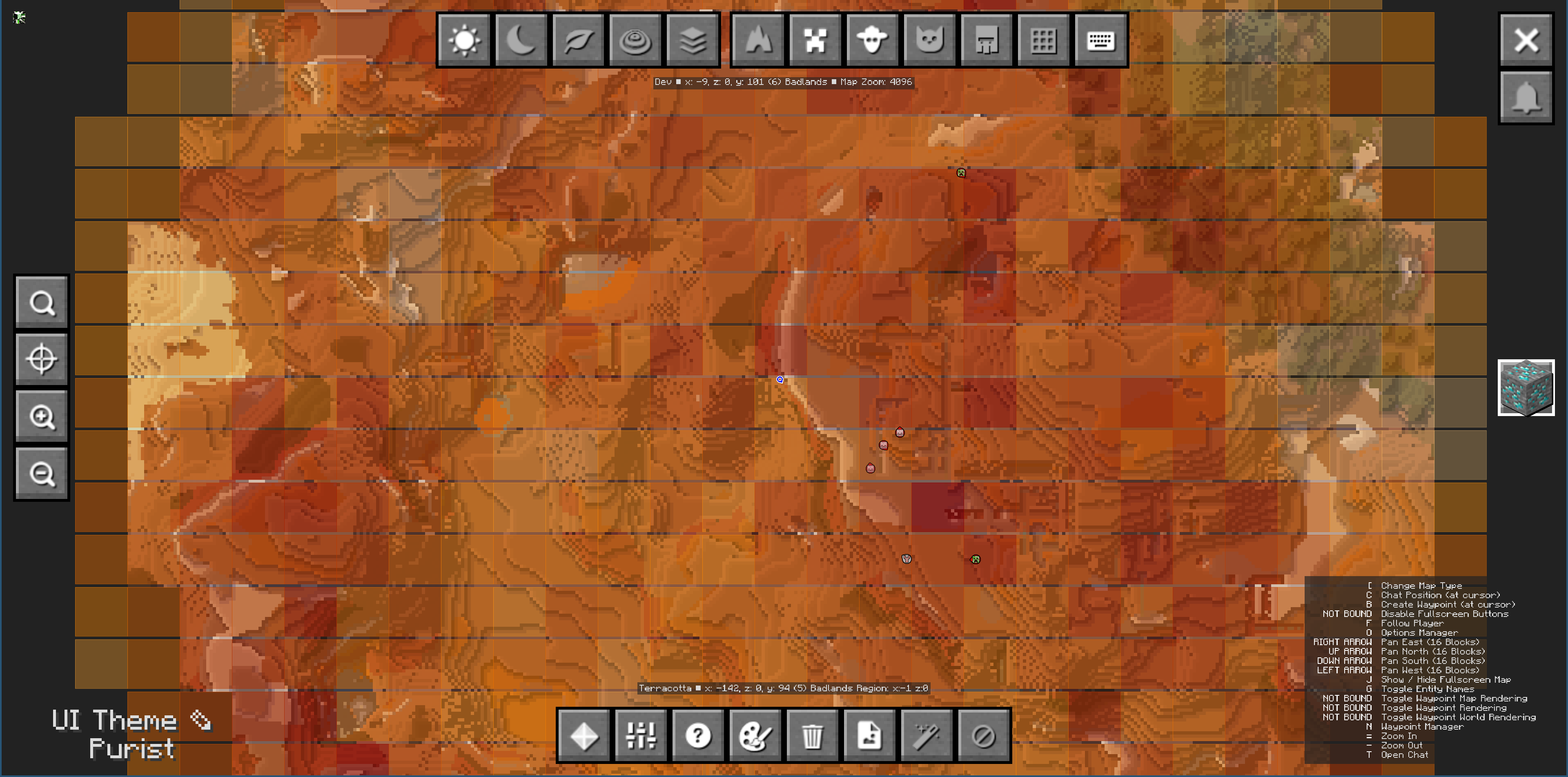
Features
- Heatmap visualization - Chunks colored by ore density: light yellow (low) → orange (medium) → dark red (high)
- Automatic scanning - Chunks scanned in the background when loaded, no performance impact
- Persistent cache - Ore data saved per-world and persists between sessions
- Easy toggle - Press O or click the button in JourneyMap's fullscreen map
- Mod support - Uses
#c:orestag to automatically track ores from vanilla and modded content
Usage
- Install JourneyMap and this mod
- Press O to toggle the heatmap overlay
- Explore your world - chunks are scanned automatically
- Check the map to find ore-rich areas!
Configuration
Customize in config/journeymap_ore_heatmap-client.toml:
- Overlay opacity
- Update interval
- Custom ore tracking (tags or specific blocks)
Quick facts
- Edition: Minecraft Java
- File type: .jar
- Minecraft version listed: 1.21.1
- How to install: Install the matching mod loader (Forge, Fabric or NeoForge) for your Minecraft version. → Download the .jar. → Put it in the .minecraft/mods folder and launch that loader profile.
- Where to get it: Opens on Modrinth — not every file is mirrored on our own servers.
Install steps are the general flow for this file type — How to install Minecraft Java mods & modpacks walks through it step by step.
Verified by MCModsHub
- Ships as journeymap_ore_heatmap-1.0.1.jar — drop this file into the mods folder
- Download size: 30 KB
- Download link checked 5 Sept 2026 — working
These come from our own check of the pack file, not from the source page.