IsItWaxed
IsItWaxed is a mod that adds a simple HUD element to indicate whether a block is waxed or not. It supports all waxable blocks in the game.
⬇ Download on Modrinth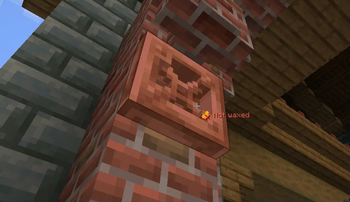

🪓 IsItWaxed


IsItWaxed is a mod that adds a simple HUD element to indicate whether a block is waxed or not. It supports all waxable blocks in the game.
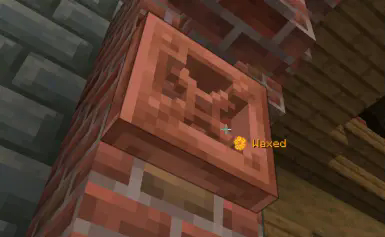
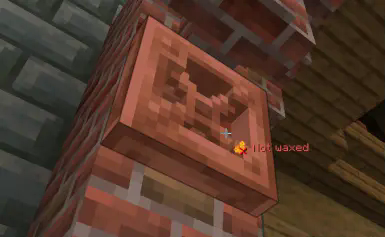
This mod is inspired by Waxed Not Waxed.
🔧 Highly customizable!
🛠️ Required tool
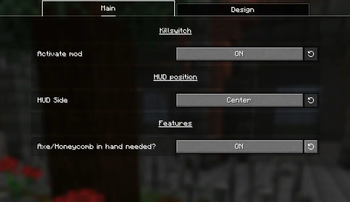
By default, looking at an oxidizable block with anything in hand show the waxed/not waxed icon.
With the config menu, you can choose to only show them with an axe or honeycomb in main hand.
📍 Position
By default, the icon is displayed in the middle of the HUD.
With the config menu, you can change it to:
- Middle
- Middle left
- Middle right
- Top middle
- Top left
- Top right
- Bottom left
- Bottom right
💬 Displayed text
🟠 Colors
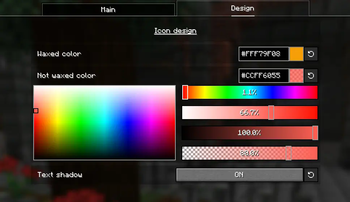
The waxed and not waxed text's color can be modified with the config menu.
☁️ Shadow
You don't like the text shadow? You can disable it with the config menu.
- Edition: Minecraft Java
- File type: .jar
- Minecraft versions listed: 1.21.7, 1.21.8, 1.21.9
- How to install: Install the matching mod loader (Forge, Fabric or NeoForge) for your Minecraft version. → Download the .jar. → Put it in the .minecraft/mods folder and launch that loader profile.
- Where to get it: Opens on Modrinth — not every file is mirrored on our own servers.
Install steps are the general flow for this file type — How to install Minecraft Java mods & modpacks walks through it step by step.
- Ships as IsItWaxed-1.0.0.jar — drop this file into the mods folder
- Download size: 24 KB
- Download link checked 5 Sept 2026 — working
These come from our own check of the pack file, not from the source page.