
Modpack Core
Java mod listed for Minecraft 1.20–1.21. Downloads from the MC Java Mods app on Android.
⬇ Download on Modrinth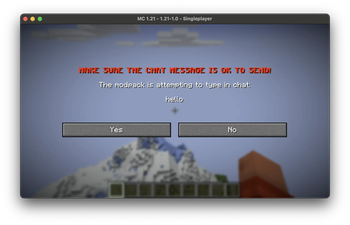
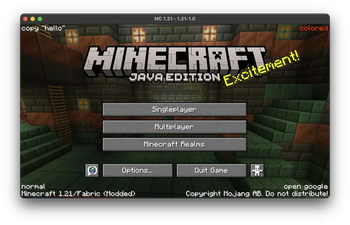
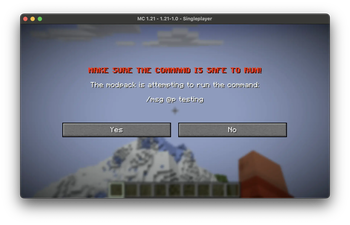
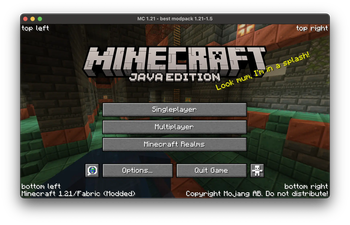
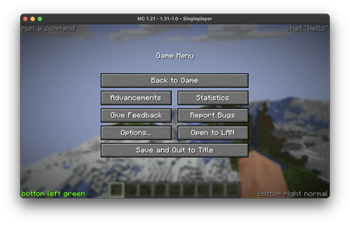
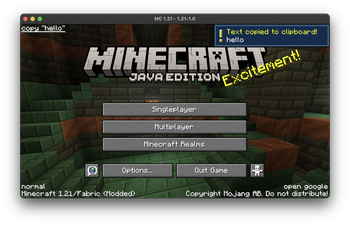
A mod designed for modpack creators to use. Allows for an easy branding system, consisting of changing the window title and adding translatable texts in the screen corner.
You can add text into the corners of the minecraft title screen or pause menu.
You can make the text open url's, or copy stuff to clipboard if you want.
You can also change the window title to whatever you want
You can make it detect new versions of your modpack (checks a website for the given new version string) and if it's detected shows a special menu
A basic variable system is supported
- MAKING SELF REFERENCING VARIABLES MAY CRASH THE GAME
Replaces isxander's main menu credits and customwindowtitle
NO SUPPORT FOR CONTROLIFY
text groups have 4 elements text value - text what action to perform - action there are 3 actions: openurl copy chat metadata for the action - data e.g. what url to open color of the text - the hex value e.g. FFFFFF for white
Config{
"simple": {
"modpack_version": "{mcversion}-1.0",
"next_version": "{mcversion}-1.1",
"modpack_name": ""
},
"titles": {
"ending_style": "{titles.window_title} - {ending}",
"window_title": "Minecraft {mcversion}*"
},
"pause_menu": {
"top_left": {
"text": "",
"color": "808080"
},
"top_right": {
"text": "",
"color": "808080"
},
"bottom_left": {
"text": "",
"color": "808080"
},
"bottom_right": {
"text": "",
"color": "808080"
}
},
"title_screen": {
"top_left": {
"text": ""
},
"top_right": {
"text": ""
},
"bottom_left": {
"text": ""
},
"bottom_right": {
"text": ""
}
},
"modpack_version_checker": {
"text_to_look_for": "{simple.modpack_name} {simple.next_version}",
"run_check": false,
"new_version": "{simple.next_version}",
"new_version_msg": "A new version of {simple.modpack_name} is available!",
"url_to_check": "https://modrinth.com/modpack/my-modpack/versions",
"download_website": "{modpack_version_checker.url_to_check}"
}
}
- Edition: Minecraft Java
- File type: .jar
- Minecraft versions listed: 1.20.5, 1.20.6, 1.21
- How to install: Install the matching mod loader (Forge, Fabric or NeoForge) for your Minecraft version. → Download the .jar. → Put it in the .minecraft/mods folder and launch that loader profile.
- Where to get it: Opens on Modrinth — not every file is mirrored on our own servers.
Install steps are the general flow for this file type — How to install Minecraft Java mods & modpacks walks through it step by step.
- Ships as modpack_core-1.2.jar — drop this file into the mods folder
- Download size: 28 KB
- Download link checked 16 Oct 2026 — working
These come from our own check of the pack file, not from the source page.