
LowExposure
Java mod listed for Minecraft 1.21. Downloads from the MC Java Mods app on Android.
⬇ Download on Modrinth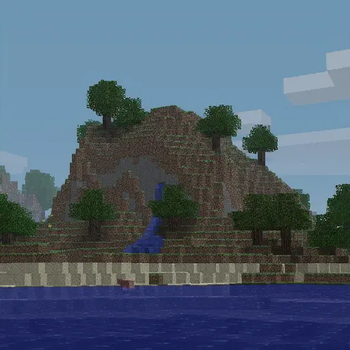
Low Exposure
Transform your Minecraft world with a moody, cinematic aesthetic inspired by underexposed photography.
What it does
This shader mod applies real-time color grading to create that classic underexposed look - darker tones, enhanced contrast, and desaturated colors for a more dramatic and atmospheric visual experience.
The shader adjusts:
- Brightness - Subtle darkening for richer shadows
- Contrast - Boosted contrast for more dramatic lighting
- Saturation - Muted colors using proper perceptual luminance calculations
Perfect for players who want a more cinematic, moody atmosphere without the performance impact of complex lighting shaders.
Features
- ⚡ Lightweight post-processing shader
- 🔧 Configurable settings for fine-tuning (down to the luminance perception value [RGB only])
Requirements
- NeoForge 1.21.1
- Veil 1.2.0 or higher (get the veil-bundled version if you don't want to install Veil)
- Fzzy Config 0.6.0 or higher
Installation
- Install the required dependencies listed above
- Download and place the mod file in your
modsfolder - Launch the game and enjoy the new atmospheric look!
Best used with The Broken Script
- Edition: Minecraft Java
- File type: .jar
- Minecraft version listed: 1.21.1
- How to install: Install the matching mod loader (Forge, Fabric or NeoForge) for your Minecraft version. → Download the .jar. → Put it in the .minecraft/mods folder and launch that loader profile.
- Where to get it: Opens on Modrinth — not every file is mirrored on our own servers.
Install steps are the general flow for this file type — How to install Minecraft Java mods & modpacks walks through it step by step.
- Ships as lowexposure-0.0.1.jar — drop this file into the mods folder
- Download size: 373 KB
- Download link checked 16 Oct 2026 — working
These come from our own check of the pack file, not from the source page.