
JFlashlight
Java mod listed for Minecraft 1.21. File opened and checked on 2 Oct 2026; downloads from the MC Java Mods app on Android.
Illuminate your world with a toggleable, photon-forked shader-powered flashlight. Creates a directional beam with 16 colors, volumetric dust, and…
⬇ Download on Modrinth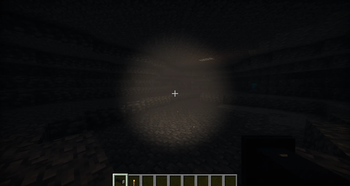
Flashlight Mod
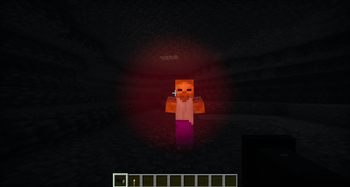
Add a fully featured flashlight to Minecraft with a realistic directional beam, 16 color options, and immersive volumetric dust particles.
Features
- Toggle on/off by right-clicking with the flashlight in hand
- 16 beam colors --> change anytime with
/flashlight color set <color> - Realistic directional beam with a bright hotspot center and smooth edges
- Volumetric glow --> subtle light brightening the air in the beam's path
- Dust particles --> tiny animated particles drift through the beam, more indoors than outside
- Dynamic fill lighting via LambDynamicLights --> lights up blocks around you even without shaders
- Multiplayer support --> other players' beams are visible to you in real time
Requirements
- Fabric Loader + Fabric API
- LambDynamicLights
- Iris Shaders + Sodium
- Photon Flashlight Fork --> custom shader pack required for the beam visuals
Shader Setup
The beam is off by default. After installing the shader:
- Go to Video Settings → Shader Packs → Shader Options → Lighting
- Enable FLASHLIGHT to turn on the directional beam
- Optionally enable FLASHLIGHT_VOLUMETRIC for the glow and dust particles
- Optionally enable FLASHLIGHT_MULTIPLAYER to see other players' beams
Colors
white warm red orange yellow lime green teal cyan light_blue blue purple magenta pink gold uv
Change color with: /flashlight color set <color>
The color is saved when you toggle the flashlight off and restored when you turn it back on.
Multiplayer
The mod needs to be installed on the server and all clients. With everyone set up, you can see each other's beams, colors, and dynamic fill lighting in real time.
Links
- Photon Flashlight Fork — required shader pack
- Source Code
- Edition: Minecraft Java
- File type: .jar
- Minecraft version listed: 1.21.1
- How to install: Install the matching mod loader (Forge, Fabric or NeoForge) for your Minecraft version. → Download the .jar. → Put it in the .minecraft/mods folder and launch that loader profile.
- Where to get it: Opens on Modrinth — not every file is mirrored on our own servers.
Install steps are the general flow for this file type — How to install Minecraft Java mods & modpacks walks through it step by step.
- Ships as FlashlightMod-1.0.jar — drop this file into the mods folder
- Download size: 32 KB
- Download link checked 16 Oct 2026 — working
These come from our own check of the pack file, not from the source page.