
Welcome to Roblox
Java mod listed for Minecraft 1.21. Downloads from the MC Java Mods app on Android.
⬇ Download on Modrinth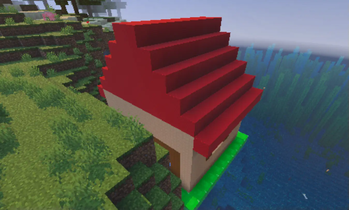

🌐 Welcome to Roblox – A Classic Throwback to 2006! Mod Version: Classic Edition Minecraft Version: newsest version Author: kalebjeter13
Step back in time and relive the golden age of online creativity. "Welcome to Roblox" is a passion project mod that faithfully recreates the feel, look, and charm of 2006-era Roblox—right inside your Minecraft world!
📦 Features: 🧱 Classic Roblox Bricks & Parts
Build using old-school studs, rounded bricks, and classic plastic textures
Authentic materials like "Slate", "Plastic", and "Studded" blocks
👾 Retro GUIs & Menus
Interfaces inspired by early Roblox Studio
Classic loading screens and sound effects from the 2006 era
🧍♂️ Avatar Nostalgia
Play as the iconic blocky avatars—yellow heads, brick torsos, and all
Customize your look with classic hats, faces, and gear!
🎮 Interactive Places
Explore nostalgic game modes like Obbies, Brickbattle maps, and Tycoon-style mechanics
Modded redstone logic mimicking Roblox scripting tools from the past
🎵 Original Soundset
Classic Roblox UI sounds, music cues, and building ambiance reimagined for Minecraft
🎯 Why This Mod? Whether you grew up building in Roblox circa 2006 or are curious about its origins, "Welcome to Roblox" lets you fuse two iconic sandbox worlds into one unforgettable experience. Built for classic Minecraft fans and Roblox veterans alike!
BTW most stuff isn't here yet because, it's a alpha.
- Edition: Minecraft Java
- File type: .jar
- Minecraft versions listed: 1.21.4, 1.21.5, 1.21.6
- How to install: Install the matching mod loader (Forge, Fabric or NeoForge) for your Minecraft version. → Download the .jar. → Put it in the .minecraft/mods folder and launch that loader profile.
- Where to get it: Opens on Modrinth — not every file is mirrored on our own servers.
Install steps are the general flow for this file type — How to install Minecraft Java mods & modpacks walks through it step by step.
- Ships as welcome_to_roblox_mod-1.0.3-neoforge-1.21.4.jar — drop this file into the mods folder
- Download size: 164 KB
- Download link checked 16 Oct 2026 — working
These come from our own check of the pack file, not from the source page.