ModsJava
My battle mod
This mod lets you turn mobs from different mods into rival teams, manage their alliances, move them around, and track their health – all with simple wands…
⬇ Download on Modrinth


My Battle Mod
Three wands, endless battles.
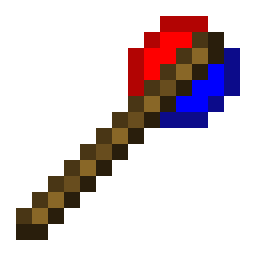
My Battle Mod adds three simple yet powerful items to Minecraft 1.20.1 (Forge).
No dependencies – works with any Forge mod's mobs.
Features
Battle Wand – Make mobs from different mods fight each other
- Right-click any mob to create a team for its mod (team name = mod ID).
- Right-click the same leader mob again to disband that mod's team.
- Sneak + right-click to disband all teams.
- Right-click air to change modes.
- When a team is created, all existing mobs of that mod are automatically added to the team.
- Newly spawned mobs automatically join their mod's team.
- Mobs from different teams become hostile to each other (no range limit).
- Leader mobs receive a glowing effect while their team is active.
Boss Wand – Add a real-time health bar to any mob
- Right-click a mob to display a BossBar above the screen, showing its health.
- The bar updates automatically as the mob takes damage or heals.
- Right-click the same mob again to remove the BossBar.
- Right-click air to change the bossbar's color.
- Works on any living entity (including modded bosses).
- The BossBar is visible to all nearby players.
Move Wand – Move the mob
- Right-click mobs to select/deselect them (multiple selection allowed).
- Right-click the ground to move all selected mobs to that location.
- Right-click air to toggle between Teleport and Walk mode.
- Sneak + right-click air to clear all selections.
Multi-language support
All in-game messages are fully translatable via language files (English and Chinese included).
How to get the items
In Creative mode, find them under the Tools & Utilities tab.
Example commands:
- /give @p mybattlemod:battle_wand
- /give @p mybattlemod:boss_wand
- /give @p mybattlemod:move_wand
Commands (/mybattlemod)
/mybattlemod team– Manage teams (add, remove, list, members, join, leave, friendly fire)/mybattlemod move– Move mobs (teleport, walk, manage selection)/mybattlemod ally– Manage alliances (add, remove, list, delete alliance)/mybattlemod information– Control mob head display (mod ID, alliance icon, both, clear all)/mybattlemod targetmode– Switch target selector mode (replace vanilla or merge)/mybattlemod sightrange– Set or get mob detection range
Compatibility
- Minecraft 1.20.1
- Forge 47.x
- Works with any Forge mod – no extra libraries needed.
Quick facts
- Edition: Minecraft Java
- File type: .jar
- Minecraft version listed: 1.20.1
- How to install: Install the matching mod loader (Forge, Fabric or NeoForge) for your Minecraft version. → Download the .jar. → Put it in the .minecraft/mods folder and launch that loader profile.
- Where to get it: Opens on Modrinth — not every file is mirrored on our own servers.
Install steps are the general flow for this file type — How to install Minecraft Java mods & modpacks walks through it step by step.
Verified by MCModsHub
- Ships as mybattlemod-6.2.1.jar — drop this file into the mods folder
- Download size: 82 KB
- Download link checked 5 Sept 2026 — working
These come from our own check of the pack file, not from the source page.