
LogScope

A lightweight, real-time log viewer for your Minecraft title screen



✨ Features
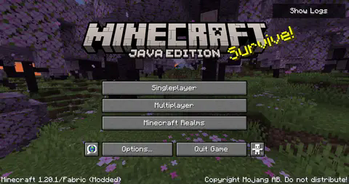
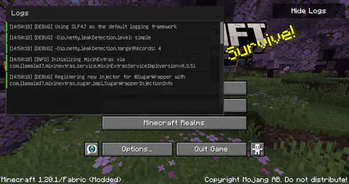
- 📊 Real-time log monitoring directly from the title screen
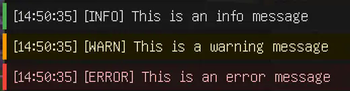
- 🎨 Color-coded messages (Info, Warning, Error)
- 🔄 Automatic updates as new logs appear
- 📜 Scrollable log window with smooth navigation
- 🎯 Single-click toggle for instant access
- 🪶 Lightweight and performance-friendly
📸 Screenshots
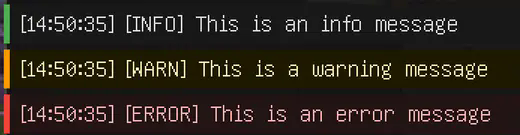
Color-coded logs
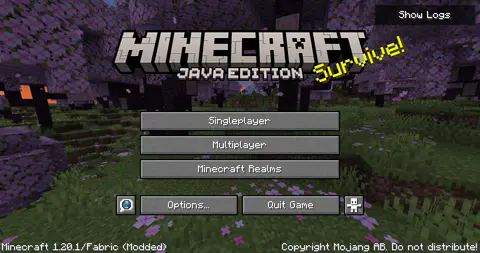
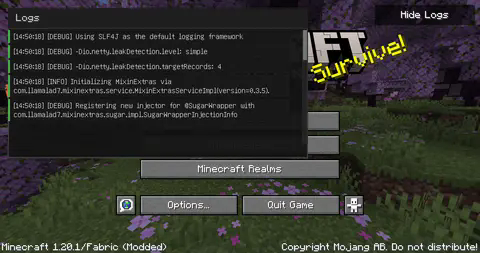
LogScope in action
🚀 Quick Start
- Click the "Show Logs" button in the top-right corner of your title screen
- View logs in real-time as they appear
- Scroll through the log history using your mouse wheel or the scrollbar
- Click "Hide Logs" to close the window
📋 Requirements
- Minecraft (Compatible version)
- Fabric Loader ≥0.15.11
- Fabric API
💻 Installation
- Install Fabric Loader and Fabric API
- Download the latest version of LogScope
- Drop the .jar file into your
modsfolder - Launch Minecraft and enjoy!
💡 Credits
LogScope adapts and builds upon the Console widget originally implemented in Sodium by JellySquid3 and contributors. The implementation has been modified to work as a standalone feature on the title screen.
📜 License
LogScope is licensed under the EUPL v1.2 license - see the LICENSE file for details.
Made with ❤️ for the Minecraft community
Quick facts
- Edition: Minecraft Java
- File type: .jar
- Minecraft version listed: 1.20.1
- How to install: Install the matching mod loader (Forge, Fabric or NeoForge) for your Minecraft version. → Download the .jar. → Put it in the .minecraft/mods folder and launch that loader profile.
- Where to get it: Opens on Modrinth — not every file is mirrored on our own servers.
Install steps are the general flow for this file type — How to install Minecraft Java mods & modpacks walks through it step by step.
Verified by MCModsHub
- Ships as logscope-2.0.2.jar — drop this file into the mods folder
- Download size: 46 KB
- Download link checked 6 Sept 2026 — working
These come from our own check of the pack file, not from the source page.