
QuickList
With QuickList you can search for any item in the Game by pressing [N] (by default), you can calculate things AND you have a nice To-Do List! (Inspired by…
⬇ Download on Modrinth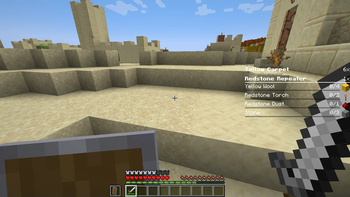
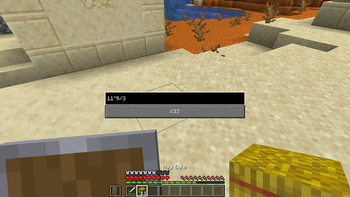
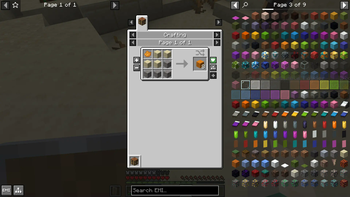


With QuickList you can search for any item via EMI by simply pressing [N] AND you have a nice To-Do list :3
Quicksearch + Calculator
By pressing [N] you can search for any item and calculate math-things

To-Do List
When you click on a item, you can add/remove it from the To-Do list by clicking the +/- buttons on the left

NOTE:
To see the add/remove buttons for the To-Do list you need to change one thing in the EMI configuration

Credits:
- Both features (quick search and to-do list) are inspired by Satisfactory
- Icon made with Microsoft Copilot (if you want to make a new one, pls contact me on Discord)
- Thanks to Emi for making the EMI Mod
- This Mod uses the exp4j Library, which is licensed under the Apache License 2.0
- Edition: Minecraft Java
- File type: .jar
- Minecraft versions listed: 1.21, 1.21.1
- How to install: Install the matching mod loader (Forge, Fabric or NeoForge) for your Minecraft version. → Download the .jar. → Put it in the .minecraft/mods folder and launch that loader profile.
- Where to get it: Opens on Modrinth — not every file is mirrored on our own servers.
Install steps are the general flow for this file type — How to install Minecraft Java mods & modpacks walks through it step by step.
- Ships as QuickList-1.1.0+1.21.1.jar — drop this file into the mods folder
- Download size: 229 KB
- Download link checked 6 Sept 2026 — working
These come from our own check of the pack file, not from the source page.