
Q-Inventory Randomizer
Java mod listed for Minecraft 1.20. Downloads from the MC Java Mods app on Android.
⬇ Download on Modrinth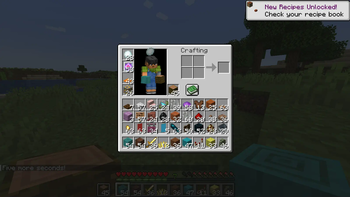
With this mod, you can make your inventory either reset or completely randomize after a set amount of time, defaulting to 1 minute.
Do /InventoryClearerStart to start the randomizer. It by default has the randomizer on. Do /InventoryClearerEnd to stop it. Do /InventoryClearerSecondDelay seconds to change the reset time, in seconds. Do /InventoryRandomizerMode and either On or Off (True or False) to turn the randomizer aspect on or off. If it is off, then it just clears your inventory after the amount of time has passed.
The mod usually warns you five seconds before your inventory gets cleared or randomized.
/InventoryClearerWarning On/Off, which enables/disables the 5 second warning. /InventoryRandomizerUnlimitedStacks On/Off, which allows stacks to go as high as the integer limit.
- Edition: Minecraft Java
- File type: .jar
- Minecraft versions listed: 1.20.1, 1.20.2, 1.20.3
- How to install: Install the matching mod loader (Forge, Fabric or NeoForge) for your Minecraft version. → Download the .jar. → Put it in the .minecraft/mods folder and launch that loader profile.
- Where to get it: Opens on Modrinth — not every file is mirrored on our own servers.
Install steps are the general flow for this file type — How to install Minecraft Java mods & modpacks walks through it step by step.
- Ships as inventoryrandomizer-2.0.0.jar — drop this file into the mods folder
- Download size: 750 KB
- Download link checked 16 Oct 2026 — working
These come from our own check of the pack file, not from the source page.