
ModsJava
Server Relics
Java mod listed for Minecraft 1.21. Downloads from the MC Java Mods app on Android.
⬇ Download on Modrinth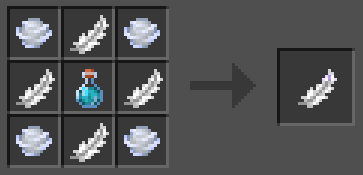
❗If you want me to port the mod to a certain version of the game, feel free to write on the discord server
The mod by default adds 7 relics:
- 🪶Speed Feather - gives speed 1
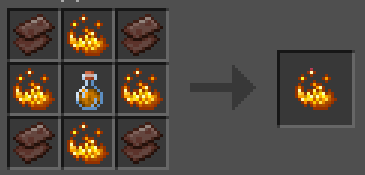
- 🔥Fire Powder - gives fire resistance
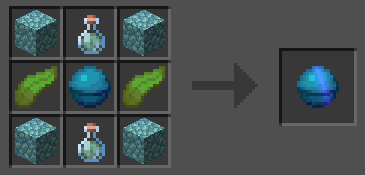
- 🐬Water Core - gives water breath
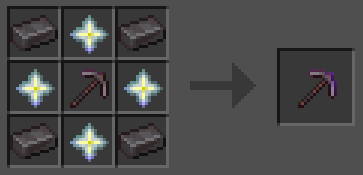
- ⛏️Miners pickaxe - gives haste 2 and glowing
- 👁️Eye Of Nocturne - gives night vision
- 🐰Amulet Of Lightness - gives jump boost 1
- ❤️Health Sphere - gives health boost 1
How do I change or add a recipe/title/legend of a relic?
- Open the jar file as an archive
- Go to the path data\serverrelics
- Change what you need to change
- Don't forget to save your changes!
How do I add/change relic textures?
- Open the jar file as an archive
- Go to the path assets\serverrelics
- Add the texture to the textures\item folder
- In the models\item folder, create a JSON file with the name of your relic
- Save and restart the server
{
  "parent": "item/handheld",
  "textures": {
    "layer0": "serverrelics:item/your_texture"
  }
}
Write /polymer generate-pack command. Resource pack will be located in your server folder as polymer\resource_pack.zip
How do I add my relic?
- Go to the path config\relics-config.json5
- Add your relic
- Save and restart the server
		{
			"item": "serverrelics:example_relic",
			"effects": {
				"health_boost": 15
			}
		}
Quick facts
- Edition: Minecraft Java
- File type: .jar
- Minecraft versions listed: 1.21, 1.21.1
- How to install: Install the matching mod loader (Forge, Fabric or NeoForge) for your Minecraft version. → Download the .jar. → Put it in the .minecraft/mods folder and launch that loader profile.
- Where to get it: Opens on Modrinth — not every file is mirrored on our own servers.
Install steps are the general flow for this file type — How to install Minecraft Java mods & modpacks walks through it step by step.
File checked by MCModsHub
- Ships as serverrelics-2.0.0.jar — drop this file into the mods folder
- Download size: 862 KB
- Download link checked 17 Oct 2026 — working
These come from our own check of the pack file, not from the source page.