

What is that
A mod runs in-game command with customize configs.
For now the commands will run as soon as server mod initialize.
Use
Also load the require mod Config Manager
Remember that Singleplayer contains an integrated server.
Features
- Multi-command support
- Ticks or seconds: Whether use game ticks or seconds (20 ticks) in timing
- Delays: Add delay before command run
- Interval: The cycle of each command does
- There's no reason to run a command from Java code
Example
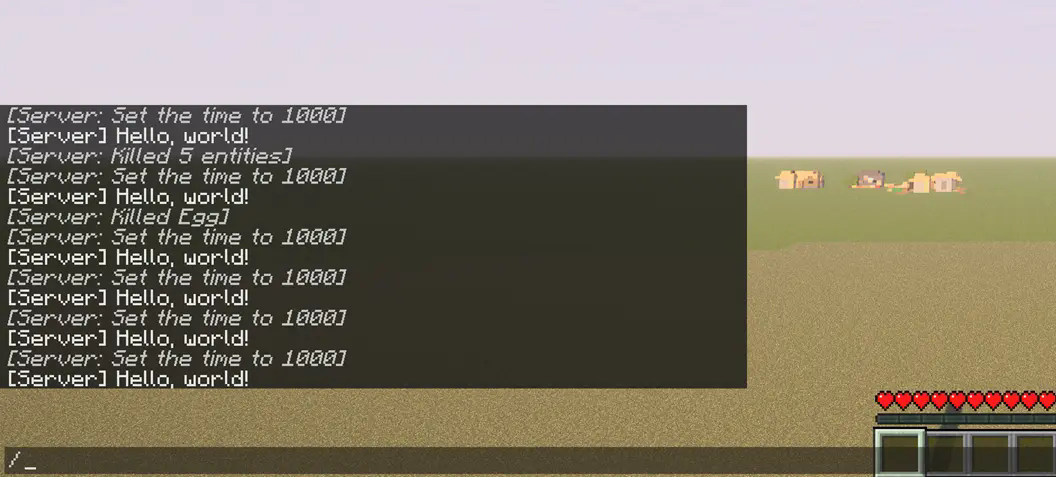
command_on_interval.json:
{
   "0":{
      "enabled":true,
      "unit-use-ticks":false,
      "delay":0,
      "interval":10,
      "command":"say Hello, world!"
   },
   "1":{
      "enabled":true,
      "unit-use-ticks":true,
      "delay":0,
      "interval":180,
      "command":"time set day"
   },
   "2":{
      "enabled":true,
      "unit-use-ticks":true,
      "delay":5,
      "interval":200,
      "command":"kill @e[type=item]"
   }
}
Config
Locate your config in Minecraft installation location.\
Default location using official launcher on Windows:
%APPDATA%\.minecraft\config\command_on_interval.json
OrC:\Users\YOUR_USER_NAME\AppData\Roaming\.minecraft\config\command_on_interval.json
You will get somethings like that:
{
   "0":{
      "enabled":true,
      "unit-use-ticks":false,
      "delay":0,
      "interval":10,
      "command":""
   }
}
"0"
No. 1 command,you can add
"1"also"2"etc...
enabled
True enable this entry of setting, vice versa
unit-use-ticks
For delay or interval,
trueuse ticks,falseues seconds
delay
Delay before each command runs
interval
Cycles interval for each command
command
In-game command without
/prefix
Eg.time set day
icon.png © 2025 by FelixAgairu is licensed under CC BY-NC-SA 4.0
- Edition: Minecraft Java
- File type: .jar
- Minecraft versions listed: 1.21, 1.21.1
- How to install: Install the matching mod loader (Forge, Fabric or NeoForge) for your Minecraft version. → Download the .jar. → Put it in the .minecraft/mods folder and launch that loader profile.
- Where to get it: Opens on Modrinth — not every file is mirrored on our own servers.
Install steps are the general flow for this file type — How to install Minecraft Java mods & modpacks walks through it step by step.
- Ships as command-on-interval-0.4.0-alpha.jar — drop this file into the mods folder
- Download size: 16 KB
- Download link checked 6 Sept 2026 — working
These come from our own check of the pack file, not from the source page.