
Points At
Player-directed in-world arrows with chat messages to point friends to looking at something. Styled after SS13
⬇ Download on Modrinth


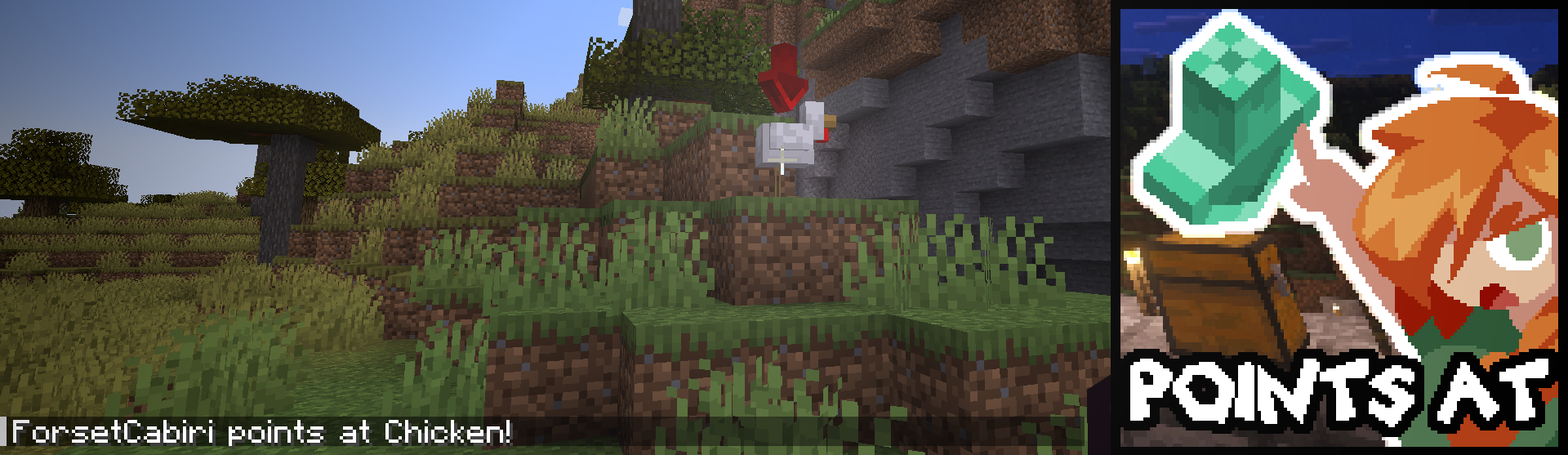
The default hotkey is [H], and can be changed any time.
You can change the color of arrows you send by simply going into your client configuration and changing the hex code in the lifetime setting. It will update and sync in real-time for everybody on the server!
Available for 1.20.1 Forge/Neoforge, and 1.21.1 Neoforge.
Free to use in any modpack or server that does not have a content paywall.
If you have issues, either add me on Discord (forsetcabiri) or send an email (forsetcabiri@gmail.com).
- Edition: Minecraft Java
- File type: .jar
- Minecraft version listed: 1.21.1
- How to install: Install the matching mod loader (Forge, Fabric or NeoForge) for your Minecraft version. → Download the .jar. → Put it in the .minecraft/mods folder and launch that loader profile.
- Where to get it: Opens on Modrinth — not every file is mirrored on our own servers.
Install steps are the general flow for this file type — How to install Minecraft Java mods & modpacks walks through it step by step.
- Ships as pointsat-1.1.0-1.21.1-all.jar — drop this file into the mods folder
- Download size: 93 KB
- Download link checked 6 Sept 2026 — working
These come from our own check of the pack file, not from the source page.