

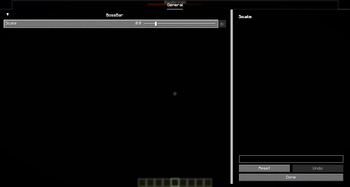
BossBarScale
This is a Fabric mod that allows players to scale boss bars without changing the GUI scale. Customize the size of boss bars to your liking without affecting other UI elements.
Installation
Download the JAR from Modrinth and install the dependencies.
Dependencies
- Fabric API
- YetAnotherConfigLib
- ModMenu (optional)
Usage
- Make sure all dependencies are installed.
- Open the config screen via ModMenu (skip for default, x0.75).
- Adjust the boss bar scale settings to your preference (skip for default, x0.75).
- Press Save Changes and then Done to apply the settings (skip for default, x0.75).
- Enjoy your customized boss bar sizes!
If you encounter any issues, message me on Discord @escyth.
Quick facts
- Edition: Minecraft Java
- File type: .jar
- Minecraft version listed: 1.21.8
- How to install: Install the matching mod loader (Forge, Fabric or NeoForge) for your Minecraft version. → Download the .jar. → Put it in the .minecraft/mods folder and launch that loader profile.
- Where to get it: Opens on Modrinth — not every file is mirrored on our own servers.
Install steps are the general flow for this file type — How to install Minecraft Java mods & modpacks walks through it step by step.
Verified by MCModsHub
- Ships as bossbarscale-0.3.jar — drop this file into the mods folder
- Download size: 20 KB
- Download link checked 6 Sept 2026 — working
These come from our own check of the pack file, not from the source page.