
What is it?
Difusement is a simple mod that adds a method of taking enchantments off enchanted items and moving them to their own books.
How do you use it?
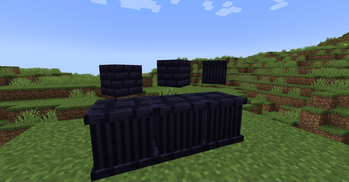
you start by crafting a Difusement Altar and 1 to 8 Obsidian Pedestals.
Difusement altars can be crafted as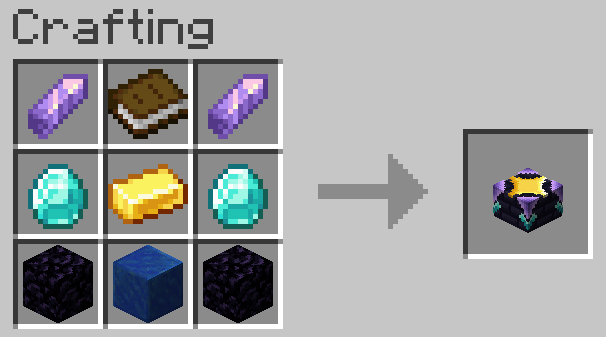
Obsidian Pedestals are crafted with an Obsidian Pillar and an Item Frame.
Obsidian Pillars and other decorative obsidian blocks can be crafted in the stone cutter.
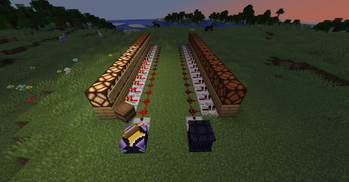
to start difusing, put the pedestals in this formation around the altar, you don't need all 8 but you do need at least one (bookshelves not needed): 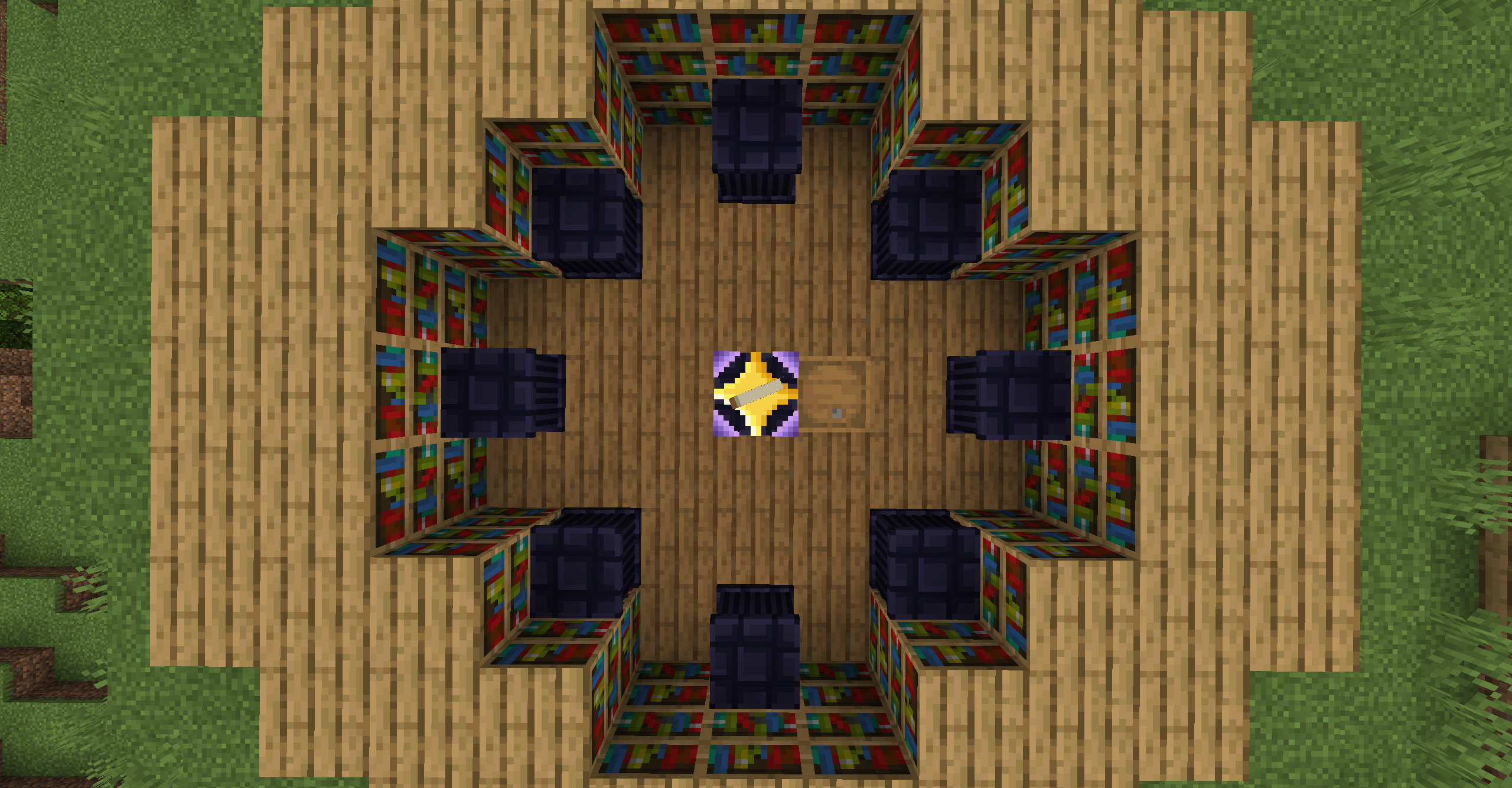
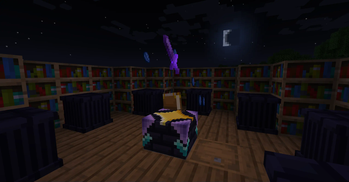
then throw lapis onto the altar, you can tell how many lapis are curently in the altar by counting the number of lapis floating around the altar, lapis are consumed by the difusion proscess. put books on the pedestals and an enchanted item on the altar, if done correctly after ~4 seconds the altar will separate the enchantments from the item on the altar and place one on each book, if there are more books than enchantments, they will be left alone, if there are more enchantments on the item than there are books on the pedestal, the enchantments that could not be put on books remain on the item on the altar.
- Edition: Minecraft Java
- File type: .jar
- Minecraft versions listed: 1.19.2, 1.19.3, 1.19.4
- How to install: Install the matching mod loader (Forge, Fabric or NeoForge) for your Minecraft version. → Download the .jar. → Put it in the .minecraft/mods folder and launch that loader profile.
- Where to get it: Opens on Modrinth — not every file is mirrored on our own servers.
Install steps are the general flow for this file type — How to install Minecraft Java mods & modpacks walks through it step by step.
- Ships as difusement-v1.19.2_alpha_1.empatch_1.jar — drop this file into the mods folder
- Download size: 68 KB
- Download link checked 6 Sept 2026 — working
These come from our own check of the pack file, not from the source page.