
Border Quest
Java mod listed for Minecraft 26.x. Downloads from the MC Java Mods app on Android.
A Minecraft Fabric mod that shrinks the size of the world. Players must complete objectives to gradually expand it. Fully customizable.
I don't know my version or loader
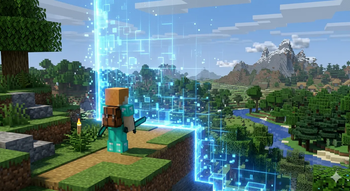
Border Quest
A server-side Fabric mod for Minecraft 1.21 that turns your world border into a cooperative progression challenge. Players collect resources, donate them to altars, and unlock an ever-growing world — stage by stage.
Features
| Feature | Description |
|---|---|
| Progressive world border | Starts small and expands as players complete stages |
| Altar system | Donate items by right-clicking any altar block |
| Stage rewards | Give items, potion effects or XP to all players on stage completion |
| Dimension locks | Nether & End are gated behind configurable stages |
| Donation leaderboard | /bq ladder shows the top contributors |
| Altar particles | Visual END_ROD particle effect on every altar |
| Chat announcements | Server-wide broadcast on large donations |
| HUD sidebar | Tab-list header displays current objective |
| Map integrations | BlueMap, Dynmap, JourneyMap, Xaero's Minimap & World Map |
| Discord webhook | Sends a message on every stage completion |
| Fully configurable | All stages, radii and behaviour tunable via JSON |
Requirements
| Dependency | Version | Required? |
|---|---|---|
| Minecraft | 1.21.x | ✅ |
| Fabric Loader | ≥ 0.14.21 | ✅ |
| Fabric API | any | ✅ |
| BlueMap | any | Optional |
| Dynmap (Fabric) | any | Optional |
| JourneyMap | any | Optional (singleplayer / LAN) |
| Xaero's Minimap | any | Optional (singleplayer / LAN) |
| Xaero's World Map | any | Optional (singleplayer / LAN) |
Server-side only. Clients do not need to install this mod.
Installation
- Drop
border-quest-mod-x.x.x.jarinto your server'smods/folder alongside Fabric API. - Start the server once —
config/borderquest.jsonis generated automatically. - Edit the config to suit your server, then run
/bq reload.
Commands
All commands start with /bq (alias available via any registered alias).
Player commands
| Command | Description |
|---|---|
/bq or /bq status |
Show current stage, objective and progress |
/bq submit |
Donate all eligible items from your inventory |
/bq ladder |
Show the top 10 donors |
Operator commands (permission level 2)
| Command | Description |
|---|---|
/bq setaltar |
Register the block you are looking at as an altar |
/bq setaltar <name> |
Same, but assigns a display name (shown on maps) |
/bq removealtar |
Remove the looked-at block from the altar list |
/bq skip |
Force-advance to the next stage without filling the objective |
/bq reset |
Reset the game to stage 1 |
/bq reload |
Reload borderquest.json and the saved state without restarting |
To donate, right-click any altar block while holding items.
/bq submitworks from anywhere and scans your entire inventory.
Configuration
File location: config/borderquest.json
{
  // General -------------------------------------------------------------------

  // Duration of the celebration fireworks on stage completion (ticks, 20 = 1s)
  "celebrationDurationTicks": 200,

  // Damage per second while a player is outside the border
  "borderDamagePerBlock": 0.2,

  // Distance (blocks) at which the border warning is shown
  "borderWarningBlocks": 5,

  // Nether coordinate scale factor (Nether border = Overworld radius / netherScale)
  "netherScale": 8.0,

  // Altar particles -----------------------------------------------------------

  "altarParticlesEnabled": true,
  // How often particles spawn, in ticks (20 = once per second)
  "altarParticlePeriodTicks": 20,

  // Donation announcements ----------------------------------------------------

  // Broadcast a message to all players when a single donation reaches this count
  "donationAnnouncementsEnabled": true,
  "donationAnnounceMinItems": 16,

  // Dimension locks -----------------------------------------------------------

  // Prevent players from entering a dimension until the required stage is reached
  "worldLocks": [
    { "worldId": "minecraft:the_nether", "requiredStage": 5 },
    { "worldId": "minecraft:the_end",    "requiredStage": 7 }
  ],

  // Discord webhook -----------------------------------------------------------

  "discordEnabled": false,
  "discordWebhookUrl": "https://discord.com/api/webhooks/YOUR_ID/YOUR_TOKEN",
  "discordUsername": "Border Quest",
  "discordAvatarUrl": "",   // Leave empty to use the default webhook avatar

  // Stages --------------------------------------------------------------------

  "stages": [
    {
      "borderRadius": 10,
      "title": "Clear the area",
      // Fixed items required
      "requirements": [
        { "itemId": "minecraft:cobblestone", "count": 64 }
      ],
      // Biome-resolved categories (the mod picks the right log type automatically)
      "categoryRequirements": [
        { "category": "logs", "count": 64 }
      ],
      // Rewards distributed to ALL online players on completion
      "rewards": []
    },
    {
      "borderRadius": 25,
      "title": "First steps toward civilisation",
      "requirements": [
        { "itemId": "minecraft:iron_ingot", "count": 32 },
        { "itemId": "minecraft:bread",      "count": 32 }
      ],
      "categoryRequirements": [],
      "rewards": [
        // Give 3 bread to every online player
        { "type": "item",   "itemId": "minecraft:bread", "count": 3 },
        // Apply Haste I for 30 s
        { "type": "effect", "effectId": "minecraft:haste", "duration": 600, "amplifier": 0 },
        // Give 50 XP points
        { "type": "xp", "amount": 50 }
      ]
    }
    // ... add as many stages as you like
    // The LAST stage represents total freedom (use borderRadius: 29999984)
  ]
}
Stage anatomy
| Field | Type | Description |
|---|---|---|
borderRadius |
double | Half the side length of the square border (diameter = radius × 2) |
title |
string | Displayed in chat and the tab-list sidebar |
requirements |
list | Specific items required — itemId + count |
categoryRequirements |
list | Biome-adaptive requirements — category + count |
rewards |
list | Rewards given to all online players on stage validation |
Built-in categories: logs, planks, wool, sand, stone — resolved to the most common variants found in the spawn biome.
Reward types
type |
Required fields | Example |
|---|---|---|
"item" |
itemId, count |
{ "type": "item", "itemId": "minecraft:diamond", "count": 2 } |
"effect" |
effectId, duration (ticks), amplifier (0 = level I) |
{ "type": "effect", "effectId": "minecraft:speed", "duration": 400, "amplifier": 1 } |
"xp" |
amount |
{ "type": "xp", "amount": 100 } |
Altar setup
Altars can be any block — a beacon, a chest, a custom banner — whatever fits your server's theme.
- Place the block in-world.
- Look at it and run
/bq setaltar(optionally/bq setaltar Altar du Spawn). - Players can now right-click the block to donate items.
To remove an altar: look at it and run /bq removealtar.
Altar positions are saved in
world/data/borderquest_state.jsonand survive restarts.
Map integrations
BlueMap
Requires BlueMap installed on the server. The mod automatically renders:
- A green rectangle showing the current border extent on the overworld map.
- A POI marker for each altar (with its display name if set).
Markers rebuild automatically when BlueMap reloads.
Dynmap
Requires Dynmap for Fabric installed on the server. Same markers as BlueMap — rendered via reflection, no extra dependency needed.
JourneyMap & Xaero's Minimap / World Map
Singleplayer & LAN only. These mods run client-side and are not available on a dedicated server's classpath.
When running in singleplayer or LAN, if JourneyMap, Xaero's Minimap, or Xaero's World Map is installed:
- A waypoint is created for each altar when it is registered.
- The waypoint is removed when the altar is removed.
- Border shapes are not supported (client-side map limitation).
The integration uses reflection — no additional configuration is needed.
Discord webhook
- Create a webhook in your Discord server: Channel Settings → Integrations → Webhooks.
- Copy the URL and paste it in
borderquest.json:"discordEnabled": true, "discordWebhookUrl": "https://discord.com/api/webhooks/123456789/abc...", "discordUsername": "Border Quest", "discordAvatarUrl": "" - Run
/bq reload.
A message is sent automatically each time a stage is completed.
Dimension locks
By default:
- The Nether is locked until stage 5.
- The End is locked until stage 7.
Attempting to enter a locked dimension cancels the teleport and displays a red message.
Customise or remove locks in borderquest.json under worldLocks.
Saved state
The game state (current stage, submitted items, altar list, donor stats) is saved in:
<world>/data/borderquest_state.json
Back up this file if you want to preserve progress between map resets.
Building from source
git clone <repo>
cd border-quest-mod
./gradlew build
# Output: build/libs/border-quest-mod-x.x.x.jar
Requirements: Java 21, internet access (to download Fabric Loom and BlueMap API).
Dependencies at a glance:
| Artifact | Scope | Purpose |
|---|---|---|
net.fabricmc.fabric-api |
modImplementation |
Fabric API |
de.bluecolored:bluemap-api:2.7.7 |
compileOnly |
BlueMap markers at compile time |
| Dynmap, JourneyMap, Xaero's | none | Integrated via reflection — no compile dependency |
License
MIT — see LICENSE.
- Edition: Minecraft Java
- File type: .jar
- Minecraft versions listed: 26.1, 26.1.1, 26.1.2
- How to install: Install the matching mod loader (Forge, Fabric or NeoForge) for your Minecraft version. → Download the .jar. → Put it in the .minecraft/mods folder and launch that loader profile.
- Where to get it: Opens on Modrinth — not every file is mirrored on our own servers.
Install steps are the general flow for this file type — How to install Minecraft Java mods & modpacks walks through it step by step.
- Ships as border-quest-26.1.2-2.1.0.jar — drop this file into the mods folder
- Download size: 106 KB
- Download link checked 17 Oct 2026 — working
These come from our own check of the pack file, not from the source page.