
Mandarin World
Java mod listed for Minecraft 1.21. Downloads from the MC Java Mods app on Android.
RU: Сканер мобов (ESP). Зажми ПКМ на 3 сек. Вкладки: Tools & Utilities. EN: Mob Scanner (ESP). Hold R-Click for 3 sec. Tab: Tools & Utilities.
⬇ Download on Modrinth
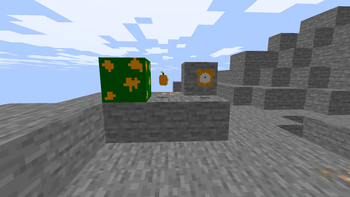

Mandarin World: Advanced Scanner RU: Описание мода Этот мод добавляет в игру Mandarin Scanner — высокотехнологичный гаджет для разведки. Он позволяет видеть существ сквозь стены, обеспечивая вам тактическое преимущество.
Функция ESP: Подсвечивает силуэты всех мобов в радиусе 30 блоков.
Активация: Чтобы включить сканер, возьмите его в руку, зажмите правую кнопку мыши (ПКМ) и подождите 3 секунды.
Где найти: Предмет находится в творческой вкладке «Инструменты и полезное» (Tools & Utilities). Также доступен через поиск по слову Mandarin.
EN: Mod Description Mandarin World introduces the Mandarin Scanner, a professional scouting tool that grants you the ability to see through obstacles.
ESP Feature: Highlights all entities within a 30-block radius.
How to use: Hold the scanner, then press and hold Right-Click (RMB) for 3 seconds to activate the thermal vision.
Creative Tab: You can find the scanner in the Tools & Utilities section.
- Edition: Minecraft Java
- File type: .jar
- Minecraft versions listed: 1.21.8, 1.21.9, 1.21.10
- How to install: Install the matching mod loader (Forge, Fabric or NeoForge) for your Minecraft version. → Download the .jar. → Put it in the .minecraft/mods folder and launch that loader profile.
- Where to get it: Opens on Modrinth — not every file is mirrored on our own servers.
Install steps are the general flow for this file type — How to install Minecraft Java mods & modpacks walks through it step by step.
- Ships as MandarinWorld_TheScannerUpdate.jar — drop this file into the mods folder
- Download size: 52 KB
- Download link checked 17 Oct 2026 — working
These come from our own check of the pack file, not from the source page.