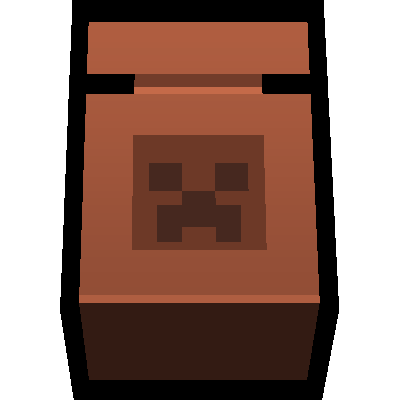
Pots and Plants
Java mod listed for Minecraft 1.19. Downloads from the MC Java Mods app on Android.
⬇ Download on Modrinth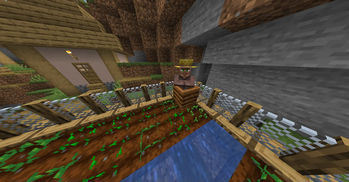
Description
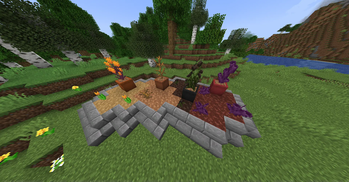
Pots and Plants does indeed add both pots and plants as well as more decoration options for your world. All of the blocks/items were added to be useful and liven up your Minecraft world.
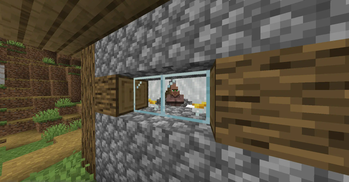
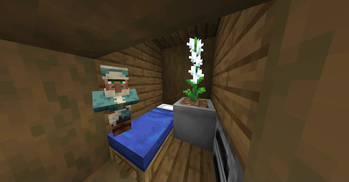
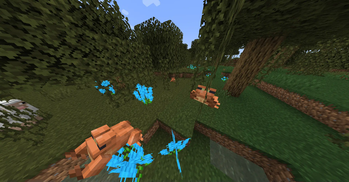
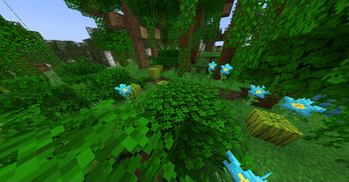
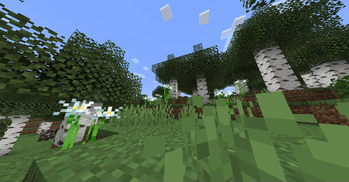
-Features- Curtains - Come in all 16 colors, can be made to any length, able to be open and closed, right click with curtain to make longer Mulch - Decorative dirt that comes in all wood 9 types Large Flower Pots - Come in all 16 colors, full block, and can hold any plant More Flowers - Flowers that did not craft into a specific color or didn't have a tall counterpart, now do. Each dimension has a new flower Chain Fences - Come in all 9 wood types, can't be exploded, player can jump over it but mobs cannot Shutters - Come in all 9 wood types, can be opened and closed Turnips - Found in birch biomes, can be grown, thrown when standing up, eaten when crouching Corn - Found in plains biome, can be grown, can be eaten 3 times Dripleaf Flytrap - Found in lush caves, trap mobs in place and damage them, can be picked up with a flower pot Tiled Glass and Tiled Glass Panes - Come in all 16 colors Pebbles - Found anywhere, decorative tiny rocks, 4 different models, 4 can be crafted into cobblestone
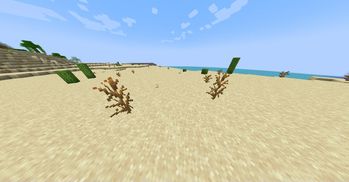
-Tweaks- Sugar Cane can be smelted into Lime Dye Dead Bushes and Brown Mushrooms can be crafted into Brown Dye Red Mushrooms and Crimson Fungus can be crafted into Red Dye Warped Fungus can be crafted into Cyan Dye Chorus Flower, Popped Chorus Fruit, and Chorus Fruit can be crafted into Purple Dye
- Edition: Minecraft Java
- File type: .jar
- Minecraft version listed: 1.19.2
- How to install: Install the matching mod loader (Forge, Fabric or NeoForge) for your Minecraft version. → Download the .jar. → Put it in the .minecraft/mods folder and launch that loader profile.
- Where to get it: Opens on Modrinth — not every file is mirrored on our own servers.
Install steps are the general flow for this file type — How to install Minecraft Java mods & modpacks walks through it step by step.
- Ships as pap-1.19.2-forge-ver3.3.jar — drop this file into the mods folder
- Download size: 2.6 MB
- Download link checked 17 Oct 2026 — working
These come from our own check of the pack file, not from the source page.