
ServerLocalizer
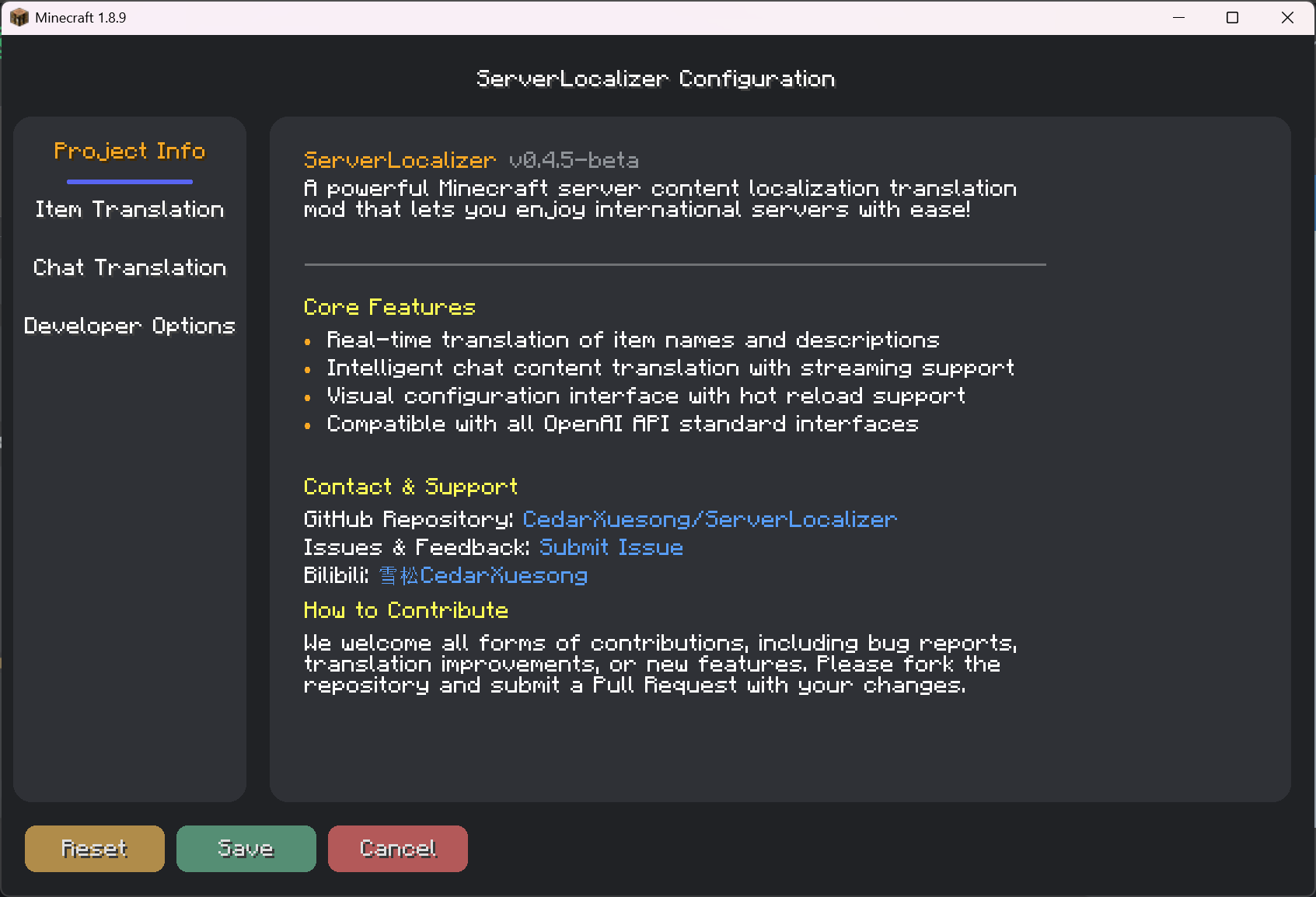
A powerful Minecraft server content localization AI translation mod, allowing you to easily enjoy international servers!
⬇ Download on Modrinth

🌐 ServerLocalizer





🎮 A powerful Minecraft server content localization AI translation mod, allowing you to easily enjoy international servers!
📖 Introduction
ServerLocalizer is a Forge mod for Minecraft 1.8.9 that provides high-quality, customizable game content translation by intercepting server packets and calling AI large language model APIs. It helps you overcome language barriers and enjoy a seamless gaming experience on international servers.
✨ Features
Core Translation Functions
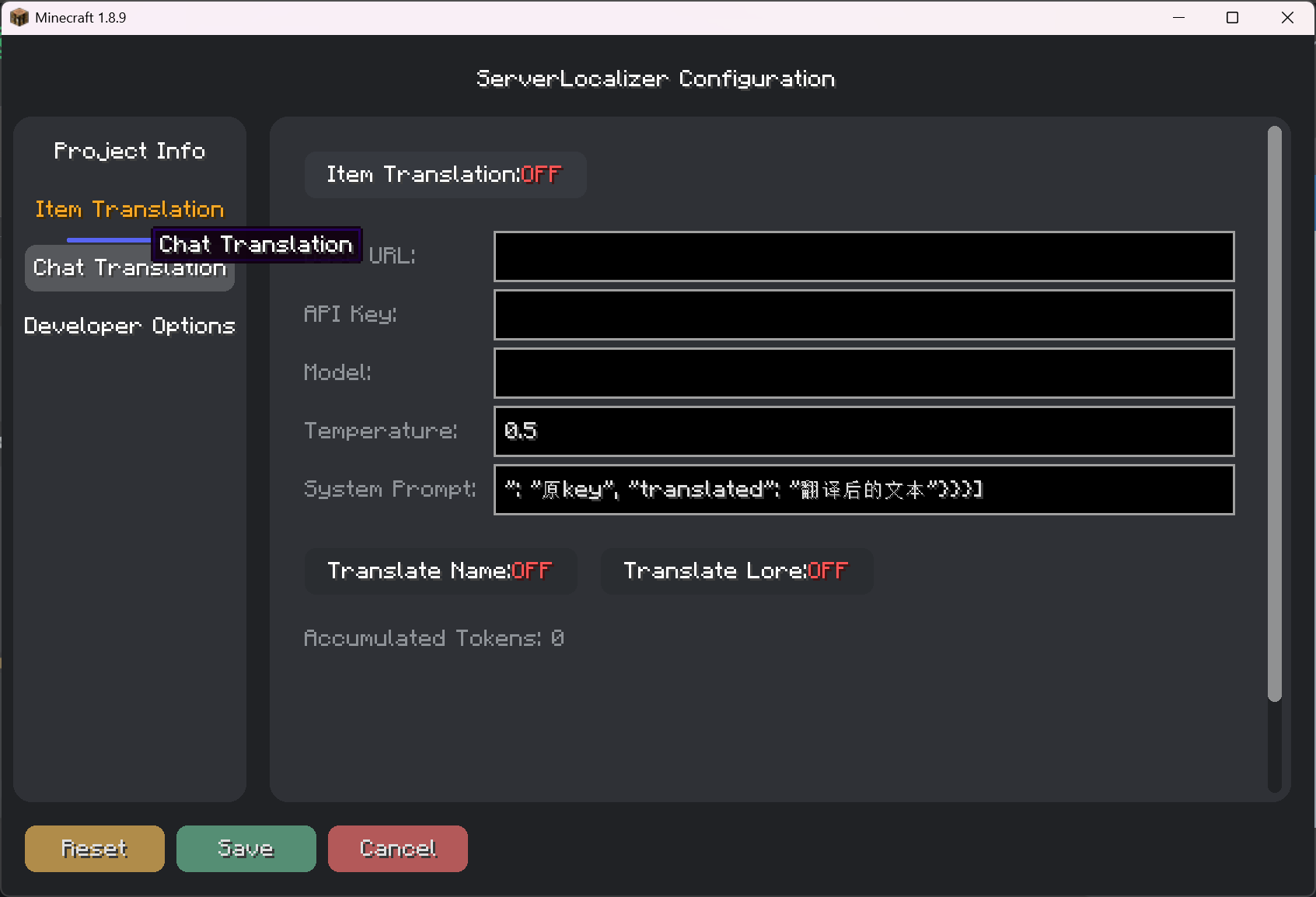
- Item Translation: Automatically translates item names and lores.
- Chat Translation: Instantly translates any chat message by clicking the
[T]button next to it. - Style Preservation: Fully retains color codes and text formatting in both items and chat.
Intelligence & Efficiency
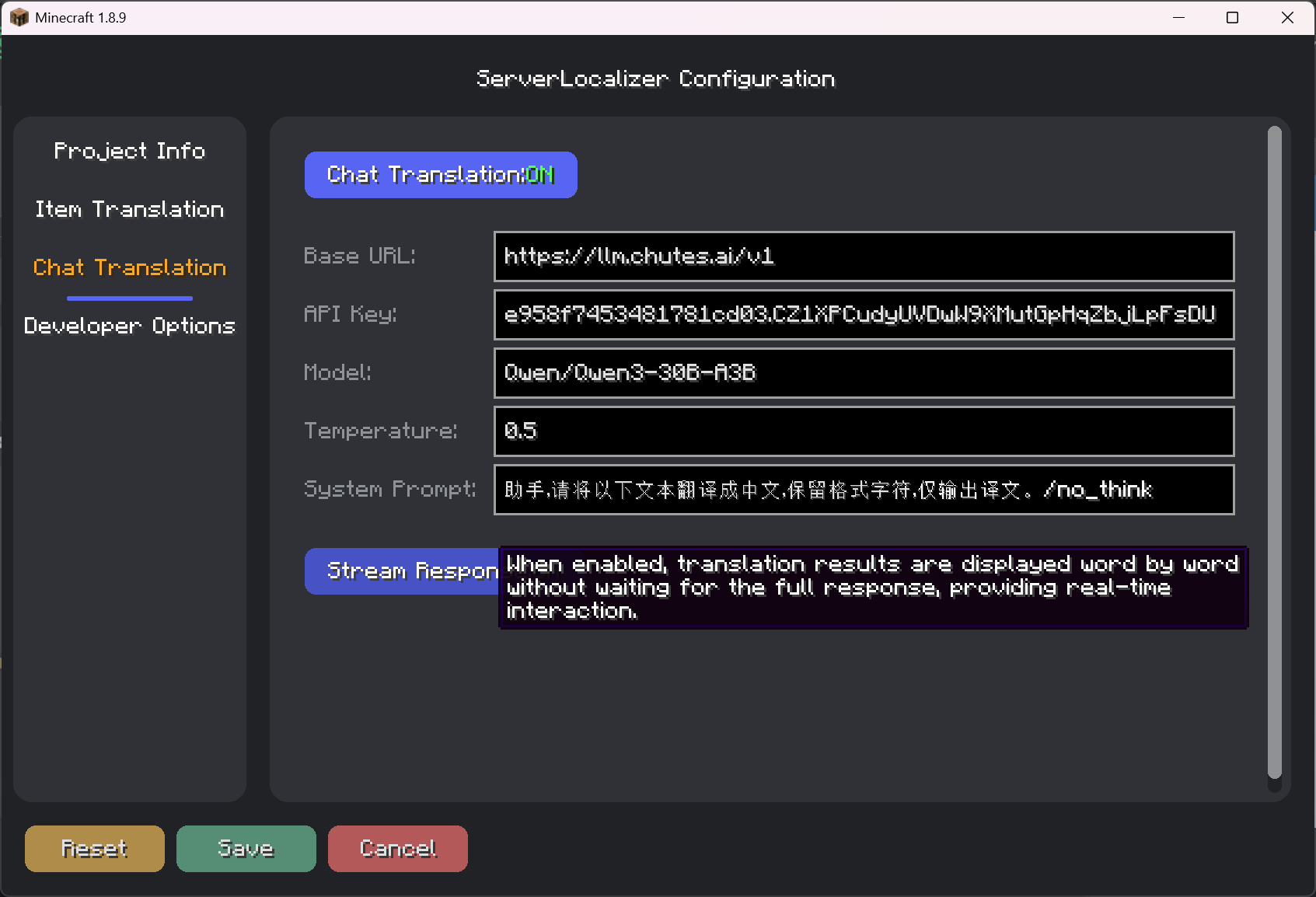
- Stream Response: When enabled, translation results are displayed word by word, providing a smoother interactive experience without waiting.
- Smart Caching: Automatically caches translation results to avoid redundant requests and save resources.
- Concurrent Processing: Uses a thread pool to handle multiple translation requests, ensuring smooth game performance.
User Experience
- Visual Configuration GUI: Provides a modern GUI for users to easily adjust all settings.
📥 Installation Guide
Prerequisites:
- Minecraft 1.8.9
- Forge
11.15.1.2318or a later version
Installation Steps:
- Download the latest
ServerLocalizer-x.x.jarfrom the Releases page. - Place the downloaded
.jarfile into your.minecraft/modsfolder. - Launch the game to start using the mod.
- Download the latest
🎮 How to Use
- Open Configuration:
- From the main menu or pause menu, click "Mods" -> find "ServerLocalizer" -> click the "Config" button.
- Alternatively, use the in-game command
/serverlocalizer config.
- Configure API:
- In the "Item Translation" and "Chat Translation" tabs, enter your API service address (Base URL), API Key, and Model name.
- This mod is compatible with any model service that adheres to the OpenAI API standards.
- Enable Features:
- In the respective tabs, enable the features you need, such as "Item Translation" or "Chat Translation".
- Save Configuration:
- Click the "Save" button at the bottom left. All settings will take effect immediately.
- Start Translating:
- Items: Hover over an item to see the translation.
- Chat: Click the
[T]button next to a chat message to start the translation.
⌨️ Command List
The main command is /serverlocalizer.
/serverlocalizer config: Opens the mod's graphical configuration interface./serverlocalizer translate <messageId>: Translates a chat message with a specific ID (mainly used internally by clicks).
📂 Configuration Files
All configurations are stored in the .minecraft/config/serverlocalizer/ModConfig.json file. It is recommended to modify settings through the in-game GUI rather than editing this file manually.
🔧 Development Guide
Setup Environment
# Clone the project
git clone https://github.com/CedarXuesong/ServerLocalizer.git

# Setup the development workspace
./gradlew setupDecompWorkspace

# Generate IDE configurations
./gradlew eclipse    # For Eclipse
./gradlew idea       # For IntelliJ IDEA
🤝 Contributing
We welcome all forms of contributions!
- Submit Bug Reports: Report any issues you find via GitHub Issues.
- Improve Translations: Fork the repository and optimize the translation cache files.
- Add New Features: Feel free to contribute your code via Pull Requests.
📞 Contact
- Author: CedarXuesong
- Bilibili: 雪松CedarXuesong
- Feedback & Issues: GitHub Issues
🙏 Acknowledgements
- Minecraft Forge - The powerful mod loader.
- SpongePowered Mixin - The flexible code injection framework.
- All developers and users who have contributed to this project and provided feedback ❤️.
- Edition: Minecraft Java
- File type: .jar
- Minecraft version listed: 1.8.9
- How to install: Install the matching mod loader (Forge, Fabric or NeoForge) for your Minecraft version. → Download the .jar. → Put it in the .minecraft/mods folder and launch that loader profile.
- Where to get it: Opens on Modrinth — not every file is mirrored on our own servers.
Install steps are the general flow for this file type — How to install Minecraft Java mods & modpacks walks through it step by step.
- Ships as serverlocalizer-0.4.6-beta.jar — drop this file into the mods folder
- Download size: 1.1 MB
- Download link checked 6 Sept 2026 — working
These come from our own check of the pack file, not from the source page.