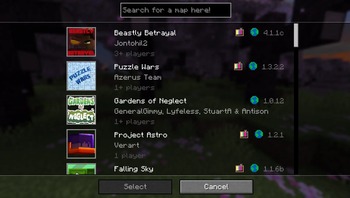
Adds a search bar into the Realms Minigame selection screen.
Usage:
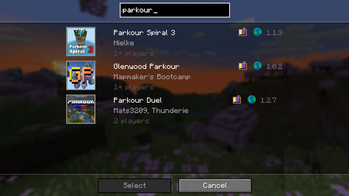
Just type in your search into the search bar and the realms minigame selection screen will only show the maps that fit your search criteria.
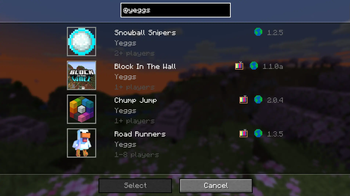
With a normal search (Example: "parkour") the search will be done by title, and it will show all the maps that contain those characters, additionally if you add a '@' at the start of your search (Example: "@yeggs") the search will instead be done by the minigame's creator name.
If you find any bugs or have some feedback, feel free to message me at jedewqa@gmail.com or on Discord sac11221.
You can find the source code here.
- Edition: Minecraft Java
- File type: .jar
- Minecraft version listed: 1.20.5
- How to install: Install the matching mod loader (Forge, Fabric or NeoForge) for your Minecraft version. → Download the .jar. → Put it in the .minecraft/mods folder and launch that loader profile.
- Where to get it: Opens on Modrinth — not every file is mirrored on our own servers.
Install steps are the general flow for this file type — How to install Minecraft Java mods & modpacks walks through it step by step.
- Ships as realms-search-2.0.0.jar — drop this file into the mods folder
- Download size: 9 KB
- Download link checked 6 Sept 2026 — working
These come from our own check of the pack file, not from the source page.