
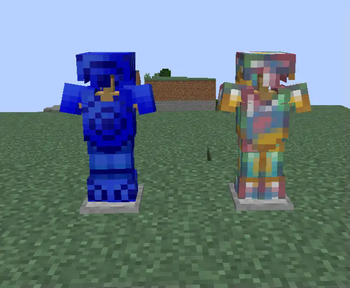
Add some extra crytals and gems to your world! Cal's Extra Gems adds 2 new armor and tool sets, sapphire, opal, 6 colors of tourmaline, 4 colors of topaz, 3 new quartz colors, 5 beryl colors, and emerald slabs and walls. There's over 90 new blocks in total!
Where to find the ores:
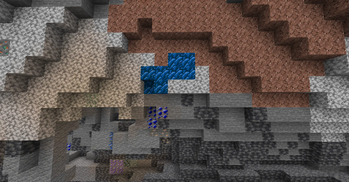
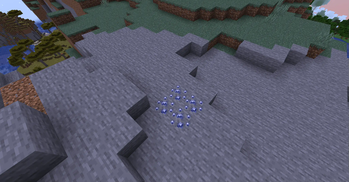
Sapphire can be found in any Biome between -64 and 80
Topaz can be found in any biome between 50 and -32
Opal can be found in any biome between 30 and -80, being most common around 55
All beryl (including aquamarine!) can be found in any biome between 320 and -16, being more common around 168
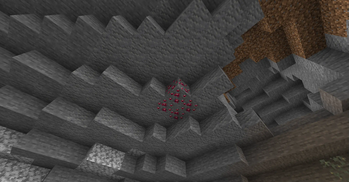
All Quartz can be found anywhere the nether
Black Tourmaline can be found between 50 and -50 in Savanas , being most common at 0
Green Tourmaline can be found between 50 and -50 in Forests, being most common at 0
Blue Tourmaline can be found between 50 and -50 in Jungles, being most common at 0
Pink Tourmaline can be found between 50 and -50 in Taigas, being most common at 0
Orange Tourmaline can be found between 50 and -50 in Hills, being most common at 0
Watermelon Tourmaline can be found between 50 and -50 in Jungles, being most common at 0
I plan to add more gems in the future!
- Edition: Minecraft Java
- File type: .jar
- Minecraft version listed: 1.20.1
- How to install: Install the matching mod loader (Forge, Fabric or NeoForge) for your Minecraft version. → Download the .jar. → Put it in the .minecraft/mods folder and launch that loader profile.
- Where to get it: Opens on Modrinth — not every file is mirrored on our own servers.
Install steps are the general flow for this file type — How to install Minecraft Java mods & modpacks walks through it step by step.
- Ships as cals_extra_gems-1.2.1.jar — drop this file into the mods folder
- Download size: 498 KB
- Download link checked 6 Sept 2026 — working
These come from our own check of the pack file, not from the source page.