
EzWaypoints
Java mod listed for Minecraft 1.21. Downloads from the MC Java Mods app on Android.
⬇ Download on Modrinth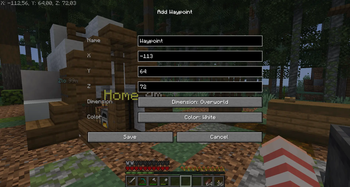
📍 EzWaypoints




🎥 Preview
Waypoints without a minimap.
Clean. Simple. Shareable. No extra stuff.
🧠 What is this?
Simple waypoint mod without a minimap.
- No clutter
- No huge settings menu
- No manual commands
Just waypoints.
✨ Why use this?
Many waypoint mods are built around a minimap and a lot of extra features.
This mod is for players who:
- do not want a minimap
- do not want to configure 50 settings
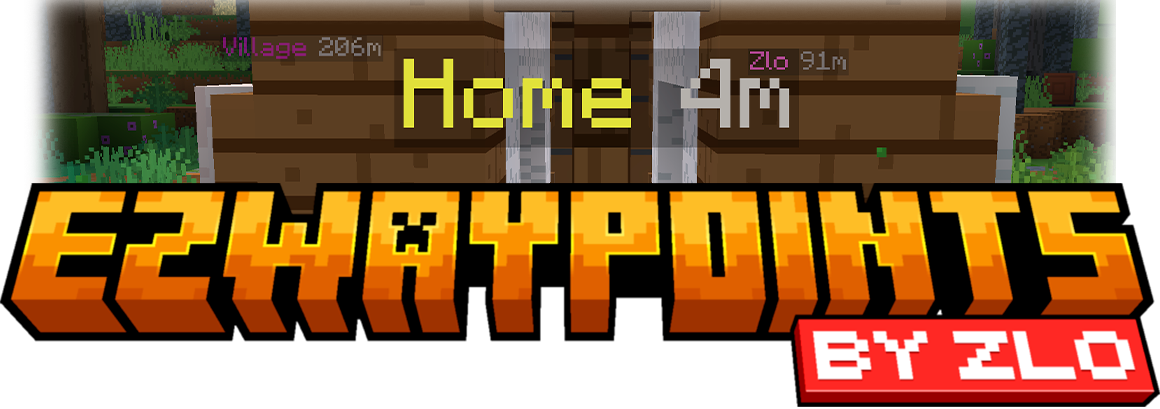
- just want clean waypoint labels in the world
If map-based waypoint mods like Xaero's feel too busy, EzWaypoints is the simpler option:
- easier to learn
- fewer hotkeys
- less menu clutter
- focused on waypoints only
🎮 Controls
N→ New waypointB→ Show waypoint labelsOpen Waypoint Manager→ Unbound by default
You can switch B between:
- Toggle mode
- Hold mode
⚙️ Features
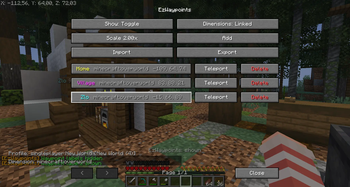
- Clean in-game waypoint manager
- Works on servers as a client-side mod
- Separate waypoints per world/server
- Singleplayer worlds with the same name stay separate
- Copy and paste waypoint share codes
- Import skips exact duplicates automatically
- Colored labels
- Adjustable label size
- Optional Y coordinate
- Overworld ↔ Nether linking (
X/Zscale ×8) - Teleport button (only when
/tpor/teleportis available to you) - Chat feedback for actions like add, import, delete, and copy
❓ FAQ
Can I send my waypoints to another player?
Yes! Export them as a share code and send the code.
Does this mod add a minimap?
No. This mod only adds waypoints.
Does it work on servers?
Yes. It is client-side mod.
Do I need to install it on the server?
No.
Are waypoints shared between servers/worlds?
No. Each world/server has its own waypoints.
Does importing add duplicates?
No. If a waypoint with the same name, color, dimension, and coordinates already exists, it will be skipped.
Where are waypoints stored?
config/ezwaypoints/ezwaypoints.json
Why is there no teleport button?
It only appears if tp or teleport is available and you have permission to use it.
📁 Additional Info
- Supports Minecraft
1.21.8 - 1.21.11 - Fabric only
- Client-side only
- MIT License
- Edition: Minecraft Java
- File type: .jar
- Minecraft version listed: 1.21.11
- How to install: Install the matching mod loader (Forge, Fabric or NeoForge) for your Minecraft version. → Download the .jar. → Put it in the .minecraft/mods folder and launch that loader profile.
- Where to get it: Opens on Modrinth — not every file is mirrored on our own servers.
Install steps are the general flow for this file type — How to install Minecraft Java mods & modpacks walks through it step by step.
- Ships as ezwaypoints-1.21.11-1.0.0+mc1.21.11.jar — drop this file into the mods folder
- Download size: 79 KB
- Download link checked 17 Oct 2026 — working
These come from our own check of the pack file, not from the source page.