
Just Another Survival Debug Stick
Java mod listed for Minecraft 1.21. Downloads from the MC Java Mods app on Android.
A simple, lightweight mod that brings debug stick crafting and usage to survival mode – yet offers deep customization for those who want full control.
I don't know my version or loader
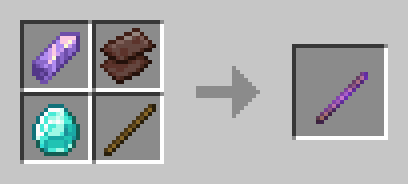

🪄 Just Another Survival Debug Stick
A lightweight server-side Fabric mod that enables survival players to craft and use the Debug Stick with high customization.
📖 Overview
The Just Another Survival Debug Stick mod allows players in survival mode to craft and use the Debug Stick just like in Creative mode.
It brings back the full power of block state editing — now accessible without cheats or operator permissions.
This project is heavily inspired by Just_S's Survival Debug Stick (SDS) mod but rewritten from scratch to be simple and up-to-date with modern versions.
🔍 Showcase
By default, (when not configured) it works with every block and property. Blocks & properties can be easily customized with the mod's config system.
Showcase of chest properties editing:
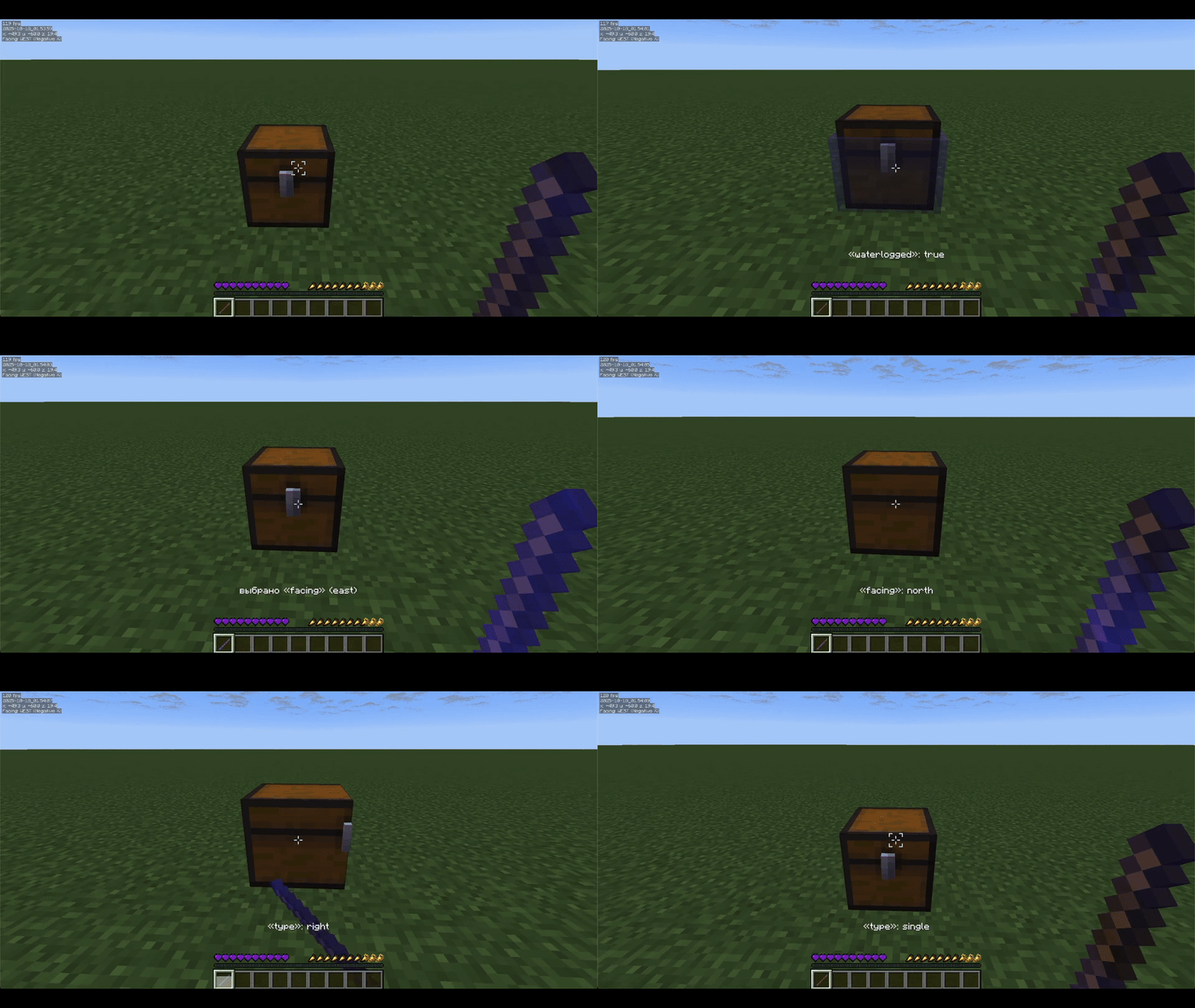
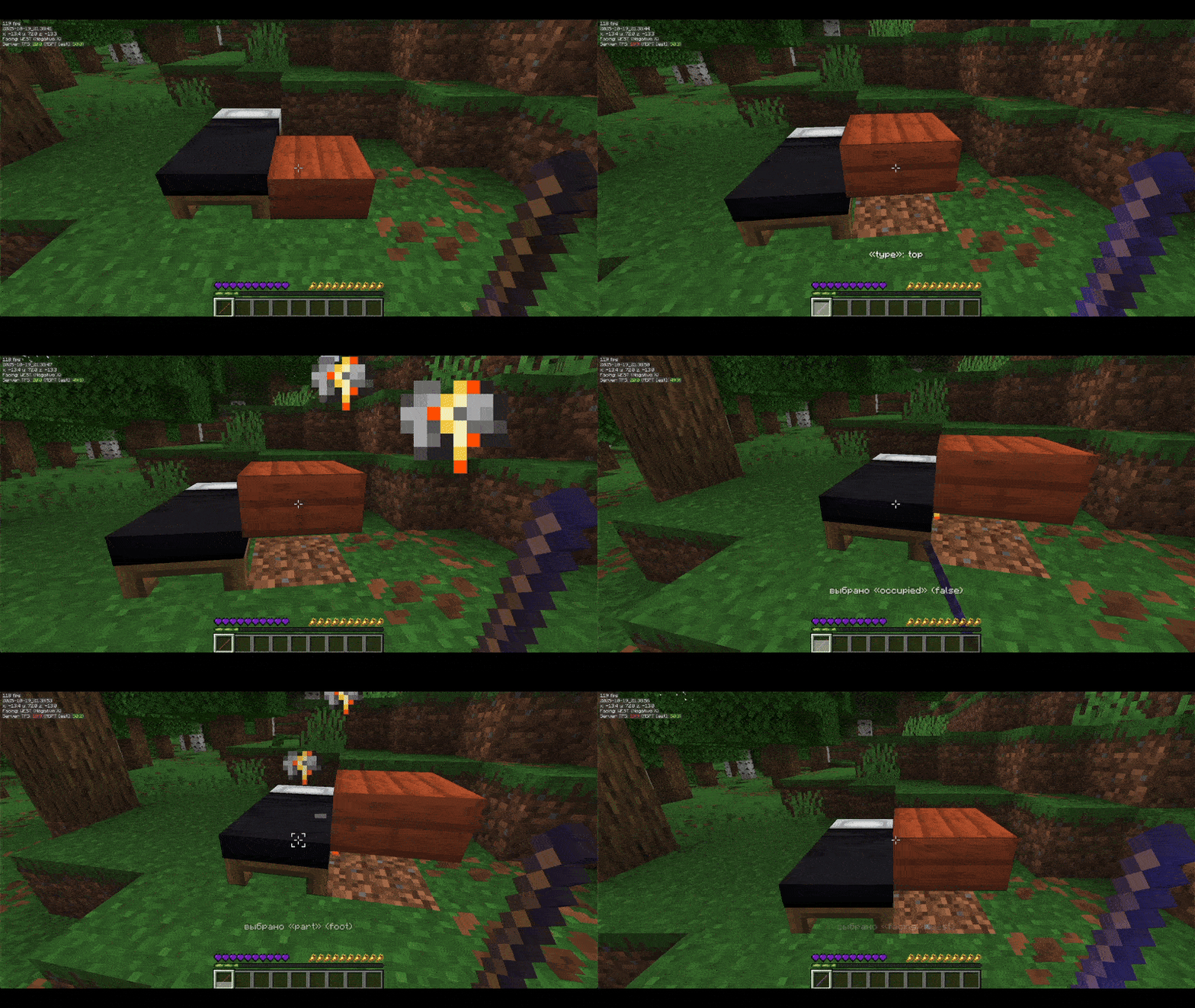
Showcase of editing blacklisted waterlogged property and non-whitelisted black_bed block.
How to configure whitelist & blacklist is located below, in the «Configuration» section:
⚙️ Configuration
The mod allows you to configure whitelist and blacklist for both blocks and properties, as well as debug stick usage and swapping cooldown.
Config contains: config.json, whitelist.json and blacklist.json located in the jasds folder inside the default config folder.
Example config.json:
{
  "propertySwapCooldown": 20, // cooldown for swapping between different properties
  "useCooldown": 15, // cooldown for using debug stick on a block
  "whitelistEnabled": false, // enables blocks & properties whitelist
  "blacklistEnabled": false // enables blocks & properties blacklist
}
Example whitelist.json and blacklist.json:
{
  /*
    All block formats should look like registry:blockid. For example, the default Minecraft dirt block will be "minecraft:dirt"
    Example non-empty blocks section:
    "blocks": ["minecraft:oak_leaves", "minecraft:furnace"]

    Property names you can get by clicking with the debug stick on a block. For example, the default Minecraft furnace lit property will be "lit"
    Example non-empty properties section:
    "properties": ["lit", "waterlogged"]
  */
  "blocks": [],
  "properties": []
}
⌨️ Commands
/jasds reload – Reloads all mod configuration files (config.json, whitelist.json, blacklist.json).
/jasds whitelist list/enable/disable – Displays, enables, or disables the whitelist for blocks and properties.
/jasds blacklist list/enable/disable – Displays, enables, or disables the blacklist for blocks and properties.
/jasds cooldowns use get/set – Gets or sets the cooldown (in ticks) for using the debug stick.
/jasds cooldowns swap get/set – Gets or sets the cooldown (in ticks) for swapping block properties with the debug stick.
🛠 Crafting Recipe
The mod uses a shapeless recipe provided below.
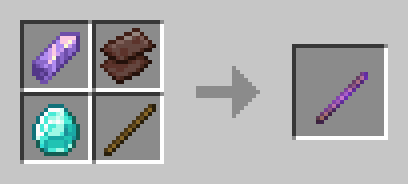
You can easily edit the craft by changing it in the mod's compiled JSON or change it in the source and compile it:
{
    "type": "minecraft:crafting_shapeless",
    "ingredients": [
        "minecraft:amethyst_shard",
        "minecraft:netherite_scrap",
        "minecraft:diamond",
        "minecraft:stick"
    ],
    "result": {
        "id": "minecraft:debug_stick",
        "count": 1
    },
    "group": "stuff"
}
- Edition: Minecraft Java
- File type: .jar
- Minecraft versions listed: 1.21.5, 1.21.6, 1.21.7
- How to install: Install the matching mod loader (Forge, Fabric or NeoForge) for your Minecraft version. → Download the .jar. → Put it in the .minecraft/mods folder and launch that loader profile.
- Where to get it: Opens on Modrinth — not every file is mirrored on our own servers.
Install steps are the general flow for this file type — How to install Minecraft Java mods & modpacks walks through it step by step.
- Ships as JASDS-1.1.0-1.21.5+.jar — drop this file into the mods folder
- Download size: 23 KB
- Download link checked 17 Oct 2026 — working
These come from our own check of the pack file, not from the source page.