
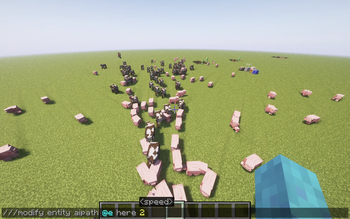
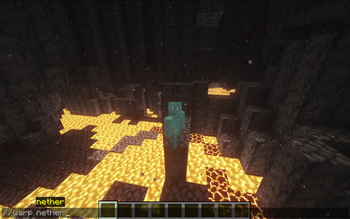
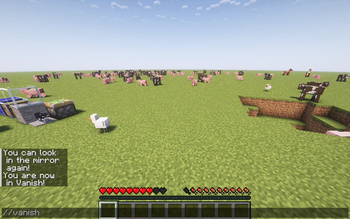
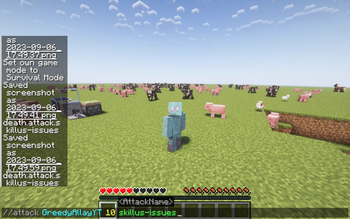

This mods adds some great improvements to the game, such as new commands, and some stuff to edit items data. The mod will get more features in the future, but this is the very test alpha of the mod. Or like they say in Minecraft: Here be dragons!
Here's a very funny YouTube Video About the mod, explaining how it works and entertaining at the same time!
commands usually start with two or three slashes.
List of current commands:
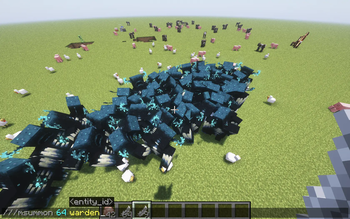
///msummon//explodeUsage: ///msummon
Summon hundreds or even thousands of entities at once, for the ultimate lag party!
(requires OP [L3])
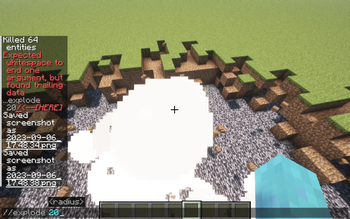
///attackUsage: //explode
Creates massive explosions
(requires OP [L3])
///despawntarget to attack, amount of damage, name of the attack
(requires OP [3])
target to despawn
//fire| NOTE: You can despawn yourself, which will break the entire world (rejoin to fix)
(requires OP [L3])
//invinc[add: target to put on fire, amount of burning time] [extinguish, target to distinguish]
(requires OP [L3])
///forceitemmakes you invincible
(requires OP [L3])
///modifyitem to give, amount of that item (no limit!)
(requires OP [L3])
///nbt(nerds only :) (requires OP [L3])
//msgcopy
will copy the nbt from the item from your main hand
(requires OP [L3])
//smiteplayer to message, should it show up in action bar? (above hotbar), your message
NOTE: this message is anonymous.
This does not require any privileges.
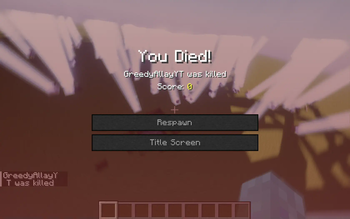
//vanishtarget - this will strike and kill annoying players
(requires OP [L3])
//warpgives you invisibility forever, type it again to become visible again!
(requires OP [L3])
///fakeblockdimension - teleport to the desired dimension!
(requires OP [L3])
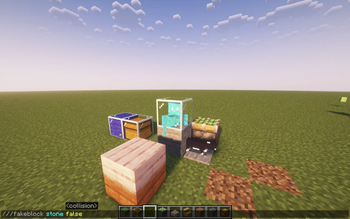
single-slash commandsusage: ///fakeblock <collision?>
Create (ghost) blocks that can be put even in the void!
(requires OP [L3])
/gmc, /gma, /gms, /gmsp - change your gamemode. (requires OP [L3])
I probably missed some, but you can find that out! ;)
- Edition: Minecraft Java
- File type: .jar
- Minecraft versions listed: 1.20, 1.20.1
- How to install: Install the matching mod loader (Forge, Fabric or NeoForge) for your Minecraft version. → Download the .jar. → Put it in the .minecraft/mods folder and launch that loader profile.
- Where to get it: Opens on Modrinth — not every file is mirrored on our own servers.
Install steps are the general flow for this file type — How to install Minecraft Java mods & modpacks walks through it step by step.
- Ships as Mineclient.jar — drop this file into the mods folder
- Download size: 243 KB
- Download link checked 7 Sept 2026 — working
These come from our own check of the pack file, not from the source page.