

Stoneworks HUD Chat
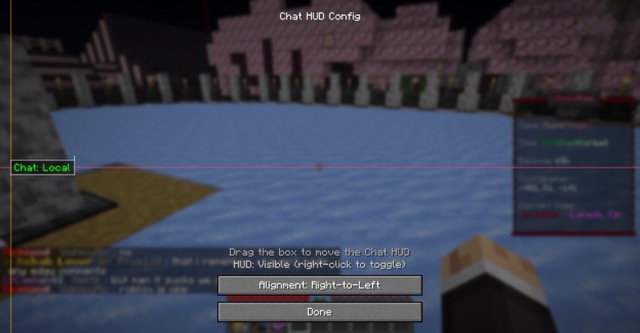
An unofficial Fabric client mod that displays your currently selected chat channel in your HUD. Designed mainly for Stoneworks but works on other RedisChat-based servers via manual user configuration.
Features
- Current channel shown on-screen with colorized prefix
- In-game HUD config screen: drag to move, resize via handles, snap to edges/center
- Alignment modes: left-to-right, center, right-to-left
- Scale control with clamped min/max for readability
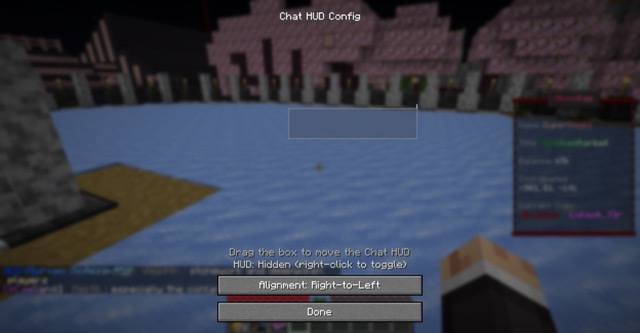
- Visibility toggle keybind
- Auto-detects server channel changes and updates the HUD
- Config persisted to
config/stoneworks_chat.json
Keybinds
- Open HUD Config:
H - Toggle HUD Visibility:
V
You can change keybinds in Minecraft Controls.
Config
Location: config/stoneworks_chat.json
currentChannel: string key of the current channelchannels: map of channel key -> objectdisplay: string shown in the HUD prefixcolor: one ofwhite|green|light_red|cyan|red|yellowaliases: array of strings (e.g., ["/g", "/global"]) used to detect channel switchesuiName: optional UI-friendly name
hudX,hudY: alignment coordinates (depend on alignment mode)textAlign:ltr|center|rtlhudScale: float between 0.75 and 4.0hudVisible: booleanhudAnchorX: optionalLEFT|CENTER|RIGHThudAnchorY: optionalTOP|CENTER|BOTTOMhudOffsetX,hudOffsetY: pixel offsets from the chosen anchorsshowHudTutorial: boolean
Defaults for Stoneworks channels are added automatically if missing.
Quick facts
- Edition: Minecraft Java
- File type: .jar
- Minecraft version listed: 1.21.8
- How to install: Install the matching mod loader (Forge, Fabric or NeoForge) for your Minecraft version. → Download the .jar. → Put it in the .minecraft/mods folder and launch that loader profile.
- Where to get it: Opens on Modrinth — not every file is mirrored on our own servers.
Install steps are the general flow for this file type — How to install Minecraft Java mods & modpacks walks through it step by step.
Verified by MCModsHub
- Ships as Stoneworks-Chat-0.1.5+1.21.8.jar — drop this file into the mods folder
- Download size: 237 KB
- Download link checked 7 Sept 2026 — working
These come from our own check of the pack file, not from the source page.