RU
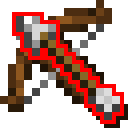
Мод позволяет вывести на экран стрелу, которая находится в вашем арбалете, если тот находится у вас в хот баре.
Зависимости мода:
Настройки мода:
Настройка позиции стрелы:
Стрелу можно поставить как вам удобно, горизонтально или вертикально. Также можно изменить размер стрелы на любое число пикселей от 4 до 64.
EN
The mod allows you to display the arrow that is in your crossbow, if it is in your hot bar.
Mod Dependencies:
Mod Settings:
Adjusting the arrow position:
- The arrow can be placed as you like, horizontally or vertically.
- You can also change the size of the arrow to any number of pixels from 4 to 64.
Quick facts
- Edition: Minecraft Java
- File type: .jar
- Minecraft versions listed: 1.21.1, 1.21.2, 1.21.3
- How to install: Install the matching mod loader (Forge, Fabric or NeoForge) for your Minecraft version. → Download the .jar. → Put it in the .minecraft/mods folder and launch that loader profile.
- Where to get it: Opens on Modrinth — not every file is mirrored on our own servers.
Install steps are the general flow for this file type — How to install Minecraft Java mods & modpacks walks through it step by step.
Verified by MCModsHub
- Ships as arrowpicked-1.0.0.jar — drop this file into the mods folder
- Download size: 13 KB
- Download link checked 7 Sept 2026 — working
These come from our own check of the pack file, not from the source page.