
Sheepdog Mod
Java mod listed for Minecraft 1.18. Downloads from the MC Java Mods app on Android.
⬇ Download on Modrinth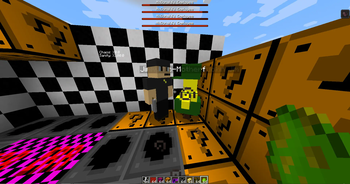



🥨 Installation
First of all make sure you have the latest version of 1.18.2 Forge installed. After installing the 1.18.2 version of forge simply go to your minecraft folder (usually "%appdata%/.minecraft" unless you use another folder or a custom launcher) then go to the mods folder and copy and paste the mod to there. You have now installed sheepdog mod successfully! now create a new world and enjoy the mod!
❓What Do we offer?
You might be thinking, what things does this mod have that I have to download it? Well, The SheepDog Mod has the features that are listed below and this mod has things you NEVER saw in other mods before..
🏝️ Structures
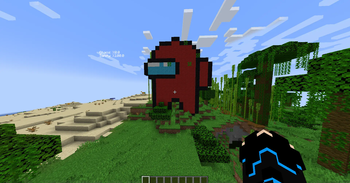
- Among us statues
- Parkours (4 Different parkours)
- Dungeons (McDonalds, Pizza and garage dungeons)
- Towers (McDonalds Tower)
- Labrartorys
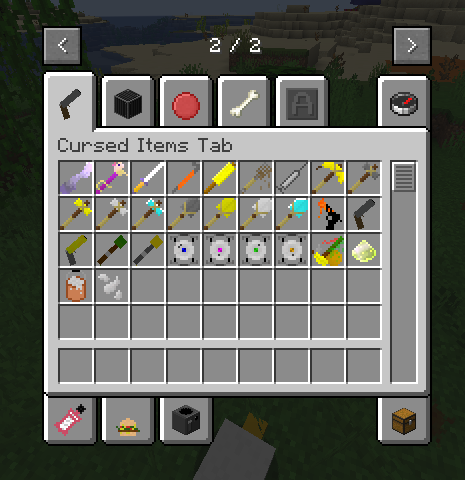
⛏️ Items
- Plastic Armors
- Everything about pitballs, letters and listerine
- Windex
- Drywallpaste
- Molten Palstic
- The ??????? Item
⏹️ Blocks
- Cores (Fact, Rick, Space and etc)
- Error Block
- Ball Blocks
- Counter Top
- Tek Stuff (Wall, Panel and stair)
- Colorful Tiles
- Chance Block
🐮 Mobs
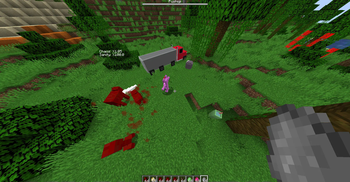
- Sheepdog's Truck
- Krisp
- Peeled mobs (cow, creeper, pig and etc)
- McDonalds Employee
- Jimmy
- Glass Of Water
- Casino Manager
🍔 Foods
- Spaghetti
- Olive Garden Bread sticks
- McDonalds Small Fries
- McDonalds Apple Slices
- McDonalds Chicken Nuggets
- McDonalds Travis Scott Fortnite Burger
- Failure
🤝 Creators
This project was made for fun by me and my friend, but now we are actually continuing the mod and posting it Made by Jeyphr and BNK
- Edition: Minecraft Java
- File type: .jar
- Minecraft version listed: 1.18.2
- How to install: Install the matching mod loader (Forge, Fabric or NeoForge) for your Minecraft version. → Download the .jar. → Put it in the .minecraft/mods folder and launch that loader profile.
- Where to get it: Opens on Modrinth — not every file is mirrored on our own servers.
Install steps are the general flow for this file type — How to install Minecraft Java mods & modpacks walks through it step by step.
- Ships as SheepDog Hub Mod v1.36.jar — drop this file into the mods folder
- Download size: 10.9 MB
- Download link checked 17 Oct 2026 — working
These come from our own check of the pack file, not from the source page.