
Sound Manager
Java mod listed for Minecraft 1.21. Downloads from the MC Java Mods app on Android.
This is the mod for usually used for muting or changing the voice of the mobs,blocks or generall things like death, fall damage , hit etc. You can edit…
⬇ Download on Modrinth
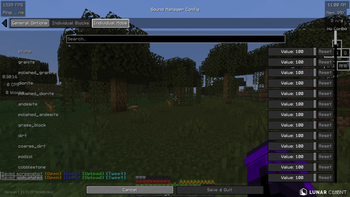
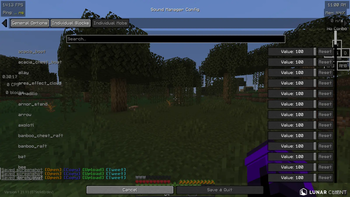
🎧 Better Gameplay – Custom Sound Manager
Better Gameplay is a lightweight Minecraft mod that gives players full control over in-game sounds. It allows you to customize, reduce, or completely mute specific sounds from blocks, mobs, and environmental interactions to create a more comfortable and personalized gameplay experience.
🎯 Purpose
Minecraft includes many repetitive or loud sounds (such as pistons, farming, or mob noises) that can become distracting or annoying over time. This mod is designed to solve that problem by allowing players to adjust or disable individual sounds without affecting the rest of the game.
⚙️ Functionality
With this mod, you can:
Control sound output for specific blocks (e.g., pistons, doors, redstone) Adjust or mute mob sounds (e.g., animals, hostile mobs) Manage environmental sounds (e.g., footsteps, farming, ambient noise) Apply changes either to individual sound events or broader categories Improve focus and gameplay comfort by removing unwanted audio
The mod works by modifying how Minecraft handles sound events, giving the player more control over what is played and what is not.
🎮 Use Cases Reduce noise in technical/redstone builds Create a quieter survival experience Remove repetitive or distracting sounds Customize gameplay for recording or streaming ⚠️ Important Notes This mod does not provide unfair gameplay advantages and is intended for quality-of-life improvements only Some sound changes may require restarting the game to fully apply Compatibility may vary depending on other sound-related mods 🧩 Compatibility Works in singleplayer and multiplayer Requires a supported mod loader (Fabric – specify yours) Designed to be lightweight with minimal performance impact 🚀 Future Plans In-game GUI for easier sound control Preset profiles (e.g., “Quiet Mode”, “No Redstone Sounds”) Custom sound replacement system ❤️ Credits
Developed by Jasim
- Edition: Minecraft Java
- File type: .jar
- Minecraft version listed: 1.21.11
- How to install: Install the matching mod loader (Forge, Fabric or NeoForge) for your Minecraft version. → Download the .jar. → Put it in the .minecraft/mods folder and launch that loader profile.
- Where to get it: Opens on Modrinth — not every file is mirrored on our own servers.
Install steps are the general flow for this file type — How to install Minecraft Java mods & modpacks walks through it step by step.
- Ships as Sound Manager 1.0.0.jar — drop this file into the mods folder
- Download size: 18 KB
- Download link checked 17 Oct 2026 — working
These come from our own check of the pack file, not from the source page.