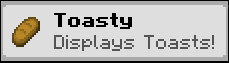
Toasty
Toasty is a Minecraft Mod that allows you to display toasts after certain events happen in game.

Toasty is fully clientside.
Adding custom toasts
A custom toast can be added using a resourcepack and placing a JSON file under assets/<namespace>/toasts.
A toast file looks like this:
{
  "toast": {
    "factory": {
      //optional, defaults to true
      "display_once": true,
      //optional, defaults to 5000, or 5 secs
      "display_time_in_milliseconds" : 5000,
      //The item to display on the left corner
      "item": "minecraft:bread",

      //Text and title are required Component fields. This means they can be translated,
      //colored and styled just like any other text you can see in game.
      "text": "Display toasts after certain actions are performed. Fully clientside!",
      "title": "Toasty helps customising your pack!"
    },
    //As of now, only this factory exists
    "toast_factory": "toasty:simple"
  },
  //A toast source is the way through which a player sees the Toast.
  //A toast source's targets are heavily dependant on the source.
  "toast_source": [
    {
      "source_id": "toasty:on_login",
      "targets": ["toasty:on_login"]
    }
  ]
}
Toast Factories
As of now, the only type of factory enabled is toasty:simple.
Toast Sources
toasty:on_login- Displays the toast when logging into a world. Requires a non-emptytargetslist.toasty:item_pickup- Displays the toast after picking up an item in the world. A target is the ResourceLocation that identifies the item. For example,minecraft:iron_pickaxe.toasty:entity_kill- Displays the toast after killing a certain entity type. A target is the ResourceLocation that identifies the entity type. For example,minecraft:chicken.
Saved locations
Toasty is fully clientside and uses the toasty folder at the root of your minecraft instance to keep
track of the toasts you have seen throughout your playthrough.
Future plans
- A screen to create toasts in game.
- CraftTweaker support
Quick facts
- Edition: Minecraft Java
- File type: .jar
- Minecraft version listed: 1.21.1
- How to install: Install the matching mod loader (Forge, Fabric or NeoForge) for your Minecraft version. → Download the .jar. → Put it in the .minecraft/mods folder and launch that loader profile.
- Where to get it: Opens on Modrinth — not every file is mirrored on our own servers.
Install steps are the general flow for this file type — How to install Minecraft Java mods & modpacks walks through it step by step.
Verified by MCModsHub
- Ships as toasty-fabric-1.21.1-1.0.0.jar — drop this file into the mods folder
- Download size: 49 KB
- Download link checked 7 Sept 2026 — working
These come from our own check of the pack file, not from the source page.