
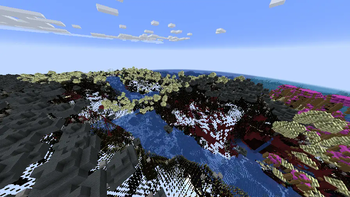
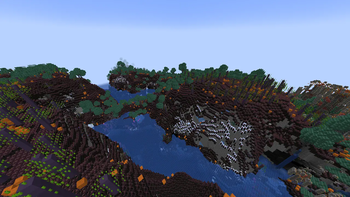
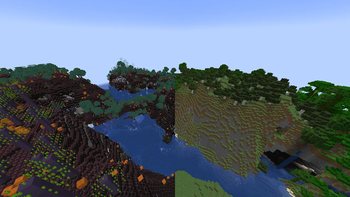
Every copy of Minecraft is personalized
With Personalized, you can see what no one else ever could. With Personalized's UUID randomization, how you see Minecraft is completely unique to you.
(This mod is fully clientside and includes a configuration file to opt out of any specific features, entity model randomization is off by default, while the rest of features are on by default, with no specific UUID assigned)
Mobs change their models
Items change with each other
The creative inventory is jumbled
And all blocks are switched.
What awaits in your own Personalized version of Minecraft?

It's also a clientside mod, so you can use it anywhere you want (be careful as some servers might find it ban worthy due to some blocks becoming translucent in your Personalized version)
Save view, but with a different account

Personalized includes a configuration file when you can opt out of any feature from the mod, as well as change your UUID to use someone elses.
Personalized is fully compatible with every other mod, allowing you to have very interesting Personalized Versions:
If you find an crash, bug, or other issue, make sure to report it in the issues page to me on Discord "kleiders"
- Edition: Minecraft Java
- File type: .jar
- Minecraft version listed: 1.20.1
- How to install: Install the matching mod loader (Forge, Fabric or NeoForge) for your Minecraft version. → Download the .jar. → Put it in the .minecraft/mods folder and launch that loader profile.
- Where to get it: Opens on Modrinth — not every file is mirrored on our own servers.
Install steps are the general flow for this file type — How to install Minecraft Java mods & modpacks walks through it step by step.
- Ships as personalized-1.2.0.jar — drop this file into the mods folder
- Download size: 84 KB
- Download link checked 7 Sept 2026 — working
These come from our own check of the pack file, not from the source page.