
Buoyant
Java mod listed for Minecraft 1.19. Downloads from the MC Java Mods app on Android.
⬇ Download on Modrinth

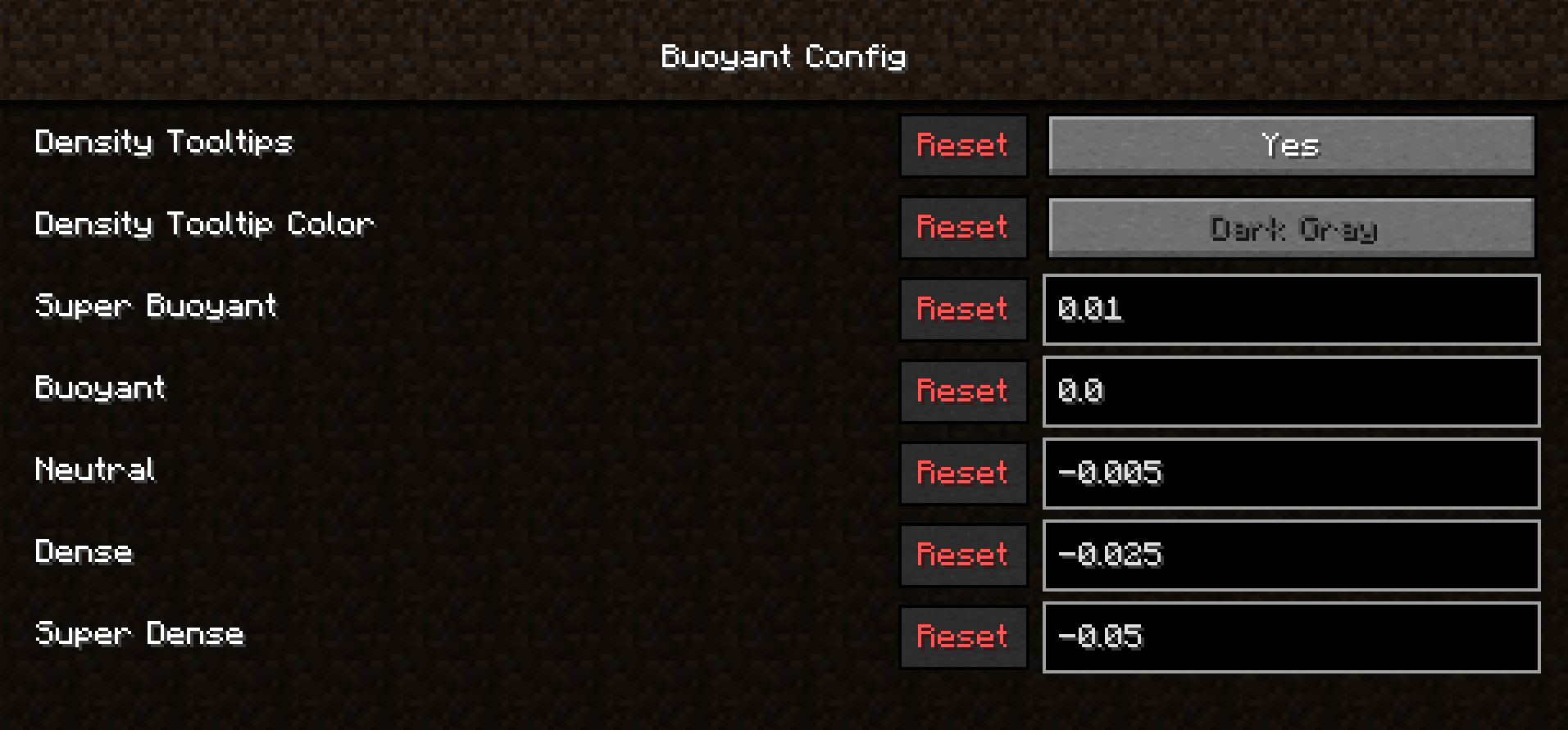
In Minecraft, all items float, yes, even that 21 ton gold block will float. This mod changes that, now, some items float, some don't, and everything in-between!
Buoyancy Types
There are a few forms of buoyancy that can be seen in the game, they are shown here from most buoyant to least.
- Super Buoyant (think items that contain air, like a glass bottle)
- Buoyant (things that naturally float, such as wood)
- Neutral (Fall at a normal speed but don't come back up, this applies to all objects that aren't already under a tag, such as Bricks)
- Dense (These items fall at faster speeds and certainly don't come back, such as gold blocks)
- Super Dense (These items fall very quickly, such as bedrock and other unobtainables)
If you'd like to see a modded item changed from Neutral buoyancy or a Vanilla item changed from it's current buoyancy, you're free to either modify it using a Datapack or make a Pull Request.
- Edition: Minecraft Java
- File type: .jar
- Minecraft version listed: 1.19.4
- How to install: Install the matching mod loader (Forge, Fabric or NeoForge) for your Minecraft version. → Download the .jar. → Put it in the .minecraft/mods folder and launch that loader profile.
- Where to get it: Opens on Modrinth — not every file is mirrored on our own servers.
Install steps are the general flow for this file type — How to install Minecraft Java mods & modpacks walks through it step by step.
- Ships as buoyant-0.1.1.jar — drop this file into the mods folder
- Download size: 74 KB
- Download link checked 18 Oct 2026 — working
These come from our own check of the pack file, not from the source page.