
Show My Enchants!
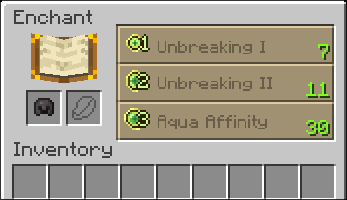
A Simple Mod That Displays The First Enchantment Hint On The GUI Instead Of The Button's Tool-Tip

Features
- Enabled/Disable Mod On Options Menu
- Enabled/Disable Vanilla Tool-Tip From Button
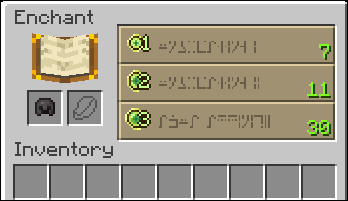
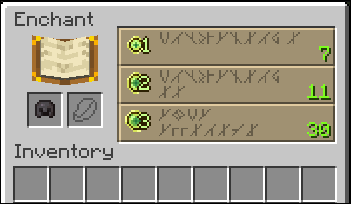
- Change Text Fonts (Normal, SGA, Runatica)
- Custom Font: Runatica
What Is Runatica?
Runatica Is A Custom Font That I Made While Bored In Class. It Is Inspired By Nordic Runes
Previews
Quick facts
- Edition: Minecraft Java
- File type: .jar
- Minecraft version listed: 1.21.4
- How to install: Install the matching mod loader (Forge, Fabric or NeoForge) for your Minecraft version. → Download the .jar. → Put it in the .minecraft/mods folder and launch that loader profile.
- Where to get it: Opens on Modrinth — not every file is mirrored on our own servers.
Install steps are the general flow for this file type — How to install Minecraft Java mods & modpacks walks through it step by step.
Verified by MCModsHub
- Ships as ShowMyEnchants-1.0.jar — drop this file into the mods folder
- Download size: 19 KB
- Download link checked 7 Sept 2026 — working
These come from our own check of the pack file, not from the source page.